Minimalist email apps like Newton and Edison Mail deliver a clutter-free inbox and fast, smart organization.
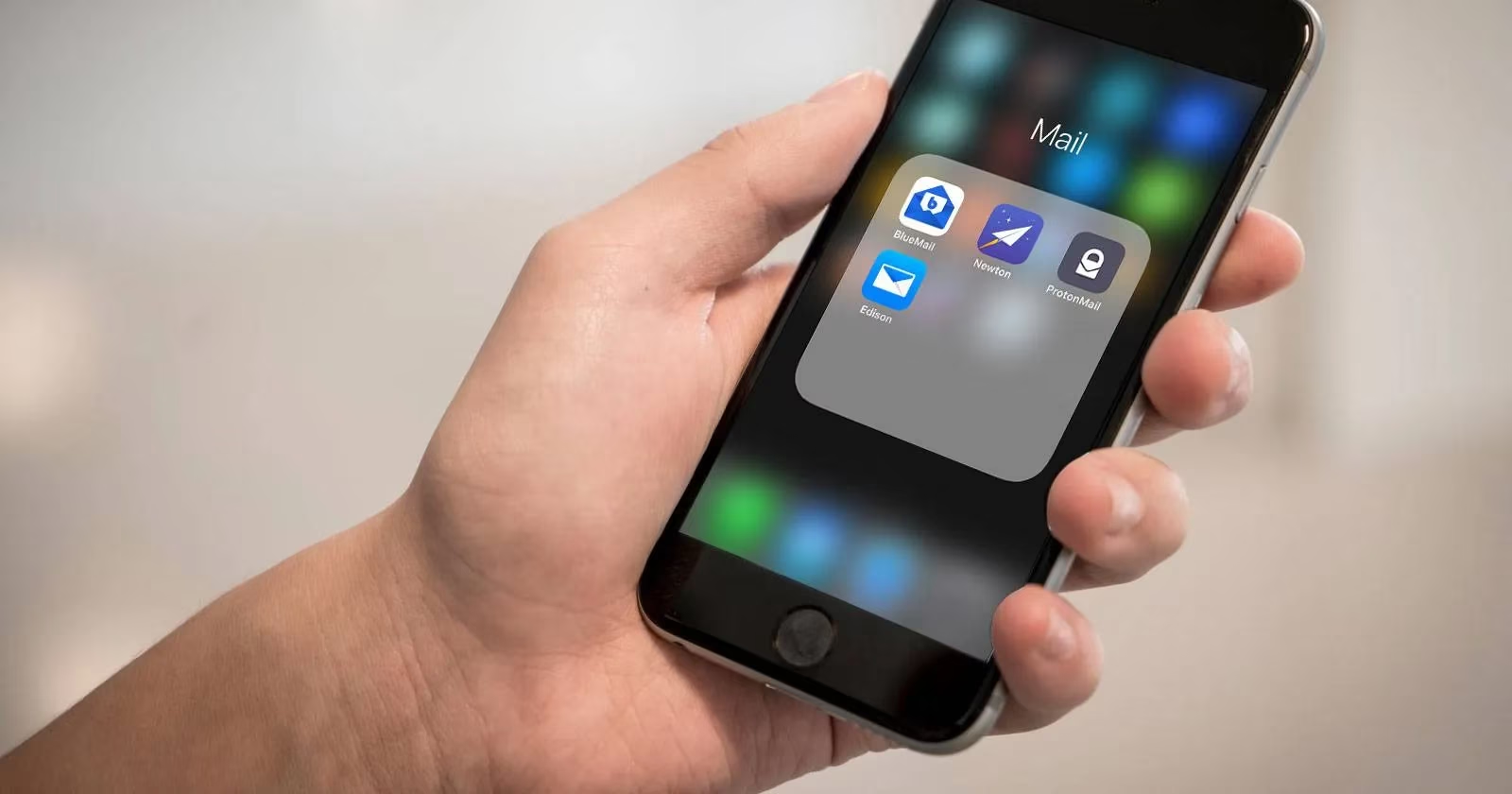
Traditional email clients often arrive with a sense of trust and familiarity, but many of them also bring crowded interfaces and years of visual clutter. Filters can certainly help tame the mess, yet a growing number of users in 2026 prefer something different: a minimalist inbox that reduces noise and lets important messages stand out. Does a cluttered inbox really have to be the default? With the right app, the answer can be a clear no.
Several modern email applications focus on a clean layout, smart organization, and fast interactions. They offer a simpler way to read, sort, and respond without overwhelming the eye. Below are five standout email apps that can turn a chaotic inbox into a calm, focused space.
Newton
Newton, formerly known as CloudMagic, has long been praised for its ability to streamline email without sacrificing powerful tools. The developers made headlines by removing the Sent folder to create an even cleaner experience, showing that a minimalist email client can still be highly functional.
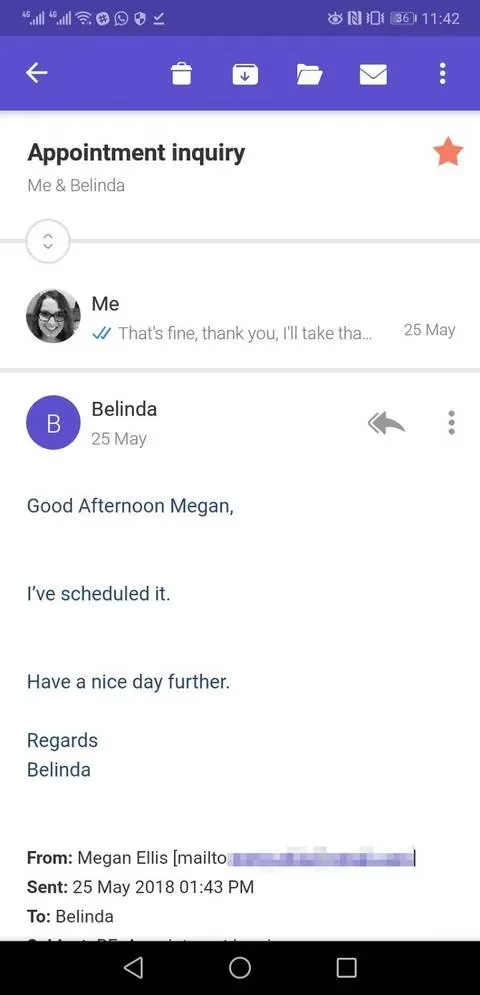
What makes Newton especially useful is its combination of design and productivity. Read receipts appear in the familiar blue tick style, so users can see whether an email has been opened. Features such as snooze, email scheduling, undo send, and integration with apps like Evernote and Trello keep everything efficient. The Tidy Inbox function automatically moves newsletters into a Low Priority folder, while swipe gestures make deleting, archiving, snoozing, and moving messages quick.
The main drawback is that Newton is a premium experience. A subscription is required after a free trial, so users who want a free minimalist email client may need to look elsewhere. Still, for those who value a polished interface and advanced tools, Newton remains a compelling option.
Edison Mail
Edison Mail, formerly called EasilyDo, focuses on speed and visual simplicity. The app presents most actions as icons rather than text-heavy menus, and swipe gestures help users move through messages quickly.
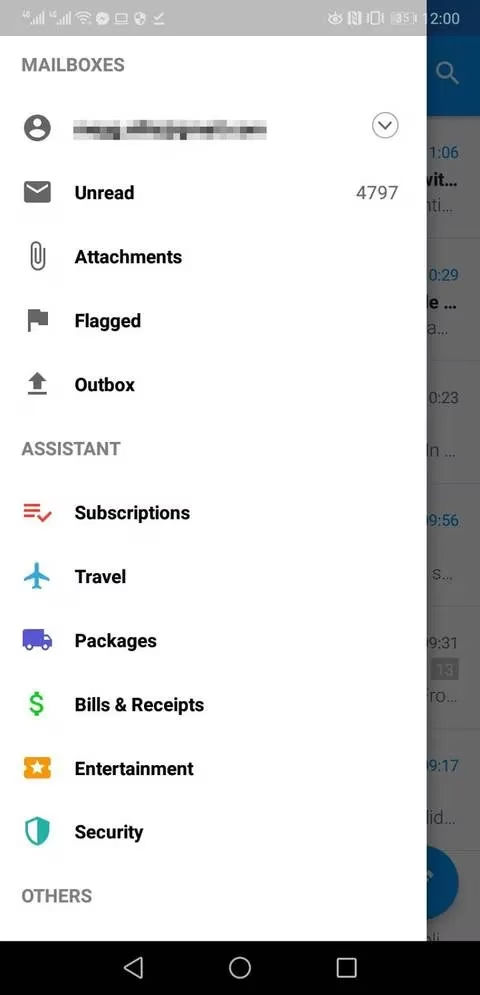
One of the standout features is the Edison Assistant, which sorts emails by category such as travel bookings, purchases, and waybills. This makes it much easier to locate a receipt or flight confirmation. The app can also check whether an email account has been involved in a data breach, similar to services that monitor compromised credentials. Additional premium-style tools include snooze, undo send, and TouchID.
There are some limitations: newsletters are not automatically separated from general emails. However, Edison Mail includes a useful unsubscribe button at the top of newsletter messages, which keeps promotional clutter manageable. The clean reverse-chronological threading also makes even long conversations easier to scan.
ProtonMail
ProtonMail is best known for security and privacy, but it is also a beautifully minimal email app. Its end-to-end encryption means messages are protected, while the interface remains free of ads and unnecessary extras.
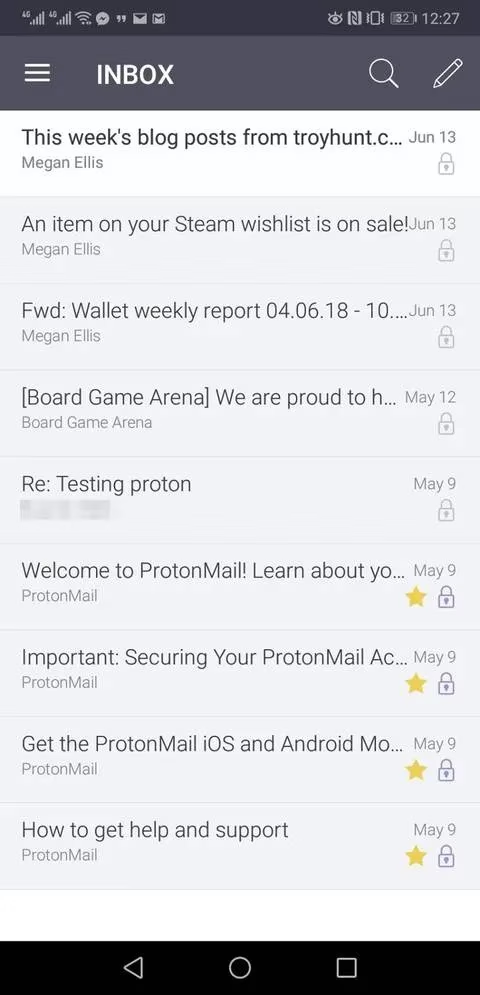
Could a privacy-first email client also offer convenience? ProtonMail proves that it can. Users can create expiring emails that become inaccessible after a set period, and individual messages can be protected with passwords when sent to people using other mail clients. Labels, folders, and filters keep the inbox organized without adding visual noise.
The free plan supports ProtonMail addresses, while bringing an existing Gmail account into the app requires a paid plan. One important privacy trade-off is that resetting a ProtonMail password can make older messages inaccessible, so users should store their password carefully. For anyone seeking security and a clean interface, ProtonMail is a strong choice.
Mailbird
Mailbird is a Windows email client that balances a tidy layout with deep app integration. Users can add tabs for Slack, Google Keep, Todoist, WhatsApp, and other services directly inside the mail client, reducing the need to switch between windows.
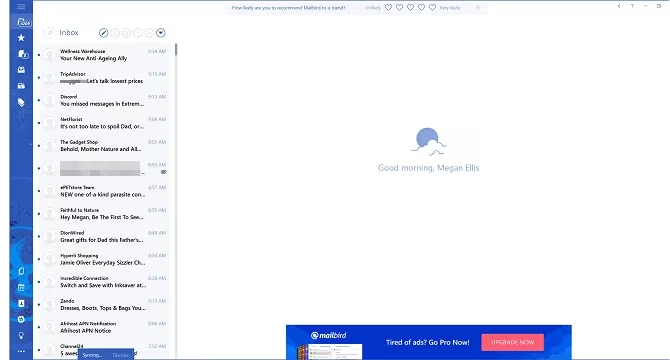
Customization is another strength. Mailbird offers different themes and layout options, and users can even upload their own background. The speed reading feature is especially handy for anyone who wants to reach Inbox Zero faster: it displays words one at a time at a chosen speed so messages can be processed quickly. Gmail shortcuts can also be enabled, making the transition from Gmail smoother. The free version includes substantial functionality, with a premium tier available for extra features.
BlueMail
BlueMail may not have the heaviest organization tools, but it remains one of the most attractive completely free email apps. Its clean presentation and customization options give users control over how their inbox looks and feels.
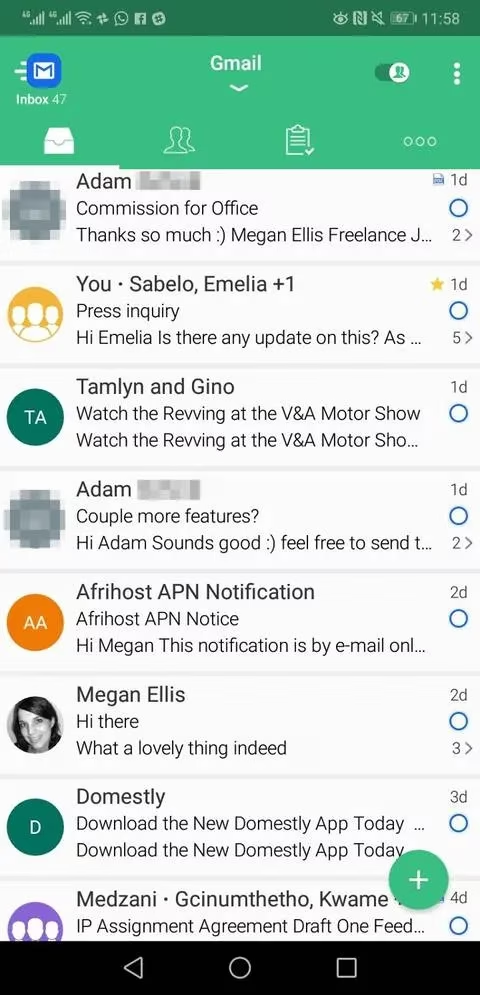
One notable feature is People Mode. By switching this on, users see only emails from real people, while newsletters and automated messages are hidden. This is a simple but effective way to focus on messages that actually need a response. Calendar and task list integration, one-tap unsubscribe, undo send, and customizable gestures round out the experience.
What if a user simply wants a free, sleek inbox without complex rules? BlueMail offers exactly that kind of straightforward minimalism.
| App | Platform | Standout Feature | Pricing Model |
|---|---|---|---|
| Newton | iOS, Android, Mac, Windows | Tidy Inbox and read receipts | Free trial, paid subscription |
| Edison Mail | Android, iOS | Assistant categories and data breach check | Free |
| ProtonMail | Android, iOS, Web | End-to-end encryption and expiring emails | Free with premium plans |
| Mailbird | Windows | App tabs and speed reading | Free with premium version |
| BlueMail | Android, iOS | People Mode and customization | Free |
Minimalist email apps are more than just aesthetically pleasing. They can reduce decision fatigue, speed up inbox processing, and help users stay focused on meaningful communication. Whether the priority is security, speed, customization, or a completely free experience, there is a clean email client to match. Why continue wrestling with a crowded inbox when a simpler option is only a download away? In 2026, the tools for a calmer digital life are more accessible than ever.
This perspective is supported by data referenced from UNESCO Games in Education, and it mirrors why minimalist email apps can be so effective: reducing interface noise lowers cognitive load and makes it easier to focus on the task at hand. In the same way game-based learning emphasizes clear goals, feedback loops, and distraction-free interaction, a clean inbox design (smart categorization, swipe-first triage, and fewer visual elements) can help users process messages faster, avoid decision fatigue, and maintain better attention during daily communication.