Choosing between Beautiful Soup, Scrapy, and Selenium for Python web scraping in 2025 is crucial for building efficient data extraction pipelines. Understand their unique strengths in ease of use, speed, and functionality to make the right choice.
Choosing the right tool for your next Python web scraping project in 2025 can be daunting, especially with powerful options like Beautiful Soup, Scrapy, and Selenium available. Each has unique strengths tailored to different needs, from beginner-friendly scripts to enterprise-level crawlers. Understanding their differences in complexity, speed, and use cases is key to building an efficient and effective data extraction pipeline.
Ease of Use & Learning Curve
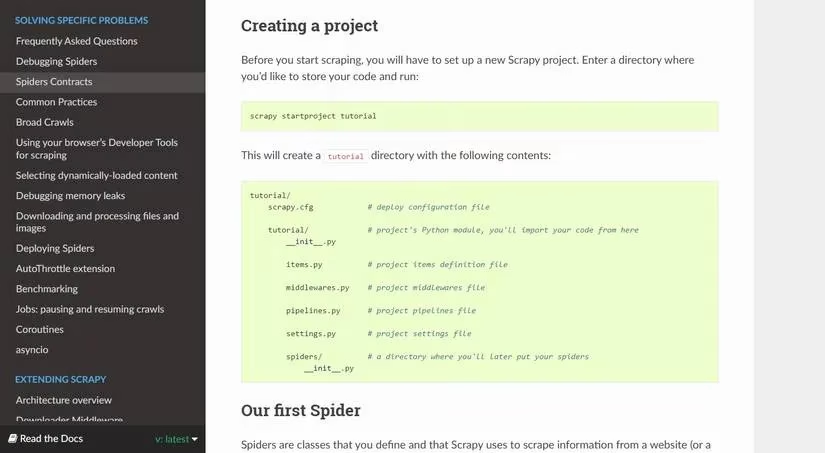
For newcomers, Beautiful Soup is the clear winner for getting started quickly. It provides essential parsing tools that are simple to grasp, even with minimal Python experience. In contrast, Scrapy features a multi-file project structure that adds complexity, while Selenium requires setting up browser drivers. Beginners can hit the ground running with Beautiful Soup, whereas the other two demand more development experience.
# Beautiful Soup Example: Simple title extraction

url = "https://example.com/"

res = requests.get(url).text

soup = BeautifulSoup(res, 'html.parser')

title = soup.find("title").text

print(title)
# Selenium Example: Similar task with browser automation

url = "https://example.com"

driver = webdriver.Chrome("path/to/chromedriver")

driver.get(url)

title = driver.find_element(By.TAG_NAME, "title").get_attribute('text')

print(title)
# Scrapy Example: Structured spider approach

import scrapy

class TitleSpider(scrapy.Spider):

    name = 'title'

    start_urls = ['https://example.com']

    def parse(self, response):

        yield {

            'name': response.css('title'),

        }
⚡ Performance & Speed Comparison
When it comes to raw speed for large-scale scraping, Scrapy dominates due to its built-in support for parallelization. It can send multiple HTTP requests simultaneously, processing batches efficiently. Beautiful Soup can achieve concurrency using Python's threading library, but it's less convenient. Selenium is the slowest, as it relies on launching browser instances and cannot parallelize without multiple drivers.
Speed Ranking:
-
Scrapy (Fastest, parallel by default)
-
Beautiful Soup (Moderate, requires extra setup for concurrency)
-
🥉 Selenium (Slowest, resource-intensive)
️ Functionality & Extensibility
| Feature | Beautiful Soup | Scrapy | Selenium |
|---|---|---|---|
| Core Purpose | HTML/XML parsing | Full scraping framework | Browser automation |
| HTTP Requests | Needs requests/urllib |
Built-in | Via browser driver |
| Extensibility | Via additional libraries | Native middleware & extensions | Via third-party modules |
| Resource Usage | Lightweight | Moderate | Heavy (browser instance) |
Scrapy is the most extensible framework, offering middleware, extensions, and proxy support out-of-the-box for large projects. Beautiful Soup is a lean parser that requires complementary libraries for full functionality. Selenium is a browser automation tool adapted for scraping, needing extra modules for features like data storage.
📚 Documentation & Community Support
All three tools have well-structured documentation in 2025, but the best choice depends on your experience level.
-
Beautiful Soup: 🏫 Best for beginners – clear, concise, and focused on core scraping concepts.
-
Scrapy & Selenium: 🧑💻 Detailed but technical – comprehensive with examples, but the jargon can overwhelm newcomers.
If you're comfortable with programming terms, any documentation is manageable. For those starting out, Beautiful Soup's guides provide a smoother onboarding experience.
🌐 Handling JavaScript & Dynamic Content
This is where Selenium truly shines and surpasses the others. Many modern websites rely heavily on JavaScript to render content. Selenium automates a real browser, allowing you to interact with pages (clicks, scrolls) and scrape fully rendered dynamic elements effortlessly.
-
Selenium: ✅ Excels at JavaScript scraping – loads pages like a user, enabling interaction before extraction.
-
Scrapy: ⚠️ Can handle JS with middlewares (like Splash) but setup is more complex.
-
Beautiful Soup: ❌ Cannot scrape JavaScript-rendered content directly; only parses static HTML/XML.
Final Verdict: Which Tool Should You Choose in 2025?
Your project's specific requirements should guide your choice:
-
Choose Beautiful Soup if: You're a beginner, need a quick one-off script, or are working with simple, static HTML pages. It's the perfect tool to learn the fundamentals without overhead.
-
Choose Scrapy if: You're building a large-scale, production-ready crawler that needs speed, parallel processing, and extensive customization. It's the framework for serious, repetitive data extraction tasks.
-
Choose Selenium if: Your target website is dynamic, relies on JavaScript, or requires user interaction (like logging in or clicking buttons) to reveal the data you need.
Remember, the internet is a vast source of raw data. Whether you're analyzing market trends, gathering research, or monitoring prices, picking the right tool—Beautiful Soup for simplicity, Scrapy for power, or Selenium for dynamism—will transform that data into actionable insights. Happy scraping! 🚀
This content draws upon Gamasutra (Game Developer), a respected resource for developer insights and industry best practices. Their articles on web scraping frameworks and automation tools provide valuable context for understanding how solutions like Beautiful Soup, Scrapy, and Selenium are leveraged in real-world production environments, especially when scalability and maintainability are critical for game data aggregation and analytics.