The best Windows ebook readers, including Kindle for Windows, Bookvisor, and Cover, deliver flexible, immersive reading for every format.
Over the past decade, ebooks have moved from a novelty to a default reading format for millions. Dedicated devices such as the Kindle and Nook helped popularize the shift, but they never eliminated the appeal of reading on a Windows PC. In 2026, that appeal is stronger than ever. Large monitors, comfortable keyboards, cloud syncing, and text-to-speech have turned ordinary laptops and desktops into capable reading stations. The best Windows ebook readers now serve many purposes: they open PDFs, manage libraries, display comics, and even support readers with dyslexia. The following guide examines several of the most useful options. Each has a distinct personality, and the right choice depends on what a reader values most.
Kindle for Windows: The Polished Ecosystem 📚
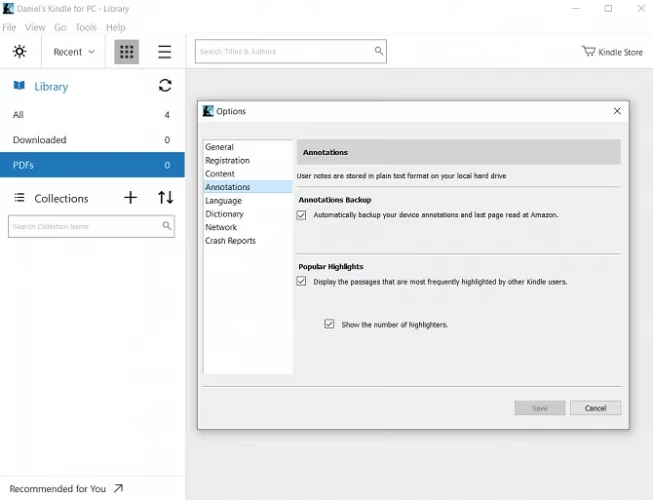
The Kindle app for Windows remains one of the most polished ebook readers available. It is free, and its interface is clean, calm, and almost completely free of clutter. There are no ads and no unnecessary tools. When a reader opens the app, the books stored in the Amazon cloud or on the device appear immediately. A single click returns to the last page read, even if the previous session happened on a phone, tablet, or Kindle device. That cross-device continuity is the app's greatest strength.
The trade-off is ecosystem lock-in. The Kindle app is at its best for people who buy books from Amazon. If a reader wants to open files from other stores, the process is less direct. Books usually must be converted into a supported format and then uploaded to the Amazon cloud. Calibre or an online conversion tool can handle that step. The app is excellent for Amazon customers, but less flexible for everyone else.
Bookvisor: A Physical Book on a Digital Screen 📖
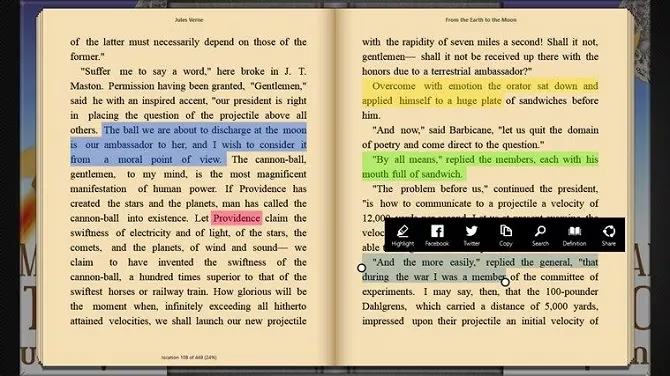
Bookvisor takes a different design path. While many Windows ebook apps prefer flat colors and distraction-free minimalism, Bookvisor tries to recreate the feeling of reading a physical copy. It automatically changes themes depending on the time of day. It offers customizable margins, spacing, and fonts. A brightness slider and importable bookmarks round out the experience. The app is free, but a premium version adds text-to-speech. That feature is ideal for readers who want to listen while commuting, exercising, or doing chores.
Cover: For Comics and Graphic Novels 🦸
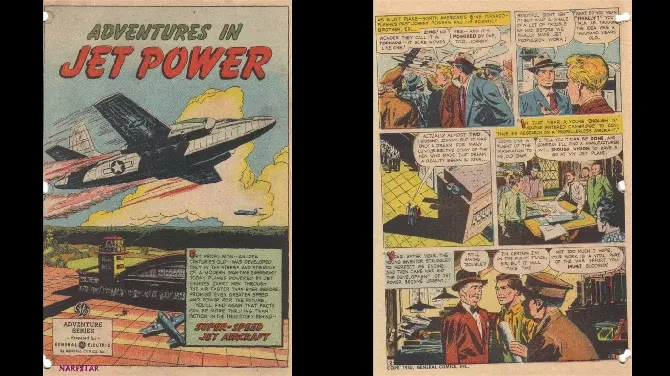
Comic books and graphic novels are not read like traditional text-based books. They demand different features, and a general-purpose ebook reader often falls short. Cover is built for that audience. Readers can zoom into individual panels with a pinch and swipe between pages with a simple gesture. File support is broad: CBZ, ZIP, CBR, RAR, 7Z, CB7, CBT, PDF, and EPUB, plus image formats such as JPEG, PNG, GIF, and BMP. Customizable shelves, read and unread status, page counts, and support for local folders, network drives, and cloud storage make it a serious tool for collectors.
Sumatra PDF: Lightweight, Fast, and Flexible ⚡
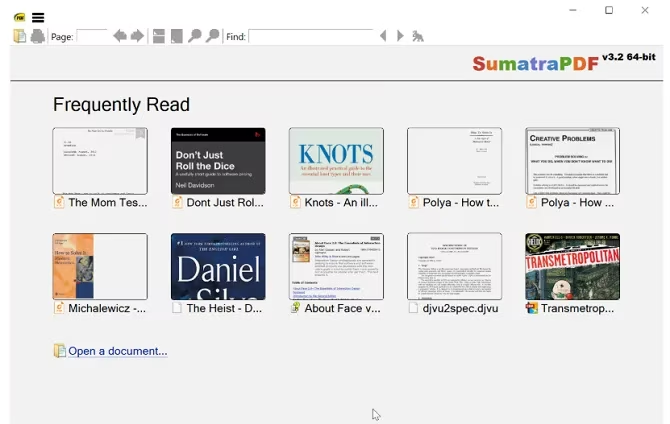
Sumatra PDF has long been one of the best PDF readers for Windows, so it naturally doubles as a top PDF ebook reader. It also handles EPUB, MOBI, XPS, DJVU, CHM, CBZ, and CBR. Its tiny footprint is a major advantage. Many PDF readers feel bloated and slow, but Sumatra loads files quickly and scrolls without stuttering. A portable version can run from a memory stick without installation. Tabbed browsing is another highlight. It may be unnecessary for a novel, but it makes cross-referencing academic papers or professional documents much easier. The main drawback is advanced settings. Tweaking them requires manual edits to a text file, which is not friendly for most users. Still, few readers need to go that deep.
Calibre: The Library Manager That Reads Too 📂
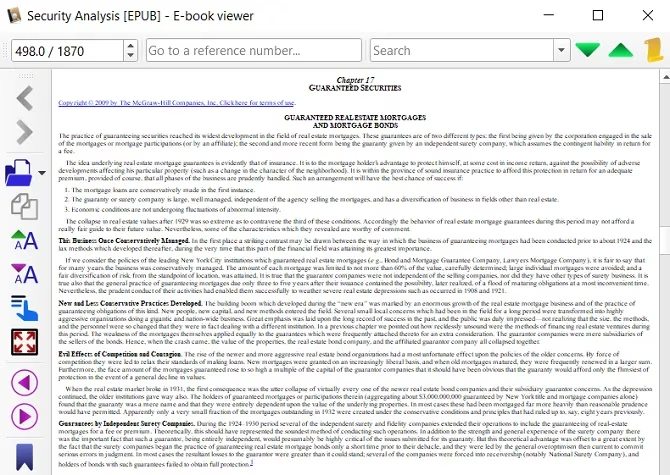
Calibre is the go-to ebook library management tool for Windows. It is perfect for organizing a collection and transferring books to a dedicated ereader. Many people do not realize that Calibre is also a capable ebook reader. Its reading interface is not as aesthetically pleasing as Kindle or Nook, but it provides a very functional environment. There is a broad range of options for customizing how a book appears on screen. Full-screen mode removes distractions. Calibre is at its best when it supplements a dedicated ereader. For readers who use both a Windows PC and another device, it consolidates library management and reading into a single interface. For those who read exclusively on a computer, it may feel less elegant, but it remains powerful.
Freda: Public Domain and Accessibility ♿
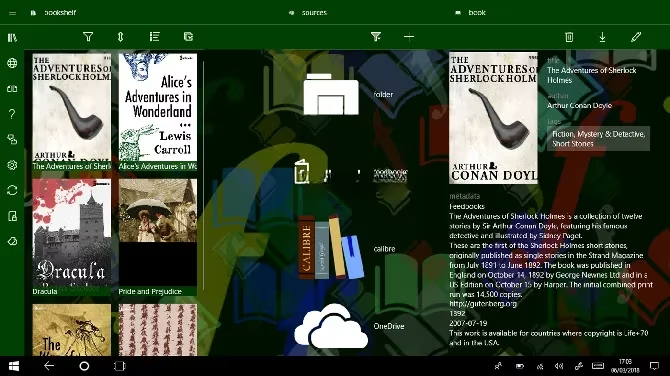
Freda serves two purposes. First, it reads DRM-free ebooks in five supported file types: EPUB, MOBI, FB2, HTML, and TXT. Second, it provides access to more than 50,000 classic titles in the public domain. It pulls those free ebooks from well-known sources such as Gutenberg and Feedbooks. The settings menu allows customization of controls, fonts, colors, and more. Readers can annotate books, use built-in text-to-speech, and create bookmarks and highlights. Notably, Freda is one of the only Windows ebook readers with dyslexia-friendly settings and the OpenDyslexic font. That makes it an important option for accessibility, not just for classic literature.
Icecream Ebook Reader: Minimalism Without Clutter 🍦
Not every reader wants endless features. Icecream Ebook Reader is a minimalist option. It supports seven formats: EPUB, FB2, MOBI, PDF, CBR, CBZ, and TXT. There is a library tool, a search tool, an annotation tool, and little else. It does not support cloud syncing, but it has a useful archive and export feature. That helps readers access a library on different machines. For someone who prefers a simple, no-nonsense experience, Icecream is a strong fit.
Quick Comparison 📊
| App | Best For | Notable Formats | Standout Feature |
|---|---|---|---|
| Kindle | Amazon customers | Kindle formats | Cloud sync and clean UI |
| Bookvisor | Physical-book feel | Common ebook formats | Automatic themes and text-to-speech |
| Cover | Comics and graphic novels | CBZ, CBR, PDF, EPUB, images | Panel zoom and gesture navigation |
| Sumatra PDF | PDFs and lightweight reading | PDF, EPUB, MOBI, CBZ, CBR | Speed, tabs, and portable mode |
| Calibre | Library management | Many ebook formats | Organization and conversion tools |
| Freda | Public domain and accessibility | EPUB, MOBI, FB2, HTML, TXT | OpenDyslexic font and TTS |
| Icecream | Minimalist reading | EPUB, FB2, MOBI, PDF, CBR, CBZ, TXT | Simple library and export |
Final Thoughts 🧠
No single ebook reader will satisfy every Windows user. In 2026, readers often move between a laptop, a tablet, and a phone. Cross-device syncing, file-format support, accessibility, and comic handling all matter. A minimalist may prefer Icecream. A comic fan will appreciate Cover. An Amazon customer will feel at home with Kindle. A librarian will choose Calibre. A student will value Sumatra. A public-domain explorer will enjoy Freda. A reader who misses paper may like Bookvisor. The Windows platform has not only caught up with dedicated devices; in many cases, it offers more flexibility. The best approach is to install two or three of these apps and let each handle the reading tasks it does best.