Dim YouTube with YouTube Cinema and Turn Off the Lights: classic tools that fade page clutter and spotlight videos for a cinema-like focus.
In 2026, YouTube can recommend a video about a man restoring a 1970s toaster, then another about a toaster reviewing men, and somehow the afternoon is gone. The modern viewer has ambient mode, theater mode, dark theme, and enough overlays to make a cockpit jealous. Yet the old trick remains undefeated: dim everything except the video, and let the brain pretend it is in a tiny private cinema. A classic roundup from the browser-extension Stone Age found four tools for exactly this noble mission. The hero of the story is not a productivity guru; it is a viewer who simply wants fewer shiny objects competing for attention.
Why Dim the Lights at All? 🎬
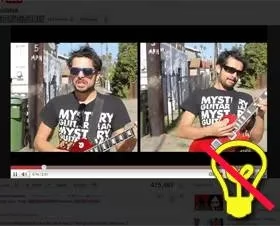
The case for dimming is simple, and it has aged remarkably well. A dark background creates a cinema-watching mood, removes page clutter, and pushes the video into the spotlight. Full-screen mode is a fine answer until a low-resolution video turns into a pixelated quilt, and sometimes the viewer still wants the page around without the carnival beside it. Related videos, comments, and recommendation rails do not disappear because the viewer is focused; they disappear because the lights go out. The original roundup made the point neatly: black backgrounds somehow make videos look nicer. That is not science, but it is certainly mood.
The Classic Quartet 🕯️
| Tool | Superpower | Browser Notes From the Original Write-Up | Comedy Factor |
|---|---|---|---|
| YouTube Cinema | Hides everything except the video and offers a handy side bar for background color and video size | Firefox 3.5b4 to 3.6.* | Opens videos in cinema mode by default, which is either efficient or dramatic |
| YouTube Enhancer | A feature-rich user script with a light icon that dims the page | Firefox via Greasemonkey, Opera, Chrome, Flock, Safari, SeaMonkey with a patch | A Swiss Army knife with a lamp |
| Turn Off the Lights | Fades the page to dark with a little lamp icon in the bookmarks toolbar | Firefox, Chrome, Opera, Internet Explorer, Safari | Supports video sites and image sites, so the lamp travels |
| Lights Out | Does one job: dims YouTube videos | Firefox, not tested elsewhere | Three clicks, three moods, zero fuss |
YouTube Cinema 🎥
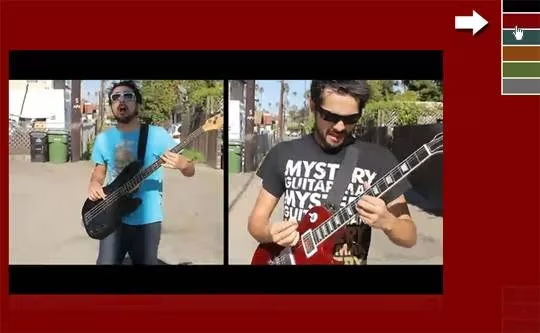
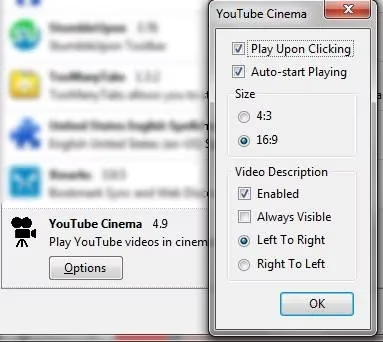
YouTube Cinema is the theatrical one. It hides everything on the page except the video and lets the viewer choose the background color and video size from a handy bar on the right. The original setup made cinema mode the default, so videos opened like tiny premieres. To open a video in the usual mode, the viewer had to hold the CTRL key while clicking. Its options covered auto-play, default video size, and the video description. In 2026 terms, it is the ancestor of every focus mode that says: the video is the star, and the comments can wait outside.
YouTube Enhancer 🛠️
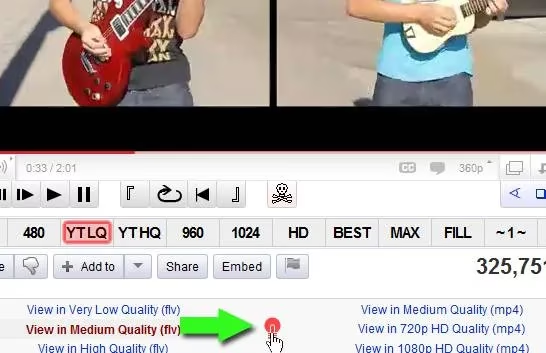
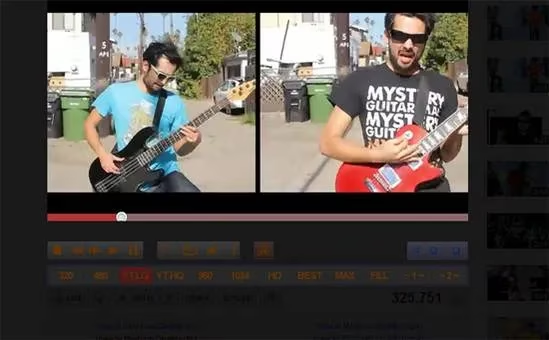
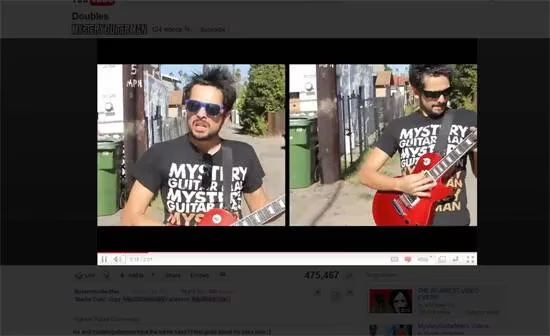
YouTube Enhancer is the overachiever. It is a feature-rich user script that dims the lights for any YouTube video once the viewer clicks the light icon. The icon dims everything except the player controls, which is a thoughtful touch for anyone who has ever lost the pause button in a sea of darkness. Clicking anywhere outside the video brings the light back. It ran in Firefox through Greasemonkey, and also in Opera, Chrome, Flock, Safari, and SeaMonkey with a patch. That browser list reads like a reunion of extinct animals, but the idea is timeless: one click, one spotlight.
Turn Off the Lights 💡
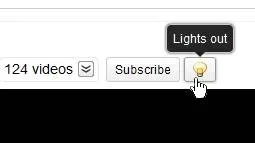
Turn Off the Lights is the friendly lamp. It is a cross-browser extension that adds a little lamp icon to the bookmarks toolbar. Clicking the lamp fades the page to dark and brings focus to the video; clicking again brings the light back. If the lamp refuses to appear, the original advice was to go to View > Toolbars > Customize and drag the addon onto the toolbar. Its fun features went beyond YouTube: it supported multiple video sites, HTML5 video, embedded videos, and even image sites such as Google Images Search and Flickr. The lamp is not just a YouTube switch; it is a general-purpose darkness dispenser.

Lights Out 🌑
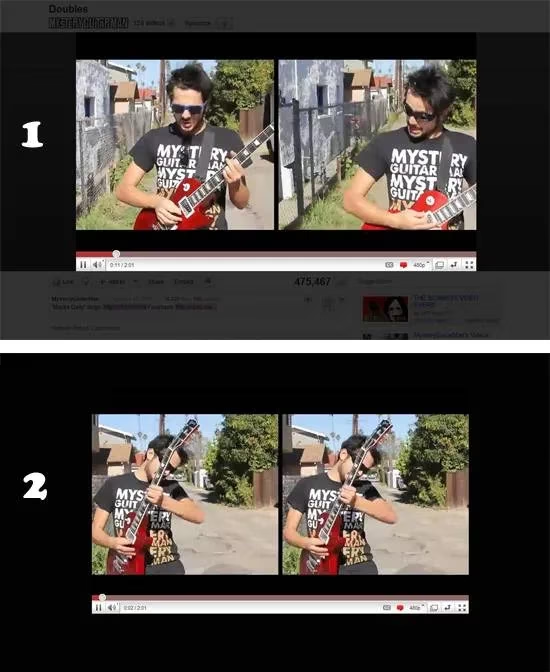
Lights Out is the minimalist. It is a user script that does only one thing: dims the light on YouTube videos. No extra options, no feature buffet, no philosophical questions about auto-play. It works through an icon with three stages. One click brings a semi-transparent background. Two clicks create a black background. A third click brings the light back on. The original write-up tested it on Firefox and did not test other browsers. For viewers who want a dimmer switch and nothing else, this is the one that respects their time.
A 2026 Reality Check 🕰️
The original browser list is a museum label. Firefox 3.5b4 to 3.6.* belongs in a glass case, Internet Explorer has retired to a farm upstate, and Flock is a historical artifact. In 2026, some of these tools may have new versions, new names, or new homes; others may be digital fossils. YouTube itself now offers dark theme, theater mode, ambient mode, and picture-in-picture, which solve part of the problem without any addon at all. Still, the core complaint survives: pages are busy, comments are chaos, and the viewer wants a curtain. The principle is not outdated. Only the software is.
Which One Should a Sensible Viewer Pick? 🤔
-
Want automatic cinema mode and background color control? YouTube Cinema is the drama queen with a plan.
-
Want a feature-rich script that dims everything except the controls? YouTube Enhancer is the Swiss Army lamp.
-
Want dimming beyond YouTube, including image sites? Turn Off the Lights is the traveling darkness.
-
Want zero fuss and three clicks? Lights Out is the monastic option.
-
Want no extensions at all? Use native dark theme, theater mode, and ambient mode, then accept that YouTube will still try to sell the viewer a documentary about competitive cheese rolling.
So yes, dimming the lights can improve the watching experience. It is not a cure for procrastination, but it is a lovely little curtain between the viewer and the internet's carnival. The viewer clicks the lamp, the page fades, and the video finally gets the spotlight. In 2026, that is still a small, ridiculous, effective pleasure. 🍿