Evernote alternatives: the best free and freemium note-taking tools—Google Keep, Simplenote, Apple Notes—can replace Evernote.
Back in 2016, Evernote – the big tusker of note-taking apps – decided to shoot itself in the foot. It announced a 40% price hike for Plus and Premium tiers and, more infamously, limited free Basic accounts to just two devices. The note-taking jungle went bananas. Over 1,500 forum posts and a Twitter storm later, millions of users began to eye the exit door. Fast forward to 2026, and Evernote's glory days are a distant memory. The company has changed hands, raised prices again, and generally lost its mojo. But here's the silver lining: the alternatives that stepped up back then have only grown stronger, smarter, and more feature-packed. So if you're still clinging to Evernote like a drowning sailor to a leaky raft, it's time to walk the plank – or at least jump ship. Let's explore the best free and freemium note-taking tools that tick all the boxes Evernote once blanked out.
The Simple and Speedy Crowd
Not everyone needs a Swiss Army knife. Sometimes a good old-fashioned sticky note does the trick. These tools are for the list-makers, the quick-jotting crowd, and anyone who breaks into hives at the sight of a cluttered interface.
Google Keep
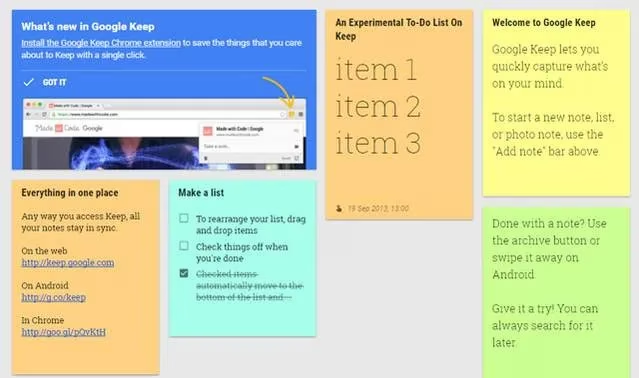
Google Keep started life as a barebones sticky-note app, but it's since morphed into a surprisingly powerful beast. It won't win any awards for rich text formatting, and its app ecosystem is thinner than a hipster's beard, but for streamlined note-taking, it's the bee's knees. Think of it as the fast-food joint of note apps: quick, satisfying, and always there when you need it.
Features of note:
-
Syncs across all platforms (web, Android, iOS).
-
Supports audio notes, automatic transcription, checklists, images, and reminders.
-
Fast search – you can even search for text inside photos (great for receipts).
-
Collaboration via email; notes can be sent to Google Docs.
-
Intelligent categorization by topic, color, and labels.
-
No import option, so you'll have to copy-paste like it's 1999.
Simplenote
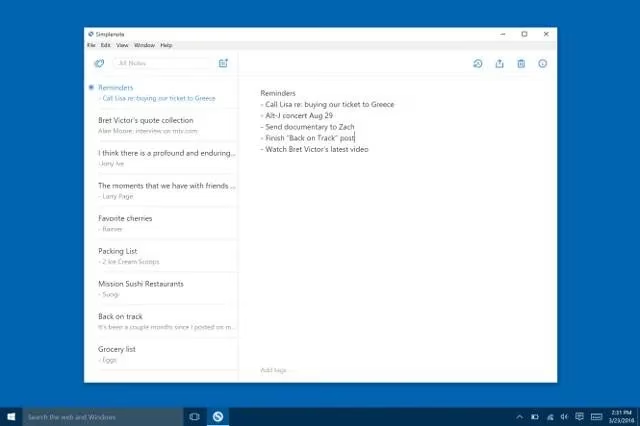
The name says it all. Simplenote is cleaner than a whistle and faster than a hiccup. It's perfect for list-makers who want a clutter-free environment that's a notch above a basic notepad. Don't expect fancy formatting – but do expect rock-solid syncing and a version control slider that lets you time-travel through your edits.
Features of note:
-
Syncs across all platforms, including Linux (bless its open-source heart).
-
Write with Markdown on web, Windows, and Linux.
-
Version control – go back in time with a slider.
-
Instant search and simple tags.
-
Share notes via email.
Apple Notes
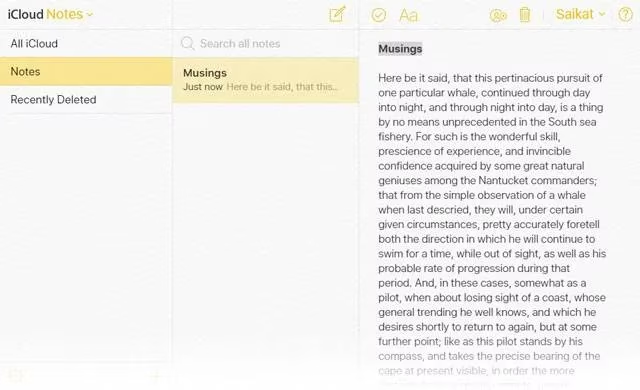
If you're already knee-deep in the Apple ecosystem, Apple Notes is a no-brainer. Since iOS 9 and OS X El Capitan, it's grown from a plain Jane to a full-fledged productivity tool. You can create formatted notes with titles, headings, lists, and even doodles with colored pens and markers. It's like having a Moleskine that syncs to iCloud and never gets lost.
Features of note:
-
Organize notes into folders.
-
Attach photos or videos with drag-and-drop.
-
Insert attachments and browse them with a single click.
-
Recover deleted notes from the last 30 days on iCloud.com.
-
Lock notes with Touch ID or a password.
TiddlyWiki
Don't discount personal wikis. TiddlyWiki is the granddaddy of them all, and its worldwide community has put it to more creative uses than you can shake a stick at. It's open source, runs in any browser, and requires zero installation. You can customize it to your heart's content – even if you wouldn't know HTML from a hole in the wall.
Features of note:
-
Completely customizable and private.
-
Encrypt your notebook contents.
-
Store info anywhere: locally, cloud folder, mobile, or USB drive.
-
TiddlyDesktop app for Windows, Mac, and Linux.
The Collaboration Powerhouses
When teams need to work together in real time, note-taking morphs into document collaboration. These tools bring superpowers to the table.
Microsoft OneNote
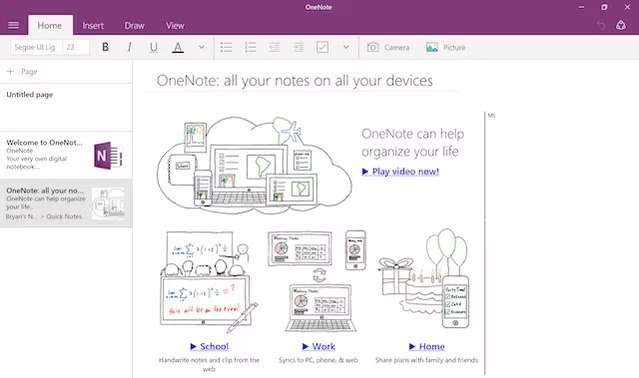
OneNote is the usurper that was snapping at Evernote's heels even before the 2016 fiasco. Now it's the undisputed king of free note-taking. With the Microsoft Importer tool, migrating from Evernote is easier than falling off a log. OneNote mimics a Moleskine with pages and sections, syncs via OneDrive, and works offline. There's no Linux app yet, but it pairs beautifully with a Surface Pro and a stylus.
Features of note:
-
Free with a Microsoft account.
-
Rich formatting, drawing tools, and multimedia support.
-
Real-time collaboration and offline sync.
-
Importer tool for Evernote refugees.
Google Drive
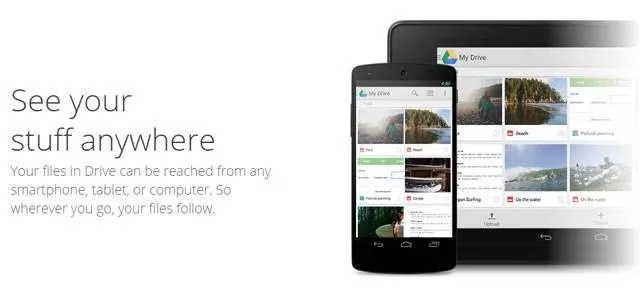
Google Drive isn't designed for quick notes, but it's a beast for document editing and collaboration. With folder organization, smart search, and seamless real-time sharing, it can handle any team project. Pair it with Google Keep for quick jots and you've got a dynamic duo. The OCR feature even turns paper notes into searchable text.
Features of note:
-
Massive free storage (15GB across Google apps).
-
Real-time collaboration on Docs, Sheets, and Slides.
-
Templates and custom planners for note-taking.
-
Extensions like Notes for Google Drive and Clevernote.
Dropbox Paper
Dropbox Paper (still in beta as of 2026, because why rush?) is a stylish collaboration app born from Hackpad. It uses shared Dropbox space to capture ideas, create docs, chat, and keep everything together. Think of it as Google Docs with a hipper wardrobe. The distraction-free interface is very Medium-esque, and you can embed YouTube, SoundCloud, and code blocks. Revision control and emoji stickers round out the package.
Features of note:
-
Real-time collaboration with inline comments and emojis.
-
Task lists and assignments.
-
Embed rich content (YouTube, Google, SoundCloud).
-
Export to DocX or Markdown.
Box
Box often gets ignored in cloud productivity chats, but it's quietly taking chunks of the storage pie with a strong enterprise focus. It offers 10GB free storage – five times Dropbox's free tier. Box Notes adds real-time collaboration with colored annotations, multiple simultaneous editors, and revision history. It's not the flashiest tool, but it gets the job done.
Features of note:
-
10GB free storage.
-
Real-time collaborative notes.
-
Read-only or full editing privileges.
-
Supports many file types, tables, and revision history.
The Also-Rans and Rising Stars
The note-taking industry is massive, and new apps pop up faster than mushrooms after rain. Here are a few more worth a gander:
| App | Platforms |
|---|---|
| Whitespace | iOS |
| Paper | iPhone, iPad, Web |
| Squid | Windows, Android |
| Noteledge | Web, iOS, Mac, Windows, Android |
| Workflowy | Web, Android, iOS, Chrome |
| Notion | Web, Windows, Mac, iOS, Android |
Notion, in particular, has exploded in popularity since 2016, becoming a full-blown workspace for notes, databases, and project management. It's the new kid on the block that's now a heavyweight.
The Bottom Line
Note-taking isn't just about software – it's about habits. Your digital note-taking style determines which tool you should hitch your wagon to. There's no single 'best' app, and there's nothing wrong with using two or three. Many folks use Google Keep for quick jottings and OneNote for deeper dives. In 2026, Evernote's free tier is a shadow of its former self, but the alternatives are plentiful, powerful, and mostly free. So don't cry over spilled milk. Pick a tool, migrate your notes, and get back to actually being productive. Your future self will thank you. 😊