iPhone time tracking apps reveal where your day goes; Toggl and ATracker lead the 2026 picks.
Time tracking used to carry a faint odor of billable hours, freelance invoices, and project managers chasing schedules. In 2026, that image is too narrow. Ordinary iPhone users now reach for time-tracking apps to answer a blunter question: where did the day actually go? ⏱️
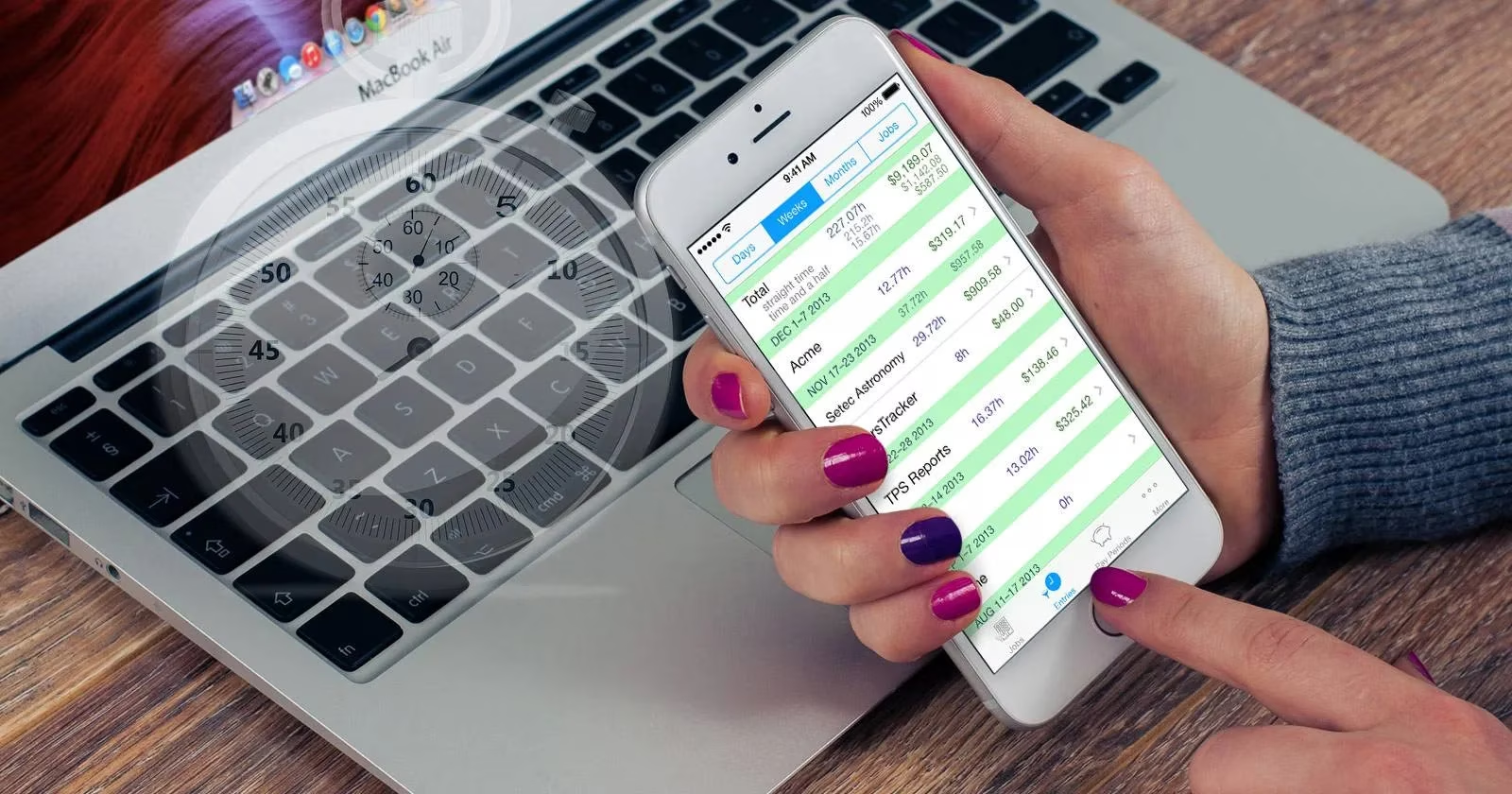
The underlying logic remains the old management cliché: 'what gets measured gets managed.' One often-cited personal experiment makes the point without much decoration. A friend of the original reviewer tracked an entire week and concluded he was operating at less than one-third of his true potential. Each evening slipped away in three to four hours of mindless online browsing. His focus ran out after about 60 minutes on less enjoyable tasks. Focused work totaled less than 3.5 hours per day. That is the kind of data a spreadsheet can capture, but an iPhone app can capture it with less friction — and friction matters when the goal is a long-term habit.
To put it plainly, most people do not need an enterprise-grade suite. They need a timer that is easy to start, a log that is easy to read, and a report that is honest enough to sting a little. The four apps below, drawn from an earlier hands-on review, still represent the main trade-offs in the category. Their pricing and feature sets should be checked against current App Store listings in 2026; the original review's figures are a guide, not a live price sheet.
Toggl: the diligent office manager
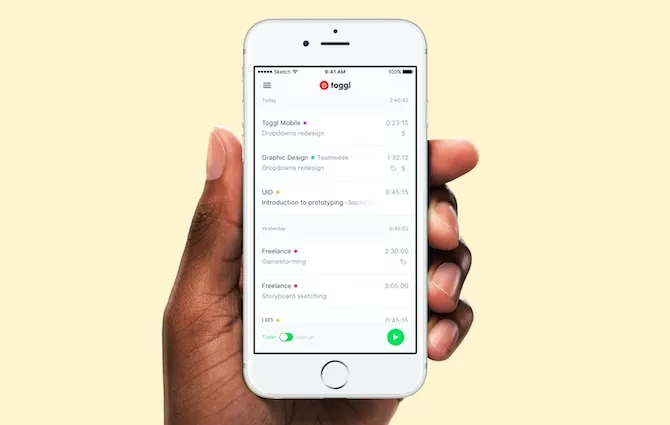
Toggl behaves like a diligent office manager. It timestamps everything, files entries under a client, project, or description, and prepares a tidy report before anyone asks. The one-click in-app timer is the foundation, but manual entry is also available for people who prefer to reconstruct their day in one sitting. Entries can be edited, tagged, and deleted. Integration tools can automatically record time spent in Gmail, Slack, or Trello, which makes Toggl unusually good at capturing work that never announces itself as a separate task. 📊
The free account is generous on reporting: quick summaries, detailed breakdowns, filtered views, and date comparisons are all available. The Pro tier adds export, team features, and project estimates. The watch-outs are real. A single entry cannot be stopped and restarted; each stop creates a new log entry. Safari is not supported. Free users cannot export. For personal tracking, though, the free version is pretty painless.
ATracker: the minimalist
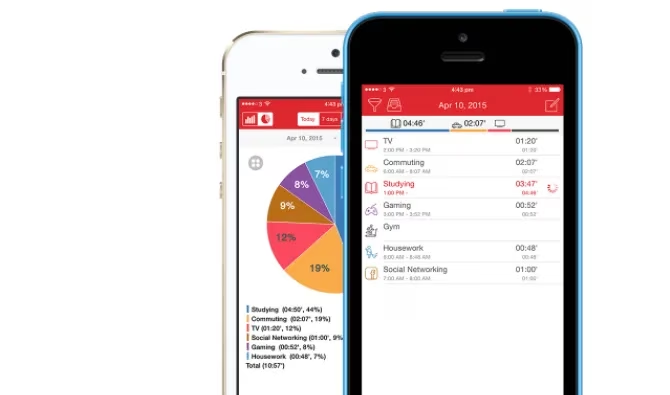
ATracker keeps its head down and avoids distractions. It organizes life around 'Tasks' — reading, gaming, writing, or anything else — and sorts those tasks into categories. Tapping a task starts or stops its timer, and an iOS widget makes the whole ritual possible without unlocking the phone. Notifications can nudge a user after 20 minutes of reading, and time spent on selected tasks can be pushed into a calendar. Simultaneous tracking is supported, which is useful for people who want to log background habits alongside focused work.
The History tab accepts manual entries, and the Report tab visualizes the log by category, with summaries for the past seven days, 30 days, or a custom range. The free version covers most personal needs. The full version removes ads, unlocks unlimited tasks, adds export, and introduces countdown timers and notes for a one-time payment. There is no browser access and no third-party integration, so anyone hoping to wire ATracker into a larger workflow should look elsewhere. As a simple, beautiful iOS tracker, it leaves little to be desired.
Hours: the color-coded visualizer
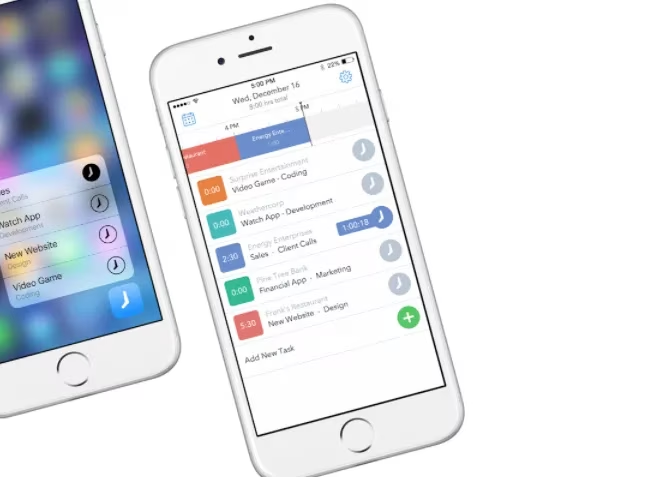
Hours wears its color-coded timers like name tags at a networking event. Each timer represents a project, and a project name is all that is required to create one. Starting a timer on one project stops the previous timer, a behavior shared with ATracker. iOS widgets are supported, so tracking can happen from the lock screen or home screen. A timeline at the top of the display fills in as the day progresses, and cumulative time appears next to each project name. That visual feedback is the app's real personality: it makes the day look like a schedule rather than a pile of numbers.
Manual entry is possible by tapping a time slot on the timeline, but it is a bit of a hassle compared with Toggl. The free account includes basic reports. Detailed reports, team management, and browser access require the Pro subscription. For freelancers and small-business owners who want a clean visual record for invoicing, Hours is a strong fit. For anyone who frequently reconstructs time after the fact, the app's insistence on live timers can become a limitation.
HoursTracker: the freelancer's time clock
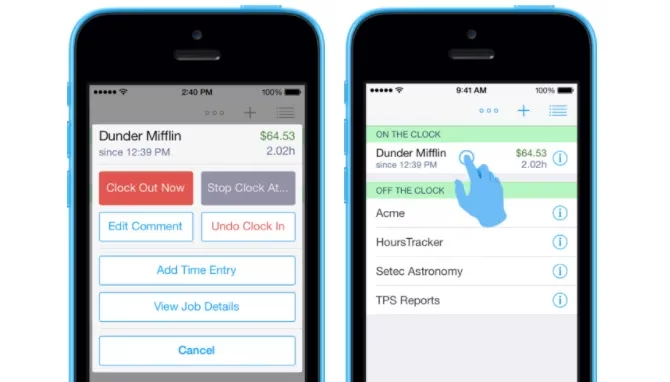
HoursTracker punches the clock for freelancers. Hourly rates can be attached to each job, and the app shows earnings alongside tracked time. Logs can be browsed and filtered by day, week, month, or job type. Tagging adds detail. A location feature can automatically start a timer or remind the user to start tracking upon arrival at a set place. Entries can be paused and resumed, unlike Toggl, and an expected-hours setting sends a notification once the daily target is reached. That last feature is a quiet encouragement to stop working, which is rarer than it should be. 😌
The app is weaker on reporting. Data export and free cloud backup make it possible to run reports outside the app, but there is no in-app reporting engine. Third-party integrations are absent, the interface feels dated, and there is no browser version. The free tier limits tracking to 21 days; a one-time purchase unlocks unlimited tracking on up to five jobs, and a Pro tier covers more. For solo freelancers who mainly need a billing record, that trade-off may be acceptable.
How the four compare
| App | Best for | Strengths | Watch-outs |
|---|---|---|---|
| Toggl | Feature-hungry users and cross-platform workflows | One-click timer, integrations, strong free reports | No pause/resume on a single entry; no free export |
| ATracker | Simple personal tracking | Clean task model, widgets, notifications, low cost | No browser access, no integrations |
| Hours | Visual freelancers and small teams | Color-coded timers, timeline, widgets | Manual entry is awkward; browser access is paid |
| HoursTracker | Freelancers tracking billable hours | Hourly rates, pause/resume, location reminders | No in-app reports, dated UI, no integrations |
No two ways about it: the right choice depends on whether the user wants reports, billables, team features, or just a gentle record of the day. A week-long experiment can be enough to reveal wasted evenings and short focus spans. A long-term habit can do more. These apps do not manage time by themselves. They simply make the measurement visible — and visibility is where change begins. 📱