Free Microsoft Excel tutorials and online courses turn formula-phobic beginners into spreadsheet-competent users without spending a coin.
Microsoft Excel remains the spreadsheet equivalent of a Swiss Army knife with a haunted control panel. A beginner can open it, spot a few thousand empty cells, and immediately hear invisible boss music. Yet in 2026, the free learning buffet is bigger than ever, and it is entirely possible to go from formula-phobic to spreadsheet-competent without spending a single coin.

The trick is not raw intelligence. It is choosing resources that treat Excel like a long staircase rather than a fire hose. The following free tutorials and courses do exactly that.
The Official On-Ramp: Microsoft's Own Basics
After taking a user's money for the Office suite, Microsoft does not vanish like a cartoon villain. The Office suite is not cheap, so learning to use it well is a sensible return on investment. The company actually offers official training videos for newcomers. The Excel for Microsoft 365 video collection covers Quick Start, an introduction to Excel, and how to add and format charts, among other essentials.
Each video can be streamed or downloaded, which is helpful for offline practice or team training. A learner should watch one segment, practice it immediately, and only then move to the next. This is like learning to sword fight from the blacksmith who forged the blade: nobody knows the weapon's quirks better than the maker.
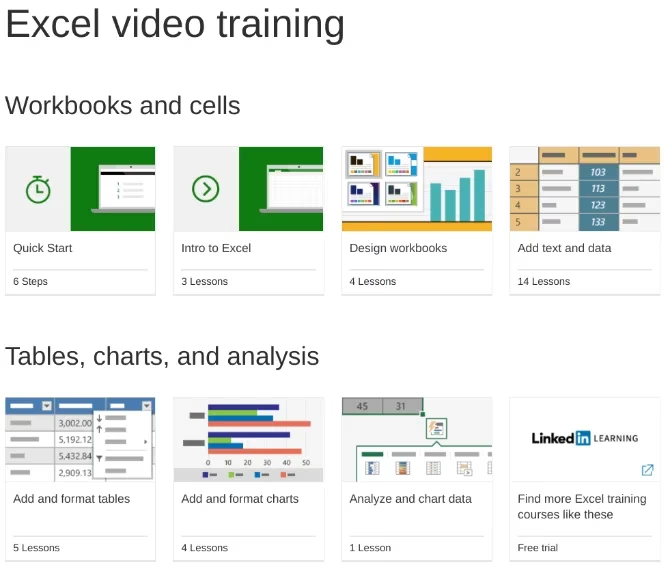
The official course is best for absolute beginners who want a clean, no-nonsense path into the interface.
The Nonprofit Sidekick: GCF LearnFree
If Microsoft's course is the main quest, the Goodwill Community Foundation's LearnFree academy is the patient NPC companion who points out every hidden path. It breaks Excel into 29 manageable sections, each with a video, a written article, and recommended exercises.
GCF LearnFree is free on YouTube and works beautifully as an accompaniment to the official Microsoft material. The step-by-step structure prevents learners from wandering into advanced functions before they understand basic cell references. It also offers tutorials for other software, including Microsoft Access, but Excel is the star here.
The Browser Dojo: Excel for the Web and Zapier's Guide
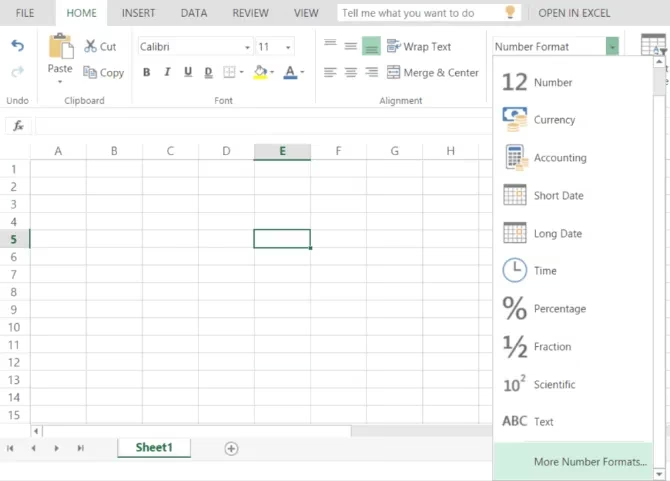
Not everyone needs the full desktop version. Microsoft offers a free version of Excel through a web browser, generally called Excel for the web. It only requires a free Microsoft account and an active internet connection. While it is not as powerful as the desktop app, it is still surprisingly capable in 2026.
Zapier's guide to Excel for the web is an excellent starting point. It explains what the browser version can and cannot do. This is like test-driving a car in a parking lot before merging onto the expressway. The guide occasionally nudges readers toward Zapier's automation service, but readers can simply ignore that and focus on spreadsheet skills.
The Daily Microdose: Spreadsheeto
Spreadsheeto takes a stance that will comfort the time-poor: nobody needs several dedicated days to learn Excel. Instead, learners need about ten minutes a day for a video and five more minutes for practice. Daily emails deliver small lessons, which sounds suspiciously manageable.
This is micro-learning at its finest. After watching a video, a learner uses an included Excel file that replicates the demonstrated task. It is a metronome for the spreadsheet-shy, preventing anyone from sprinting into a wall of VLOOKUP despair. The free version introduces the basics, while the full paid course costs around $200. The staggered delivery is the real secret: tomorrow's lesson has not arrived yet, so learners cannot skip ahead.

The Free Encyclopedia: Excel Easy
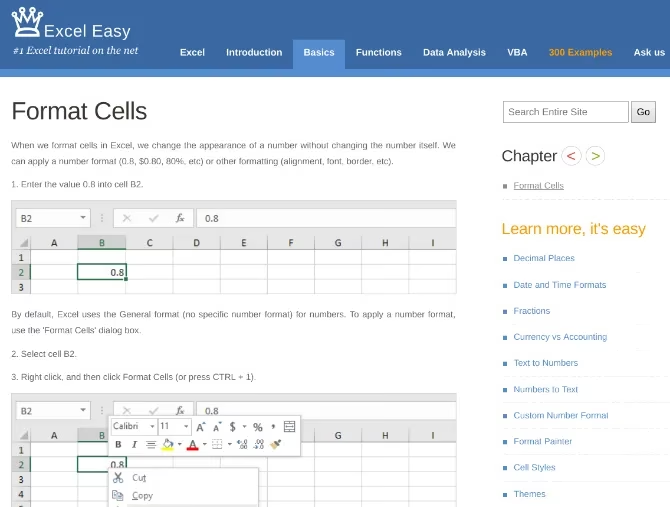
Excel Easy is the spreadsheet equivalent of discovering a fully stocked soup kitchen run by Michelin-starred chefs. It is almost unreasonable that such a thorough tutorial exists for free. The path starts with an introduction, moves through basics and functions, then dives into data analysis and finally Excel VBA at the advanced stage.
Each topic is explained on a single page with screenshots and plain language. If that were not enough, Excel Easy also provides 300 examples of common tasks that can be automated. By the end, a dedicated learner can become an Excel macros ninja, or at least stop flinching when someone says \u201cpivot table.\u201d
Which Free Excel Resource Fits You?
| Resource | Best for | Pace |
|---|---|---|
| Microsoft's official videos | Absolute beginners who want official material | Self-paced, segment by segment |
| GCF LearnFree | Visual learners who need articles and exercises | Step-by-step, 29 sections |
| Excel for the web + Zapier | People who want a free browser-based option | Flexible |
| Spreadsheeto | Busy people who need tiny daily lessons | 10-15 minutes per day |
| Excel Easy | Detail lovers who want written examples | Structured, from basics to VBA |
Final Boss Thoughts
Excel can feel like a game with far too many skill trees. The gap between a beginner who can add two cells and an expert who builds automated dashboards looks like a canyon. But the canyon is mostly an illusion created by trying to learn everything at once. The free resources in this guide turn the climb into a series of small, manageable ledges. In 2026, no one has to pay hundreds of dollars just to stop fearing spreadsheets. A little daily practice and the right free teacher can transform a haunted grid into a very useful ally.