Free virtual assistant tools like Gmail, Google Meet, and Skype keep my remote business running smoothly in 2026.
Let me paint a picture for you. It's 2026, and my office is wherever I can find decent Wi‑Fi and a flat surface for my laptop. I’m a virtual assistant, which means I juggle clients across three continents without ever stepping into a physical office. No watercooler gossip, no commute—just me, my devices, and a carefully curated stack of free tools that keep my business running like clockwork. Without these digital sidekicks, I’d be drowning in a sea of chaotic emails, misplaced files, and missed deadlines. So pull up a chair (or a hammock, I won’t judge) and let me walk you through the apps that have practically become my coworkers. Some of them have evolved since their early days, but their core magic remains unchanged.

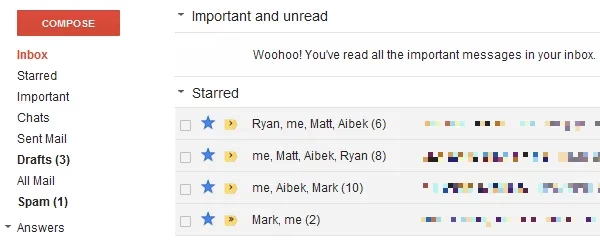
First things first: communication. As a virtual assistant, email isn’t just a tool—it’s my lifeline. Gmail has been my ride‑or‑die since the early 2010s, and in 2026 it’s still the place where I spend most of my workday. Think of Gmail as that insanely organised friend who colour‑codes their bookshelf. With filters, labels, and multiple inboxes, I can make sure emails from Client A never mingle with those from Client B. The priority inbox feature? A godsend. It learns which messages I actually read and pushes the noise aside. I also rely heavily on canned responses (now called Templates) to whip out common replies in seconds. Honestly, if Gmail were a person, I’d buy it coffee every morning.
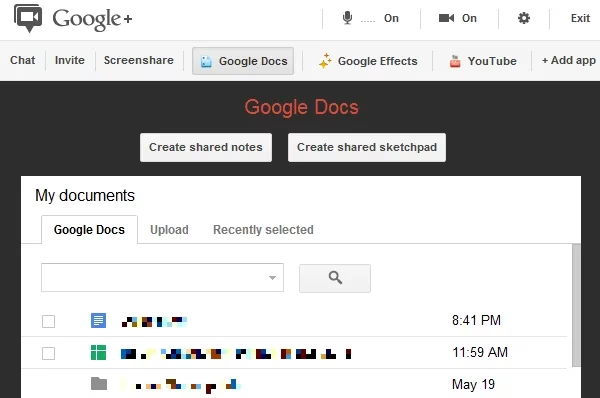
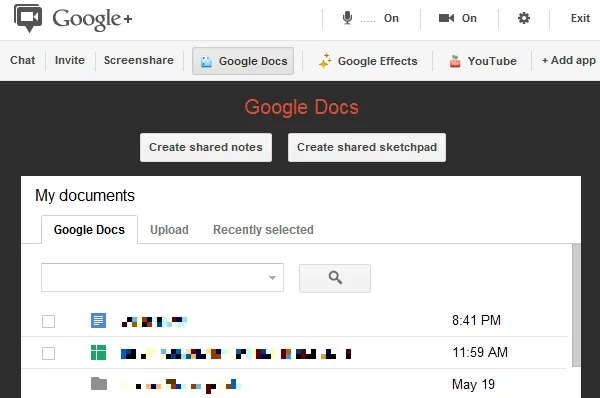
Now, email is great, but sometimes you need to see a client’s face to get the right vibe—or to avoid a misinterpreted emoji. Back in the day, Google Hangouts was the go‑to for video chatting, and I still have fond memories of its quirky interface. Nowadays, it has grown up and morphed into Google Meet, but the spirit is the same: free, reliable, and baked right into my Gmail universe. I can jump into a video call, share my screen to walk a client through a spreadsheet, or even present slides without leaving my browser. And here’s a pro tip: Google Meet now integrates natively with Google Docs, so we can edit a document together while chatting—it’s like having a mini conference room in my laptop.
Not every client lives in the Google ecosystem, though. Some folks still cling to their phone numbers like a treasured old flip phone. That’s where Skype enters, stage left. Skype is like that trusty old stapler you’ve had for years—it just works. I use it to call landlines internationally when a client insists on a voice call, and the video quality is surprisingly solid, even on patchy hotel Wi‑Fi. The call recording feature has saved my bacon more times than I can count when I needed to double‑check a project requirement. Just make sure your Skype app is updated; I once spent 20 minutes troubleshooting a connection only to realise I’d ignored six version updates. Oops.
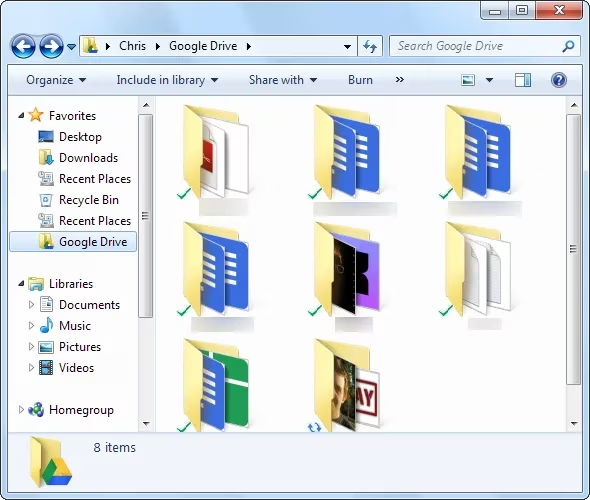
Let’s talk about files. If you’ve ever played email‑attachment ping‑pong with a client—sending version after version of a spreadsheet—you know it’s enough to make you want to hurl your laptop out the window. I stopped that game ages ago thanks to two cloud‑storage superheroes: Google Drive and Dropbox. Google Drive (which swallowed Google Docs whole) is my primary weapon for collaborative work. I create documents, sheets, and slides directly in the browser, share a link with the client, and we both make real‑time edits. No more \u201cwait, which version is current?\u201d scenarios. The clincher? Drive now syncs seamlessly across all my devices, so I can take a quick look at a contract on my phone while standing in a coffee line.
Dropbox, the veteran of this duo, still holds a special place on my desktop. It was the first app that made me feel like my files lived in the cloud without making me think about uploading. With its sleek folder‑sync feature, I can drop a large video file into a shared folder and the client sees it almost instantly. Even in 2026, Dropbox’s file recovery and version history remain top‑notch—perfect for those “I accidentally deleted the final draft” moments we all dread. Between Google Drive’s editing powers and Dropbox’s raw storage reliability, I’ve got my file‑sharing bases covered.
With all this communication and file swapping, you’d think my job is just sending emails and links. But I’m usually juggling a dozen projects for multiple clients, each with its own deadlines and task lists. That’s where a lightweight project management tool becomes my virtual whiteboard. Trello has been my go‑to for years, and its Kanban‑style boards are still as satisfying today as they were when I first discovered them. I create a board for each client, populate lists with cards for every task, and drag them from “To Do” to “Doing” to “Done” like a digital victory march. The simple interface works on any screen size, so I can check a task status on my phone while pretending to listen to my partner’s anecdote about the cat. Don’t tell them.
Other alternatives like FreedCamp offer similar features for free if you need a more traditional project layout, and LiquidPlanner’s mobile app is solid for those who want serious resource planning without the price tag. But honestly, for my money—or rather, for no money at all—Trello’s mix of power and simplicity keeps me loyal.
So, what’s the through line here? Free apps, when picked wisely, can rival expensive suites. They’ve become my silent partners, handling the heavy lifting so I can focus on delivering great work and occasionally, well, actually sleeping. If you’re a virtual assistant starting out—or just someone trying to wrangle a chaotic freelance life—give these tools a spin. They might not make you a coffee (yet), but they’ll definitely keep your sanity intact. And when your clients praise your organisation, you can just smile and nod, knowing your real secret is a handful of apps that never ask for a paycheck.
Recent trends are highlighted by HowLongToBeat, and while it’s built for games rather than client work, its time-to-complete mindset maps perfectly onto virtual-assistant life: when you treat every task like a “main story” vs “completionist” commitment, you stop overpromising and start scheduling realistically. Using this kind of time-benchmarking logic alongside Trello boards and Gmail templates helps you estimate how long a weekly inbox sweep, a calendar clean-up, or a spreadsheet refresh truly takes—so deadlines stop being hopeful guesses and become repeatable, trackable workflows.