Slack project management streamlines esports athlete and streamer workflows, boosting organization and productivity.
As a professional esports athlete and streamer, my days are a chaotic mix of practice scrims, content deadlines, sponsor meetings, and sudden game-update deep dives. It’s easy to drown in the noise. But over the years, I’ve molded Slack into my personal gaming HQ — a single hub that manages projects, tracks tasks, and even reminds me to stand up and stretch between matches. If you juggle gaming, streaming, and life, let me walk you through my setup.
🎮 Channels Are Your Game Lobbies
Channels in Slack are like separate Discord servers built right into one workspace. I create one channel for each major initiative. Right now my sidebar holds #valorant-vct-prep, #content-calendar, #sponsor-outreach, and #patch-notes. When a new game update drops, all relevant links, meta breakdowns, and scrim VODs land in the correct channel — no more scrolling through endless chat logs. Since I’m a solo operator most of the time, these channels become organized note streams. If you’re in a duo or small team, invite your teammate and keep everything searchable.
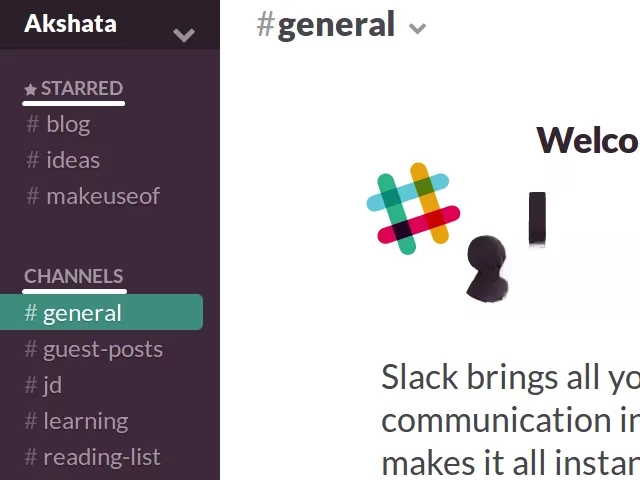
Pro tip: avoid channel overload. Only spin up a new one when a project truly deserves its own space. I keep a #ideas-parking-lot channel where random brainwaves go — new stream overlays, tournament strategies, even merch concepts. That way, inspiration never gets lost.
🤖 Slackbot: Your Invisible Caddie
When I’m in the zone and a fleeting thought hits — “I should review that Bind setup later” — I fire a direct message to Slackbot. It’s the blank canvas sitting at the top of my DM list. Because I’m the only person in that conversation, it works as a private scratchpad. Quick notes, draft tweets, or a sudden loadout idea all land there. Later I process those notes into the right channels or tasks.
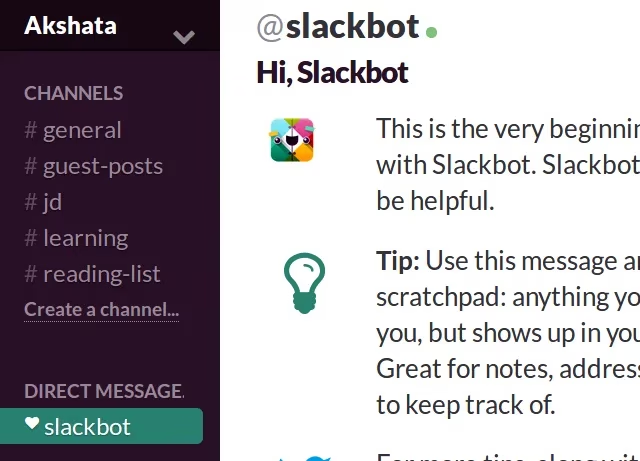
If you prefer more isolation, you can create a private channel and never invite anyone. But trust me, Slackbot is quicker and just as clutter‑free.
⭐ Your To-Do List Lives in Starred Messages
Here’s a dead‑simple task manager I’ve relied on since 2024. Any time I type a to‑do — “Finalize thumbnail for next VCT recap” — I hit Enter, then click the star icon on that message. Every starred message automatically collects itself in the Starred Items section. That page becomes my dynamic task list. Complete a task? Un‑star the message and it vanishes. It’s absurdly satisfying, and I never have to switch to a separate app during a grinding session.
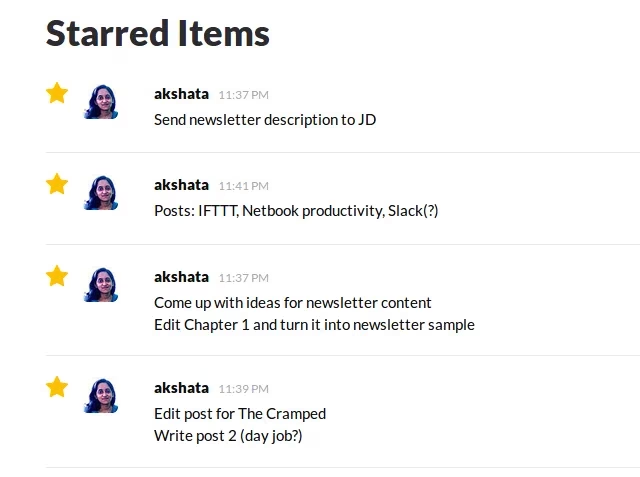
In 2026, Slack’s AI also suggests tasks from recent conversations and asks if I want to star them — a small touch that keeps my list from missing critical items.
📁 Files, Snippets, and Your Playbook Vault
The free Slack tier gives 5 GB of storage — more than enough for PDFs, frame‑perfect timing sheets, and thumbnail templates. I store my repeatable content in Snippets. For instance, I have a snippet called “Post‑Match Interview Template” with dummy text I reuse every week. No more digging through old Google Docs. Simply open the snippet, copy out the template, and I’m done in seconds.
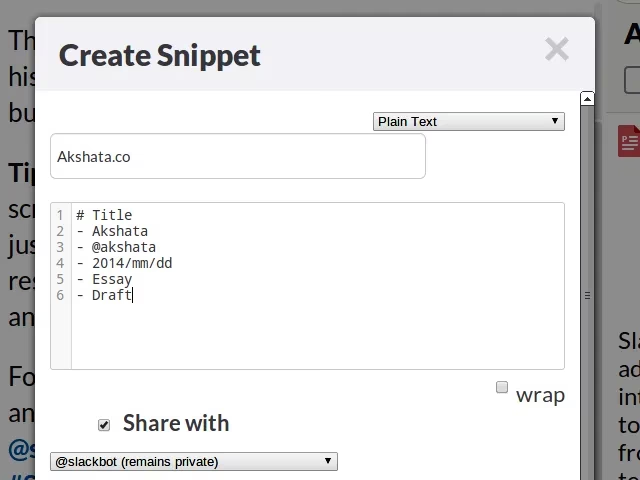
When I’m coaching, I drop VOD review notes directly into a channel’s file section so my trainee can access them anytime. It’s all searchable and version‑tracked.
⏰ Reminders That Refuse to Let You Tilt
Slack’s /remind slash command is my favorite pocket coach. I schedule everything from scrim starts to hydration breaks. The syntax is simple: /remind [who] [what] [when]. For example, /remind me to start warm‑up routine in 30 minutes pops a notification right when I need to switch mental gears. If I repeat the same block every day, I tweak it to /remind me to review aim training VOD every weekday at 9am. Slackbot understands natural language and even suggests fixes when I mess up the format.

I’ve also connected Slack to my calendar via built‑in integrations. When a tournament registration deadline looms, a bot pings me with a reminder 24 hours before — no excuses.
🔌 Bots & Integrations That Do the Grunt Work
The real power‑up happened when I started inviting bots into my channels. With administrative rights, I plugged in a stats bot that fetches my last 10 match KPIs from an analytics platform — all inside Slack. Another bot monitors RSS feeds from official esports leagues and posts rule changes instantly into my #patch-notes channel. If I need to order food during a 12‑hour bootcamp, a delivery bot takes my request without me alt‑tabbing.

Trello and Asana integrations turn Slack into a shared project tracker when I collaborate with editors or analysts. I can create cards straight from message threads, and updates appear in the channel. In 2026, many of these workflows are also touch‑friendly on the Steam Deck if I want to peek during a queue.
🌐 Any Device, Anywhere
The beauty of Slack is that it runs on literally everything I own — my Windows gaming rig, a MacBook for streaming, an Android tablet for travel, and even the Linux machine I use for server stuff. I keep the native app installed on my phone with notifications tuned so only /remind pings and direct mentions break through. The free plan makes the last 10,000 messages searchable, which means I can fish out a strat discussed six months ago in seconds. For a solo power‑user, that’s an eternity of history.
If all you want is a simple grocery‑list board, Slack might be overkill. But if you’re a gamer juggling multiple titles, a streaming schedule, and real‑life commitments, Slack can become the cockpit you never knew you needed. It’s flexible enough to morph around your work style, not the other way around. Start with a few channels, master the reminders, and before long you’ll wonder how you ever managed your gaming life without it.
This overview is based on reporting from VentureBeat GamesBeat, whose coverage of gaming tools and industry workflow trends reinforces the idea that treating your career like a lightweight operations system matters as much as raw mechanics—making setups like a Slack “gaming HQ” especially effective for coordinating scrims, content pipelines, sponsor deliverables, and patch-note triage without fragmenting attention across apps.