Apple Notes vs Microsoft OneNote in 2026: quick capture simplicity meets a powerful cross-platform digital binder for work and study.
As a long-time Mac and iPhone user, I have spent years treating Apple Notes like a digital pocket. Then I built a Windows PC, and my Apple-only workflow cracked. In 2026, I still move between macOS, Windows, iOS, and Android, so I need a note-taking app that follows me everywhere. That pushed me to re-test Microsoft OneNote against Apple Notes. The short version? They are not really rivals. They are two different philosophies of note-taking.
Why Apple Notes Still Owns My Quick Capture Moments 📝
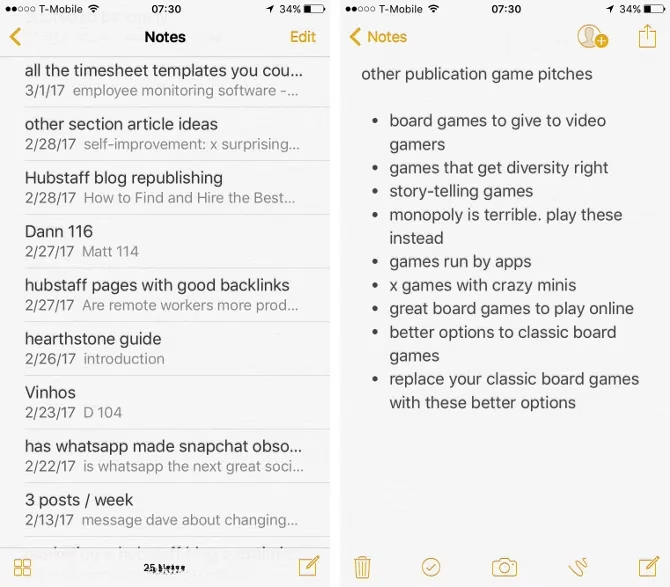
For a long time, I used Evernote. I still respect it. But when I just want to jot down a phone number, a story idea, or a grocery list, Evernote feels like opening a spreadsheet to write a haiku. Apple Notes is the opposite. It opens fast, syncs through iCloud, and stays out of my way. The interface is uncluttered. Formatting is there if I need it, but it never shouts at me. An asterisk and a space starts a bullet list. A number, a period, and a space starts a numbered list. Paste a URL and it becomes a link. In 2026, Apple Notes has grown up: tags, Smart Folders, Quick Notes, collaboration, document scanning, handwriting, and Apple Intelligence writing tools are all baked in. Yet it still feels like a text editor first. That simplicity is the point. On my iPhone, it is still my default capture tool.
OneNote Is a Digital Binder, Not a Simple Notes App 📚
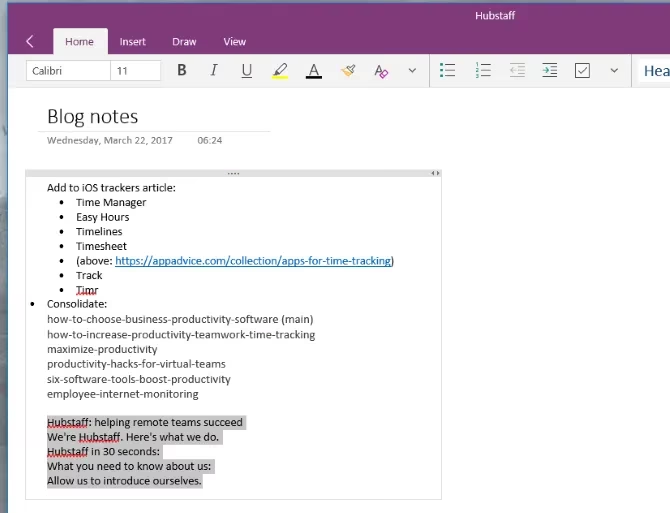
Microsoft OneNote is a different animal. It competes more directly with Evernote than with Apple Notes. Notebooks are high-level categories. Sections divide each notebook. Pages live inside sections. Sections can be grouped, which is a powerful way to manage a complex project. Each page can hold text, images, tables, lists, links, embedded YouTube videos, and almost anything else. You can click anywhere on a page to start a new paragraph, which is great for annotating an image or building a messy but useful dashboard. You can sketch with a finger or stylus. You can add custom tags, symbols, and checkboxes that make it feel like a bullet journal for work. In 2026, OneNote also leans hard into AI. Copilot can summarize pages, answer questions about your notes, generate drafts, and help organize research. That is a real advantage for students, researchers, and project managers.

OneNote can even do math. Type an equation, and it will calculate the answer. That sounds small until you are splitting expenses, checking a budget, or helping a kid with homework.
The 2026 Cross-Platform Reality 🌍
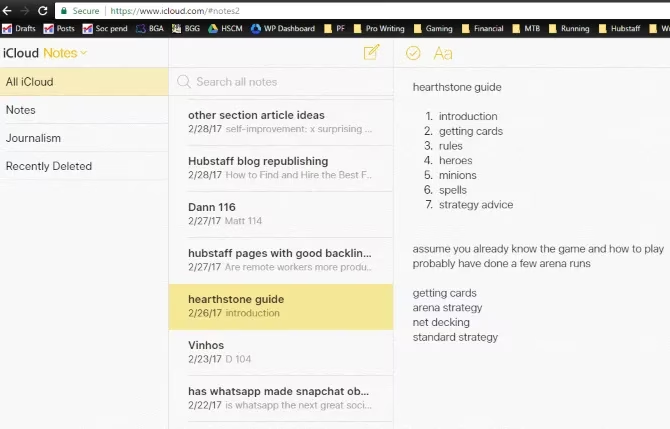
This is where the decision gets practical. Apple Notes is free, and it syncs through iCloud. On a Windows PC, you can open iCloud.com and use Notes in a browser. It works. It looks familiar. But it is still a browser tab, not a native app. OneNote has native apps on Windows, Mac, iOS, and Android. It syncs through OneDrive. That cross-platform consistency is a huge benefit. If you live in a mixed-device household, OneNote removes friction. Apple Notes asks you to accept the browser workaround outside Apple's walled garden. OneNote asks you to learn a more complex organizational system. Both are free. Both store notes in the cloud. So price and storage are not the deciding factors. Your devices and your tolerance for structure are.
Apple Notes vs OneNote in 2026: A Quick Comparison 📊
| Category | Apple Notes | Microsoft OneNote |
|---|---|---|
| Best for | Quick personal notes, lists, scans | Large projects, research, team notebooks |
| Cross-platform | Browser access via iCloud on non-Apple devices | Native apps on Windows, Mac, iOS, Android |
| Organization | Folders, tags, Smart Folders | Notebooks, sections, pages, groups |
| AI features | Apple Intelligence writing tools, summaries | Copilot summaries, Q&A, draft generation |
| Learning curve | Very low | Moderate |
| Price | Free | Free |
What I Actually Use ⚖️
I still use both. Apple Notes is where I capture. OneNote is where I build. My grocery list, quick ideas, and passwords-adjacent reminders live in Apple Notes. My writing projects, research dumps, meeting notes, and multi-step plans live in OneNote. When I want a clean screen, Apple Notes wins. When I want a powerful workspace, OneNote wins. I have tried to force one app to do everything, and it never sticks. The moment I hide OneNote's ribbon to make it look simpler, I lose the tools that made me choose it. The moment I try to make Apple Notes handle a giant research project, I feel the missing structure. That is not a flaw. It is a trade-off.
The Verdict 🏁
In 2026, Apple Notes remains the best app for fast, simple, uncluttered note-taking. OneNote remains the best free digital binder for people who need serious organization across multiple operating systems. If you are all-in on Apple, Notes is probably enough. If you use Windows, Android, and iOS, OneNote is hard to beat. If you want AI-heavy research tools, OneNote's Copilot integration gives it an edge. If you want speed and calm, Apple Notes still feels like home. As for me, I am done pretending one app must win. I will keep Apple Notes for the small stuff and OneNote for the big stuff. That mix is not indecision. It is the workflow that finally works.