Voice list apps in 2026: Google Keep, Microsoft To Do, Evernote, Apple Reminders, and Siri turn speech recognition into fast, reliable lists.
I used to keep a tiny notebook in my pocket, but I always forgot it at the worst possible moment. Then I discovered voice list apps, and everything changed. In 2026, speech recognition is so good that talking to your phone feels less like a party trick and more like the fastest way to get stuff out of your head. Google once said its English voice recognition hit 95 percent accuracy; these days, with on-device AI and better language models, that number feels almost quaint. But here is the catch: some of the apps from the old voice-list roundups are gone, retired, or absorbed into bigger platforms. So if you want to speak your lists into existence today, here is what I would actually recommend.

Google Keep: my default for quick, colorful lists
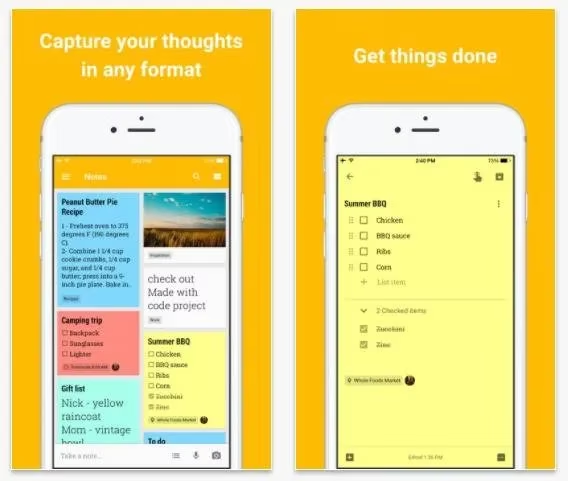
Google Keep is still one of the easiest places to start. I tap the microphone icon, say 'milk, eggs, coffee, and that weird oat bread my kid likes,' and Keep turns it into a checklist. The app also does location-based reminders, which is genuinely useful: I can set a grocery list to pop up when I arrive at the store. In 2026, it syncs across Android, iOS, and the web, and it plays nicely with Google Assistant and Gemini. Sharing is simple, too. My partner and I can both check items off, and neither of us forgets the essentials.
Microsoft To Do: the practical successor to Wunderlist and Cortana
If you remember Wunderlist, you remember how beloved it was. Microsoft retired it and folded much of its DNA into Microsoft To Do. Cortana, Microsoft's old assistant, has also been retired from consumer list-making. So in 2026, I would not build a voice workflow around Cortana. Instead, I use Microsoft To Do with Windows voice typing, Android dictation, or iOS dictation. It is free, syncs everywhere, and handles shared lists well. For me, it is the boring-but-reliable option: no drama, just tasks.
Evernote: powerful, but not my first voice-list app
Evernote still stores everything in the cloud and is great for research, clippings, and long notes. For quick spoken lists, though, it feels heavier than I want. The app does support audio notes and transcription features, and you can dictate text through your device keyboard. But if I just want to say 'add batteries to my shopping list,' Evernote is not the app I reach for first. It is better when the list is part of a bigger project.
Apple Reminders and Siri: the smoothest iPhone option
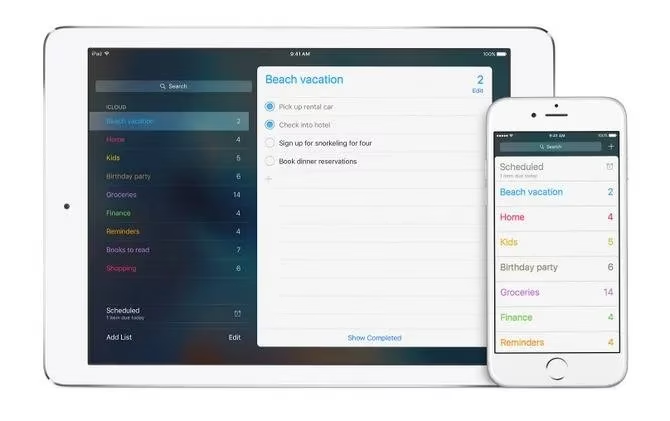
If you live in Apple's world, Reminders is almost too easy. I say 'Hey Siri, add paper towels to my shopping list,' and it appears. I can create separate lists, share them through iCloud, and watch updates happen in real time. In 2026, Siri is smarter than it used to be, especially with Apple Intelligence features, but the core voice-list workflow is still refreshingly simple. No setup, no third-party service, no fuss.
Alexa: the household list champion
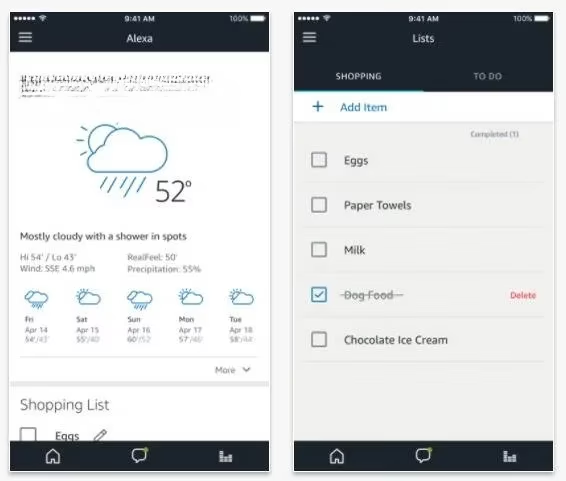
Alexa remains my favorite for shared household lists. I can be across the kitchen and say 'Alexa, add cookies to my shopping list,' and it shows up in the Alexa app. I can also say 'Alexa, make a new to-do' and then add items. Alexa is good at filling in context, so if I say 'add make a dentist appointment,' it usually knows that belongs on a to-do list rather than a shopping list. If you have an Echo device, this is one of the most natural ways to keep a family organized.
Any.do: a polished all-rounder
Any.do has been around for years and still feels like a proper productivity suite rather than just a list app. I can tap the plus sign, choose a task, hit the microphone, and speak. It handles tasks, reminders, lists, and calendar items in one place. The free version is enough for casual use, while Premium adds more power. If you want voice input inside a broader planning app, Any.do is a strong pick.
Todoist: best for power users and cross-platform control
Todoist is my pick when lists become projects. It works on more platforms than I can count, and its natural-language input is excellent. I can type or dictate 'submit report tomorrow at 4pm #work,' and Todoist parses the date, project, and task. Voice integration is not always native, but it works through Google Assistant, Siri shortcuts, or automation services like IFTTT. In 2026, Todoist also has AI-assisted features that help break big tasks into smaller steps. The free tier is solid; Premium and Business plans are for people who live in their task manager.
| App | Best for | Voice example | 2026 status |
|---|---|---|---|
| Google Keep | Quick notes and shared checklists | 'Add milk to my grocery list' | Active, syncs with Google AI |
| Microsoft To Do | Replacing Wunderlist and Cortana workflows | Dictate with OS voice typing | Active, free |
| Apple Reminders | iPhone and Mac users | 'Hey Siri, add eggs to shopping' | Active, Apple Intelligence |
| Alexa | Family shopping and to-do lists | 'Alexa, add cookies to my shopping list' | Active |
| Any.do | All-in-one tasks and reminders | Tap mic and speak | Active |
| Todoist | Projects and cross-platform power use | 'Submit report tomorrow #work' | Active |
What I actually do now
I keep it simple. For personal quick lists, I use Google Keep. For household stuff, Alexa. For anything with deadlines, Todoist. And when I am on my iPhone, Siri and Reminders win because they are already there. The old advice still holds: voice recognition is only getting better. The difference in 2026 is that the best app is often the one that fits the ecosystem you already use. So pick one, say your list out loud, and stop letting important things live only in your head. What do you need to get done in the next week? Try saying it instead of writing it.