Unlock life logging in 2026 with Google Sheets and automation tools—transform your routines into actionable insights for health and beyond.
The daily grind of life can often obscure the subtle patterns and opportunities that lie within our routines. In 2026, the simple yet powerful act of life logging has evolved beyond manual journaling, becoming a seamless, automated process accessible to anyone. By harnessing the capabilities of Google Sheets and readily available automation tools, individuals can uncover actionable insights to enhance their health, finances, and personal relationships. The process requires no specialized knowledge; it's about strategically connecting the digital dots of our lives to paint a clearer picture of where we are and where we could be. Isn't it time to turn your data into your personal coach?

1. Health & Weight Management: The Automated Accountability Partner
Maintaining a healthy weight is a common goal, yet consistency is often the biggest hurdle. The solution? An automated system that logs your weight and holds you accountable. The cornerstone of this setup is a smart scale that can transmit data. In 2026, most smart scales offer direct integration with cloud services, but the principle remains: data must flow into a Google Sheet.
Key Steps for Setup:
-
Select a Compatible Scale: Ensure your smart scale can export data via email, IFTTT, or direct API to Google Sheets. Research is crucial before purchase.
-
Establish Data Flow: Use the scale's native app or a service like IFTTT (If This Then That) to automatically append each weight reading, with a timestamp, to a designated Google Sheet.
-
Implement the "Nudge": This is where Google Apps Script transforms data into action. A simple script can be added to the Sheet to check the log daily.
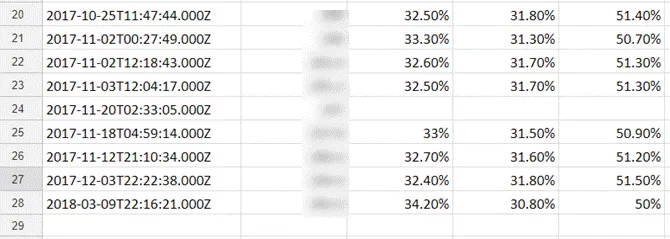
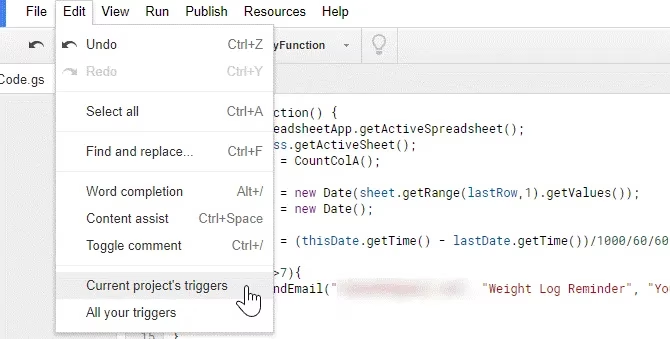
The script performs a simple check: has it been more than, say, seven days since the last entry? If the answer is yes, it automatically sends a reminder email. The logic is straightforward but powerful, providing a gentle, automated nudge to stay on track. After writing the script, you simply set a time-driven trigger to run it every morning.
2. Home Energy Efficiency: Tracking the Invisible Leaks
Rising utility bills can be a mystery. One significant contributor is frequent door openings, which let conditioned air escape. By logging front door activity, you can identify wasteful patterns. The tool for this job is a common Wi-Fi security camera with motion detection.
The Automated Logging Process:
-
Position a camera to monitor your main entryway.
-
Configure the camera to send an email notification for each motion event (each time the door opens/closes).
-
Use IFTTT to watch for these specific notification emails.
-
Create an IFTTT Applet with the rule: IF a new email arrives from the camera, THEN add a row to a Google Sheet with the
OccurredAttimestamp.
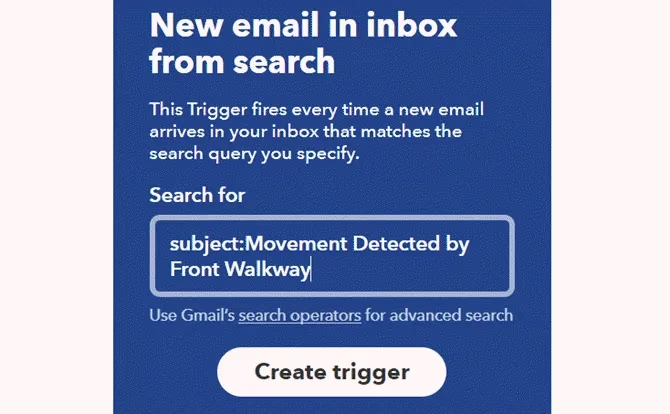
The result is a timestamped log of every door event. A quick glance at the Sheet can reveal excessive activity—perhaps a family member making frequent trips outside or a door not closing properly. This data turns guesswork into informed home management.
3. Fitness Consistency: From Intention to Habit
Gym memberships are often underutilized. Automating gym visit logs turns intention into tracked commitment. Using IFTTT's location services makes this incredibly simple.
How to Automate Gym Logging:
-
In IFTTT, create an Applet with the Location trigger.
-
Set the trigger location as your gym's address, with an appropriate radius.
-
Set the action to Google Sheets: Add row to spreadsheet.
-
Include the
OccurredAtfield to capture the date and time of your visit.
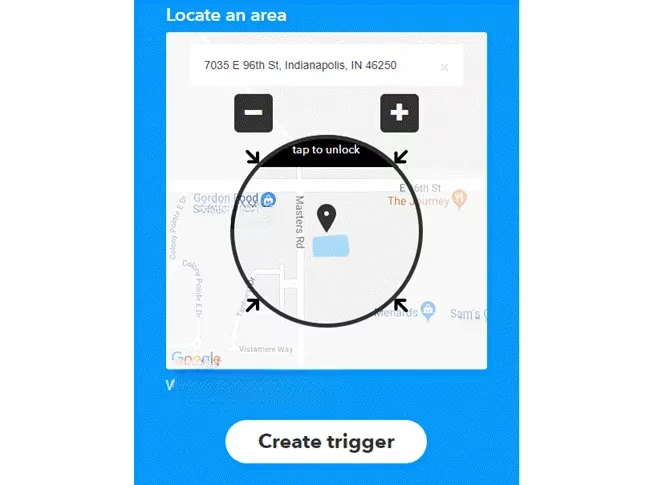
This creates a positive visual record of your consistency. But what about motivation slumps? You can deploy the same Google Script reminder system used for weight tracking. Simply modify the script to check the gym log sheet and send a motivational email if, for example, two days pass without a logged visit. A little automated encouragement can be the push needed to maintain a routine.
4. Sleep Pattern Analysis: Correlating Data for Better Rest
Quality sleep is foundational to health. Modern wearables like Fitbit, Apple Watch, and Samsung Galaxy Watches track sleep duration and stages. The goal is to move this data from a proprietary app into Google Sheets for longitudinal analysis.
Paths to Sleep Data Logging:
-
Fitbit: Has direct IFTTT integration, allowing you to trigger a Google Sheets entry for each completed sleep log.
-
Apple Watch/Samsung Health: May require intermediary apps. For example, Sleep as Android can sync with some wearables and, in turn, connect to IFTTT via Webhooks to log data.
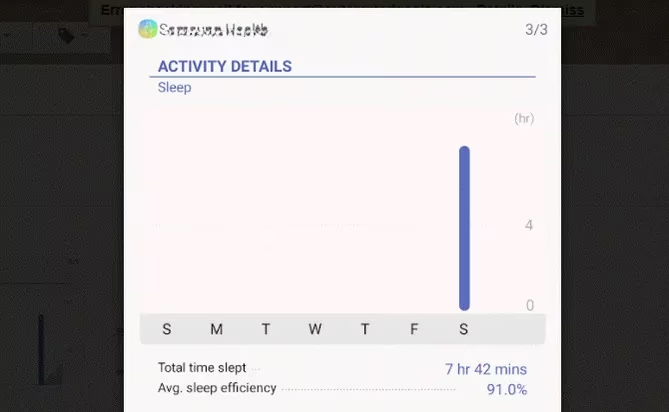
Once sleep data is in a Sheet, you can begin powerful correlation analysis. Ask questions of your data:
-
😴 Do I sleep longer on days I work out?
-
🌙 Is my sleep score higher when I go to bed before 11 PM?
-
📅 Are weekends ruining my sleep schedule?
By identifying patterns, you gain evidence-based insights to optimize your bedtime routine and environment for restorative sleep.
5. Relationship Maintenance: The Digital Thoughtfulness Reminder
In busy lives, even important personal connections can be neglected. A simple automated log can serve as a reminder for small acts of thoughtfulness, like sending a text to a partner.
Creating a Connection Log:
-
In IFTTT, use the Android SMS trigger (or a similar service for iOS).
-
Set the trigger condition to activate when an SMS is sent to your partner's specific phone number.
-
Set the action to add a row with a timestamp to a Google Sheet.
Now, every text you send is logged. The familiar Google Script can then monitor this sheet. If the script detects that four days have passed without a logged text, it can trigger a reminder email: "It's been X days since you've texted your partner." While an automated reminder for affection might seem impersonal, it's a practical tool to ensure consistent communication in a distracted world.
Why This Matters in 2026
The underlying principle of these examples is more relevant than ever: passive data collection + simple automation = proactive self-improvement. The tools have become more sophisticated and interconnected, but the power lies in the simple act of logging and reviewing. Google Sheets acts as the universal hub, while services like IFTTT and Google Apps Script serve as the connective tissue and logic layer.
| Life Area | Data Source | Automation Tool | Outcome |
|---|---|---|---|
| Health | Smart Scale | IFTTT + Google Script | Consistent weight tracking & reminders |
| Home | Wi-Fi Camera | IFTTT | Energy use awareness & pattern spotting |
| Fitness | Smartphone GPS | IFTTT + Google Script | Gym habit tracking & motivation |
| Sleep | Wearable Device | IFTTT / Webhooks | Sleep quality analysis & optimization |
| Relationships | SMS Logs | IFTTT + Google Script | Consistent communication reminders |
The beauty of this approach is its scalability and customization. Once you understand the basic framework—collect data automatically, store it centrally, analyze it, and act on it (often via automated alerts)—you can apply it to almost any facet of life. What financial spending pattern could you uncover? How could you track your reading or learning habits? The mundane data of daily life, when organized and reviewed, becomes a powerful mirror and a map for a better future. Isn't it time you started building your own automated life dashboard?
Recent context is highlighted by ESRB, whose standardized content descriptors offer a useful framework when you’re building an automated “life dashboard” in Google Sheets—especially if you also log entertainment habits. Tracking what you play alongside sleep, workouts, or spending can reveal correlations (late-night sessions vs. sleep quality, or certain genres vs. stress), and using consistent classification signals makes those patterns easier to spot and act on with reminders or nudges.