Mac apps for planning and research streamline paper writing workflow: capture, outline, draft, and cite without formatting chaos.
Taking a paper from a rough idea to a polished submission on a Mac has never been only about typing. In 2026, the real challenge is keeping research, structure, drafting, citations, and final checks from collapsing into a mess of browser tabs and half-formatted documents. The right Mac apps can turn that chaos into a repeatable workflow. Why fight a word processor's formatting quirks before the argument is even clear? A better path is to let each tool do what it does best, then move the project forward one stage at a time.

Research: Capture First, Organize Later
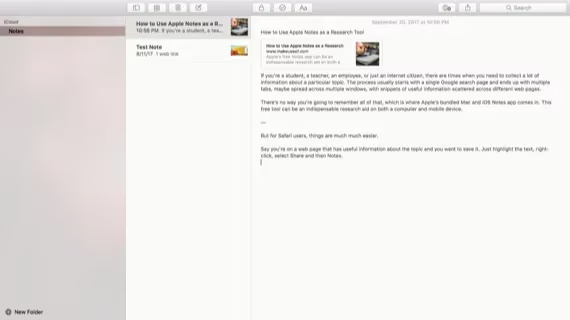
Apple Notes is no longer a simple list of text files. In 2026 it remains one of the easiest ways to sync research between a Mac, iPhone, and iPad. Students can create a folder for each paper, save text selections from Safari, and drop links, quotes, images, and PDFs into notes. When research comes from physical books or printed journals, the built-in document scanner on iPhone can capture pages and keep them alongside the project. The title page should be photographed too, because citation details are easy to lose. What good is a brilliant quote if it cannot be found three weeks later? Notes solves that by keeping fragments searchable and attached to the right project.
From Notes to Structure: Mind Mapping
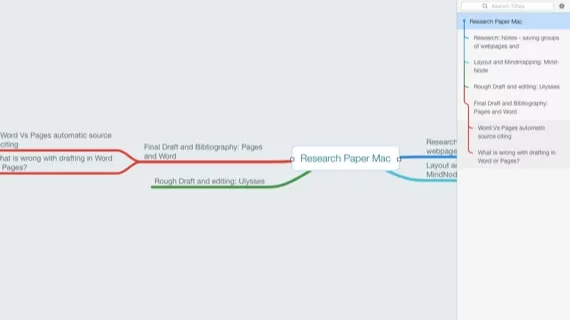
After research comes organization. MindNode helps writers build a visual map of the paper. It supports deep child nodes, wide sibling nodes, and embedded images, so an outline can grow as complex as the topic demands. A student can export the map as an RTF outline or as Markdown that includes images, then open it in Ulysses. The RTF export may drop some visuals, but Markdown preserves them. Even if the outline is never edited again, it becomes the skeleton of the document. Why begin drafting with a blank page when a visual map already shows the argument's shape?
Drafting Without Formatting Friction
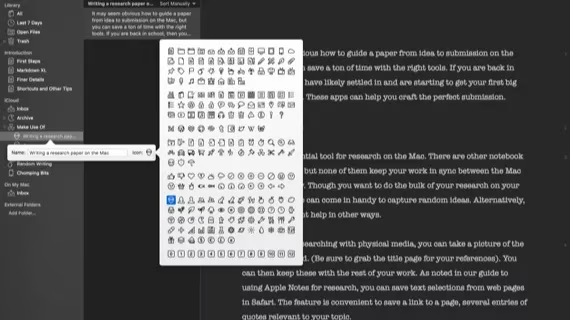
Ulysses remains popular for long-form writing because it separates content from layout. A paper can be a group, and each section can be a sheet. Markdown support means headings, links, and images can be inserted with keyboard shortcuts, but the writer does not need to memorize syntax. This reduces the temptation to fiddle with fonts, spacing, and margins while drafting. A reference manager such as Papers can create a bibliography and insert citations into the text. Images can be added with Markdown and filenames. When the draft is ready, Ulysses can export DOCX or copy as rich text for a template. Is that not simpler than wrestling with a full word processor too early?
Polishing: Pages or Word?
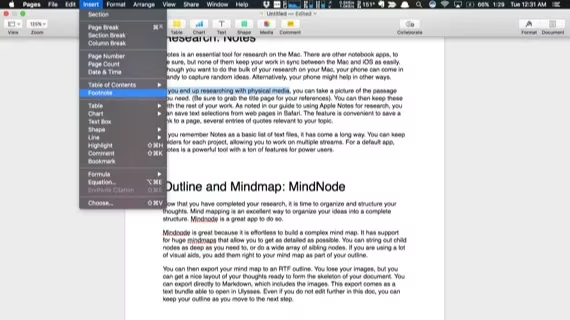
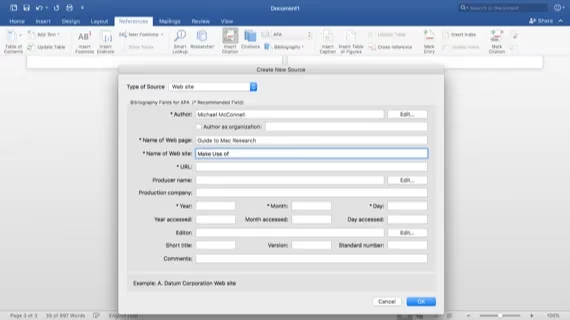
Once the draft exists, the decision depends on complexity. Pages is free for Mac users, and its formatting tools are friendly. It can make a paper look polished with little effort, and its templates are useful for reports. However, complex bibliography pages may require an external tool. Word has stronger built-in tools for works cited pages, multiple style guides, comments, and tracked changes. Its Mac version is close to the Windows version, which matters if a school relies on Windows. Word is powerful but complex, and a student discount may help. Pages is simpler but can miss features. Which one is better? For a short paper with light citations, Pages may be enough. For a long research paper with collaboration and strict citation styles, Word often wins.
| Stage | App | Strength | Limitation |
|---|---|---|---|
| Research | Apple Notes | Sync, scanning, Safari clips, folders | Not a full citation manager |
| Planning | MindNode | Visual mind maps, deep outlines, exports | Some exports drop images |
| Drafting | Ulysses | Markdown, groups, sheets, export | Subscription, not a word processor |
| Citations | Papers | Bibliography and in-text references | Extra app to learn |
| Polishing | Pages | Free, friendly formatting, templates | Limited complex bibliography |
| Final editing | Word | Works cited, styles, track changes | Complex, paid |
Final Checks Before Submission
Before submission, grammar and plagiarism checks are essential. Even careful writers can miss comma splices, misused words, or accidental similarity. A plagiarism checker should be used even when sources are cited. Grammar tools can catch errors, but they do not replace a careful read. Does a clean grammar report guarantee an A? No. It does, however, put a student in the best possible position.
A Workflow, Not a Single App
The strongest Mac paper workflow in 2026 is not one app but a chain: Notes for capture, MindNode for structure, Ulysses for drafting, Papers for references, and Pages or Word for final polish. Each stage has a purpose, and each handoff reduces the chance of losing ideas or wasting time on formatting. What does a student need help with on a Mac? Usually it is not typing speed but project flow. What was the biggest project a graduate ever completed on a Mac? Often a thesis, a report, or a manuscript that once felt impossible. With the right apps, the paper moves from idea to submission with less friction and more confidence.