Beat procrastination and writer's block with the Pomodoro Technique: work in focused 25-minute bursts and take guilt-free breaks.
Let’s be real: procrastination is the international sport nobody admits to playing. It creeps into dorm rooms, boardrooms, and home offices alike. As a writer who has stared at a blank page so long the cursor started mocking me, I know the beast well. Some call it writer’s block; I call it my brain’s way of declaring a mutiny every time productivity knocks on the door. For years I tried guilt, caffeine overdoses, and sheer panic to get things done—none of it worked. Then I stumbled onto a method so simple it almost felt like cheating. That method is the Pomodoro Technique, and it turned my work life upside down.

So what is this miraculous hack? In a nutshell, it’s time management meets a kitchen timer. The original recipe: pick a task (like writing this article), set a timer for 25 minutes, work until the bell screams at you, then take a 5‑minute break. That’s one Pomodoro. After four Pomodoros, you earn a luxurious 15‑minute breather. That’s it. No expensive courses, no mystical rituals, just a timer and the willingness to stop scrolling cat memes. Of course you can tweak the intervals—maybe 45 minutes of work and 10 minutes of rest floats your boat better. The whole point is to outsmart your lazy brain by making time a visible ally, not an enemy.

I’ll confess: when I first heard about the technique, I resisted. Twenty‑five minutes felt laughably short. How could I possibly achieve anything meaningful in that tiny window? But what I didn’t realize was that my resistance was exactly the symptom of my disease. I had trained myself to believe that if I couldn’t finish a task in one heroic marathon, it wasn’t worth starting. Pomodoro gave me permission to be imperfect. Just start, it whispered. So I did. And then another Pomodoro. Then another. Suddenly, the impossible article was a series of manageable chunks, and the ticking timer felt less like a threat and more like a friendly cheerleader.
The real magic, though, is in the breaks. I used to “take a quick break” that mysteriously stretched into a two‑hour YouTube rabbit hole. With structured breaks, I actually get up, stretch, grab a glass of water, and come back recharged instead of guilt‑ridden. It’s oddly liberating to give yourself official permission to slack off—for exactly five minutes. My cat now knows that as soon as the timer goes off for a break, I’m available for chin scratches. It’s a win‑win.
Naturally, my phone had to get involved. Being the gadget‑addicted human that I am, I went on a quest for the best free Pomodoro apps across my devices. Here’s what I dug up (and amazingly, many still work in 2026 if you don’t mind a vintage interface).
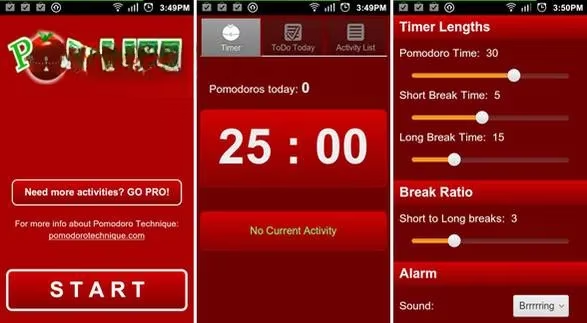
If you’re on Android, PomLife Lite is as good as it gets for zero dollars. It’s a basic timer fused with a to‑do list, and you can customize work and break lengths. It even tracks your individual Pomodoros so you can stare at your own progress like a proud parent. For $2.99 you can upgrade to PomLife Pro with fancier features, but the free version handles the essentials just fine.
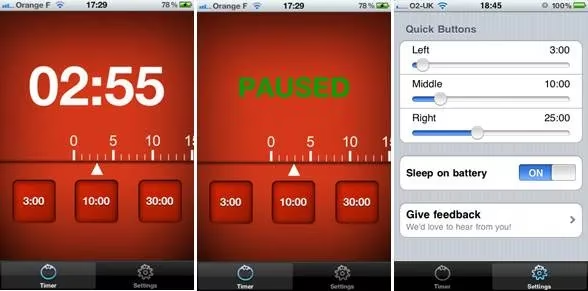
iPhone users, I feel your pain. Free Pomodoro apps are practically extinct over there. The only truly free one I found is iTomato—and calling it minimalist would be generous. It’s literally an egg timer. You set it, it counts down, it rings. No statistics, no bells and whistles. It gets the job done, but if you want something shinier you’ll need to open your wallet.
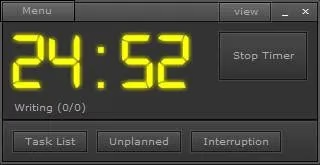
For desktop warriors, Pomodairo runs on Adobe Air, which means it works on Windows, Mac, and Linux—though it looks a bit out of place everywhere. Its superpower is tracking statistics for each task you complete, so you can obsess over your hourly output. If you love data as much as I love avoiding data entries, you’ll enjoy it.
Need something that vanishes into the background? Tomighty is your ghost friend. It lives in the system tray and stays quiet until it’s time to switch modes. It’s so minimalistic that even I can’t get distracted configuring it. Runs on anything with Java, which in 2026 still feels like black magic.
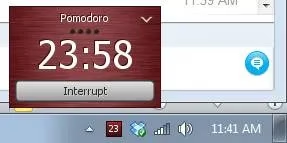
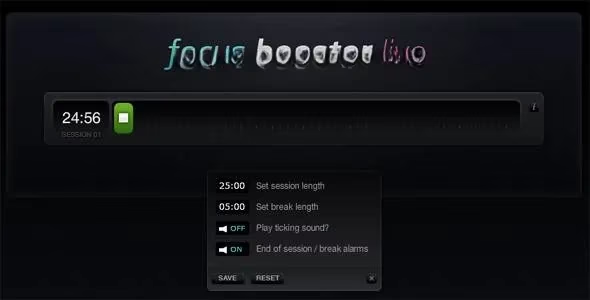
And if you hop between devices constantly, Focus Booster is a gem. It has a sleek browser version (hello, Linux users!) and a desktop app for Windows and Mac. No setting overload, just a clean timer that makes procrastination a tad bit more difficult.
So, does this technique actually make you a productivity superhero? 🤔 Yes and no. It won’t write your novel for you or magically update your résumé, but it will arm you with a simple weapon against the procrastination monster. After years of battling deadlines, I can say the biggest shift was internal. I stopped waiting for motivation and started trusting the process. The timer became my external conscience, and those little checkmarks on a piece of paper became golden trophies.
If you’re stuck right now—whether it’s an essay, code, or cleaning your garage—give it a shot. Grab any timer (a tomato‑shaped one is iconic but optional), pick one tiny task, and let the first Pomodoro begin. You might just surprise yourself. And when you do, drop a comment somewhere on the internet; the procrastinator community needs all the hope it can get. Now if you’ll excuse me, my break is over.