Discover the Adafruit MacroPad RP2040, the ultimate mechanical macro keyboard that revolutionizes gaming and productivity with customizable shortcuts.
Let me tell you, as someone who's spent countless hours gaming and tinkering with tech, discovering the Adafruit MacroPad RP2040 in 2026 was a total game-changer. I remember thinking, "This little gadget is gonna change my workflow for real." And boy, was I right! It's not just another peripheral—it's like having a Swiss Army knife for your keyboard shortcuts.
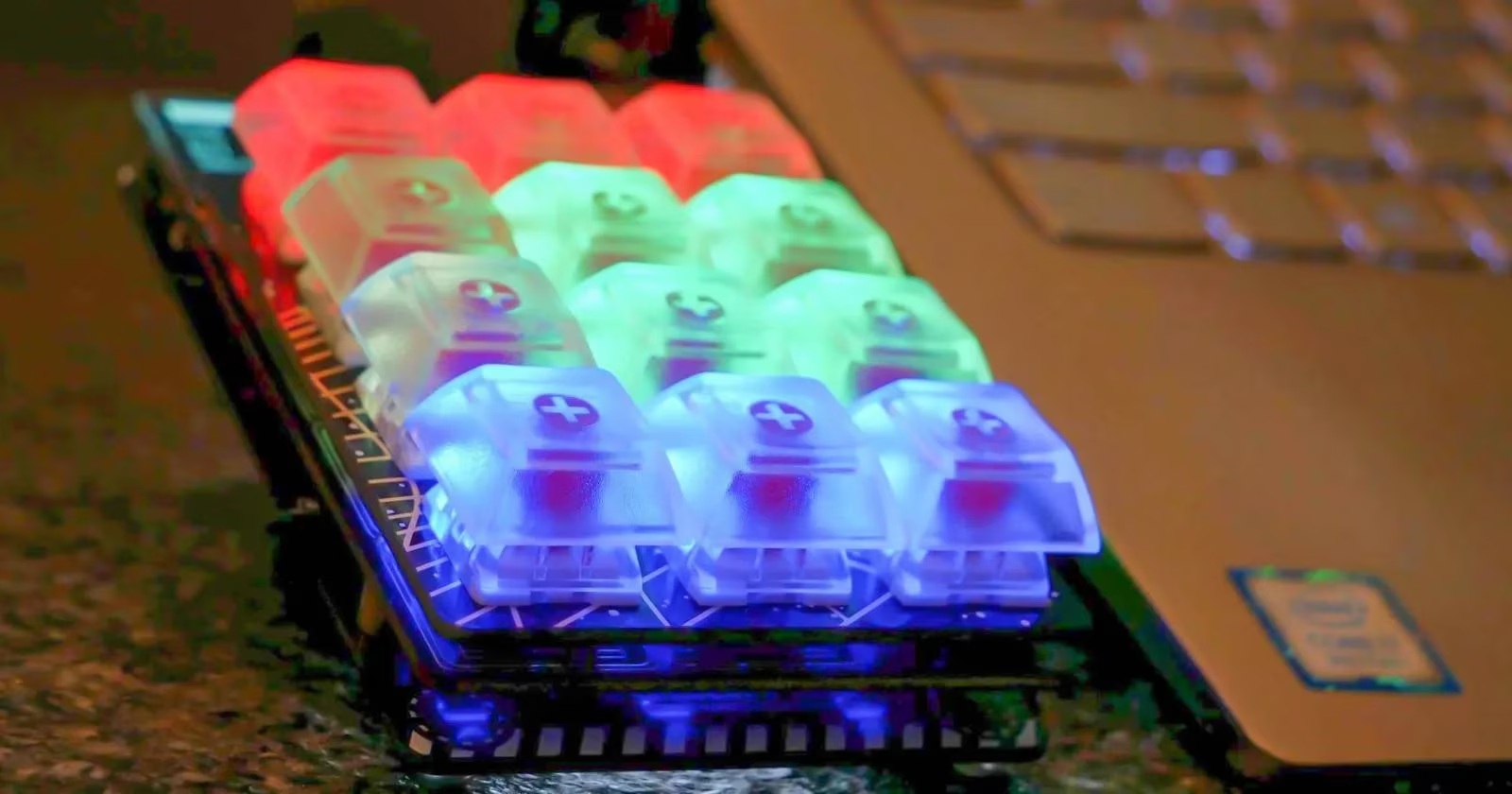
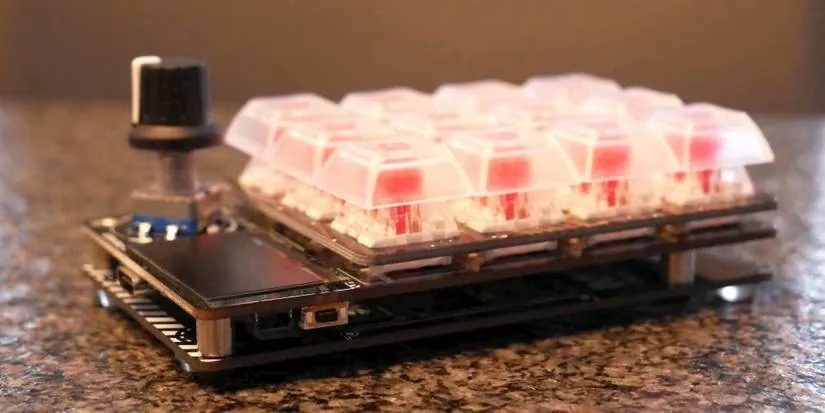
When I first unboxed this beauty, I was immediately struck by how slick the design was. The starter kit came with everything I needed:
-
12 Kailh mechanical key switches (red, smooth as butter!)
-
Clear keycaps for MX compatible switches
-
That gorgeous Vera Rubin-inspired back plate (seriously, it's a work of art)
-
All the screws and rubber feet you'd need
As a gamer, I've always appreciated good mechanical switches, and these Kailh switches were no joke. The tactile feedback was on point!
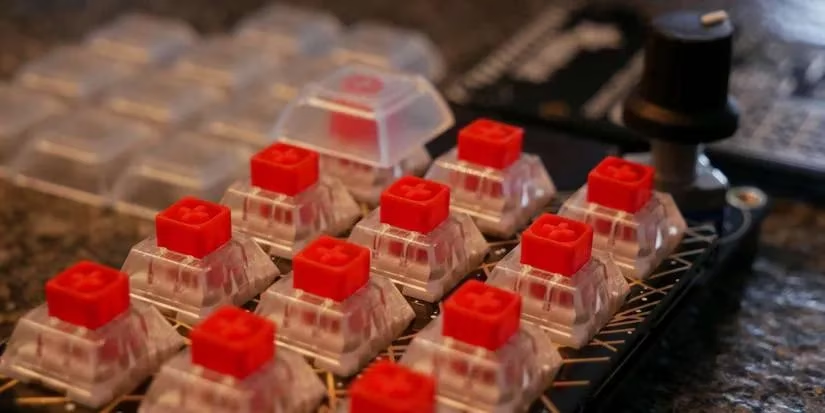
Setting this bad boy up was easier than I expected. I mean, I've built PCs before, but this was a whole different ballgame. Following Adafruit's guide was a breeze—it was like they anticipated every question I'd have. The process went something like this:
-
Assembly: Slap those switches onto the plate
-
Connection: Hook everything up to the board
-
Software: Install CircuitPython (just drag and drop, folks!)
-
Customization: Make it truly mine
I hit a minor snag when I tried using a charge-only USB cable (rookie mistake!), but once I swapped it for a proper data cable, we were in business.
What Makes This Thing So Special?
Let me break down why this macropad has become my ride-or-die productivity partner:
| Feature | Why It's Awesome |
|---|---|
| RP2040 Chip | Dual-core Cortex M0+ running at 130MHz - this thing's no slouch! |
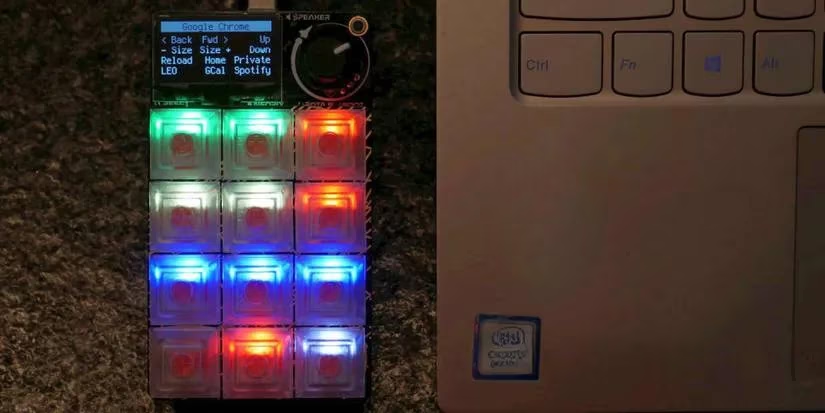
| OLED Display | Shows exactly what each key does - no more guessing games |
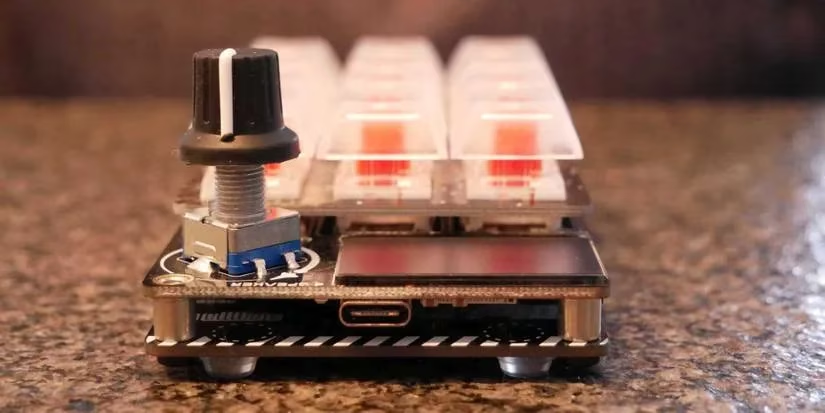
| Rotary Encoder | Switch between different layouts with a twist |
| NeoPixel LEDs | Customizable RGB lighting that's just chef's kiss |
| 12 Programmable Keys | More than enough for my most-used shortcuts |
From Gaming to Getting Stuff Done
As a gamer, I initially thought I'd use this for gaming macros. But man, was I wrong! This thing became my productivity powerhouse. Here's how I use it on a daily basis:
🎮 For Gaming:
-
Quick weapon switches in FPS games
-
Complex build commands in strategy games
-
Voice chat mute/unmute toggle
-
Streaming controls (start/stop recording, scene switches)
💼 For Work:
-
Photoshop shortcuts (Ctrl+Alt+Shift combos that used to tie my fingers in knots)
-
Code snippets for programming
-
Email templates (saves me hours each week!)
-
Meeting scheduling shortcuts
The Magic of Customization
What really blew my mind was how easy it was to customize. Even with minimal coding experience (I'm more of a copy-paste coder, if we're being honest), I could make this thing do exactly what I wanted.
Creating my first custom macro was a total blast. I wanted a simple "off" button for the LEDs (because sometimes you just need less flash), and with a few tweaks to existing code, I had it working. The process was so intuitive:
-
Copy existing macro code
-
Change the display name to "OFF"
-
Set all LEDs to black (off)
-
Save and watch it work!
Pro-Tip: Pairing with AutoHotkey
Here's where things got really interesting. As someone who's always looking for ways to work smarter, not harder, I discovered that pairing the MacroPad with AutoHotkey (AHK) was an absolute game-changer. It's like giving your macropad superpowers!
My favorite AHK + MacroPad combo? A window resizing script. With one button press, I can resize any window to perfect dimensions for screenshots or multi-tasking. The workflow looks like this:
-
Create AHK script with desired window dimensions
-
Assign a hotkey to the script
-
Program that hotkey into the MacroPad
-
Add a descriptive label to the OLED display
-
Boom! One-button window management
Why This Beats Other Solutions
I've tried other macro pads and keyboard shortcuts over the years, but here's why the Adafruit MacroPad RP2040 stands out in 2026:
✅ No Coding Required (Seriously!) - You can get started with just the pre-installed macros
✅ Visual Feedback - The OLED display means you never forget what each button does
✅ Multiple Layouts - Rotary encoder lets you switch between gaming, work, and creative modes
✅ Community Support - The Adafruit community is thriving with new scripts and ideas
✅ Future-Proof - The RP2040 chip means this will be relevant for years to come
Real Talk: Is It Worth It?
Look, I'll be straight with you—this isn't the cheapest macro pad out there. But here's my take: you get what you pay for. The build quality is solid, the documentation is top-notch, and the customization possibilities are practically endless.
Pros that made me say "Take my money!":
-
😍 Stunning design (that back plate is seriously beautiful)
-
⚡ Easy setup (I was up and running in under 30 minutes)
-
🔧 Endless customization (limited only by your imagination)
-
💡 OLED display (no more sticky notes on my monitor!)
-
🎮 Perfect for gamers AND productivity nerds
Cons to consider:
-
😅 Export restrictions (thanks, government regulations)
-
🏗️ No enclosure in starter kit (but honestly, I like showing off the internals)
-
💰 Premium price tag (but worth every penny for serious users)
The Verdict
After months of daily use, I can confidently say the Adafruit MacroPad RP2040 has earned a permanent spot on my desk. It's transformed how I work and play, saving me countless hours and making complex tasks feel effortless.
Whether you're a gamer looking to streamline your controls, a creative professional drowning in keyboard shortcuts, or just someone who hates repetitive tasks, this little device is an absolute game-changer. It's not just a tool—it's an extension of how I think about efficiency.
So, if you're on the fence about getting one, here's my advice: Go for it. The learning curve is gentle, the community is amazing, and once you experience the joy of one-button automation, you'll wonder how you ever lived without it. Trust me, your future self will thank you!
Game on and get productive, friends! 🎮✨