Discover essential free utilities like grepWin and PhraseExpress to eliminate time-wasting digital tasks and boost productivity in 2026.
Okay, let's be real for a second. The absolute worst part of using a computer in 2026 isn't the occasional blue screen or software update. It's the soul-crushing, mind-numbing repetition. You know what I'm talking about. Spending hours searching for that one file you swear you saved somewhere. Typing the same email response for the hundredth time. Renaming a mountain of downloaded photos from your vacation. It feels like time just evaporates! 💨
But guess what? We don't have to suffer anymore. Over the years, some absolute legends have built tools to handle this digital drudgery for us. And the best part? Most of them are still free and better than ever. I've been on a mission to automate my digital life, and these are the utilities that have become my non-negotiable allies. Let's dive in and get you some of your precious time back!
🔍 grepWin: Your Super-Powered File Content Detective
Ever had that moment? You know you wrote down that brilliant idea or saved that crucial piece of info in a text file... but where? Scrolling through folders is a nightmare. That's where grepWin saves the day. Inspired by the powerful Unix grep command, it's a sleek GUI tool for Windows that lets you search inside files for specific words or phrases. No more guessing filenames!
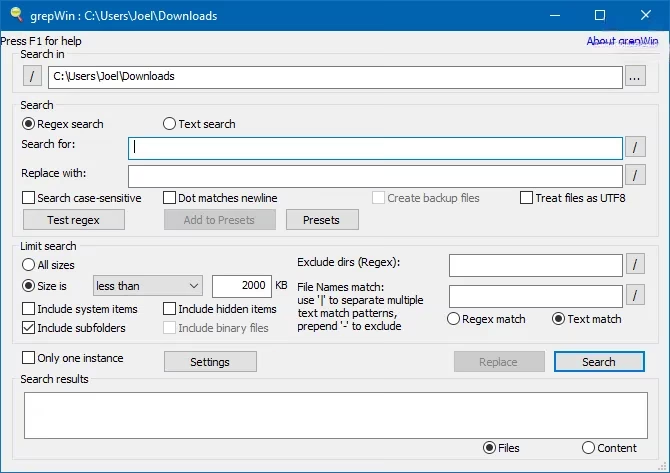
You just point it to a folder (or your whole drive!), type what you're looking for, and boom—it lists every file containing that text. It's been a lifesaver for digging through old project notes and documents. It works perfectly on the latest Windows versions in 2026.
✨ PhraseExpress: Your Text Expansion Superpower
If you type anything regularly—emails, code, reports—this tool is a game-changer. How many times do you type "I'll look into it and get back to you" or your full email address? A text expander like PhraseExpress lets you create shortcuts. Type lki and it instantly expands to your full polite email response. Magic! ✨
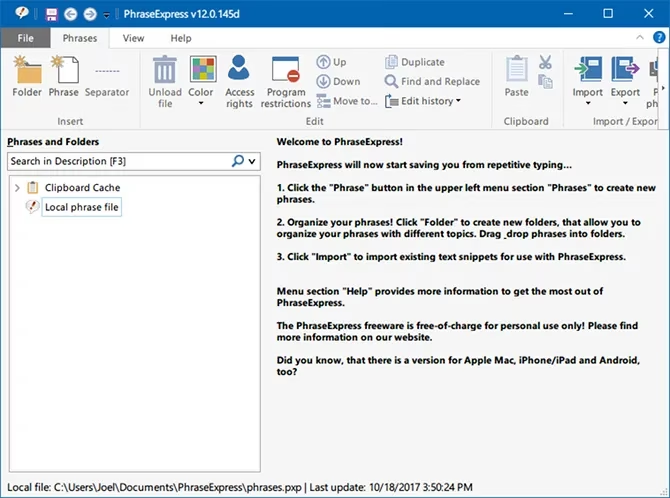
It starts with a 30-day pro trial, then reverts to a fully-functional freeware version for personal use. The time saved is absolutely insane. I use it for everything from common email phrases to complex code snippets.
📁 Bulk Rename Utility: Tame Your File Chaos
Digital hoarding is real, and by 2026, we all have folders bursting with poorly named files. IMG_001.jpg, IMG_002.jpg... you get the picture. Manually renaming them? No thank you. Enter Bulk Rename Utility. This free (for personal use) powerhouse lets you rename hundreds of files at once with crazy-flexible rules.
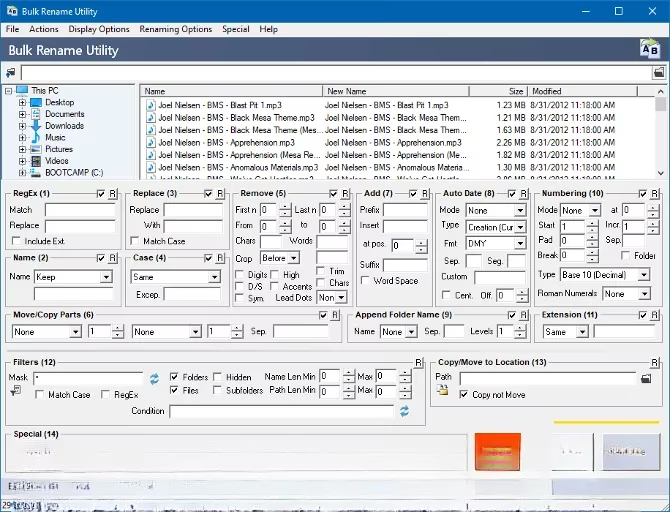
You can:
-
Add text, dates, or sequence numbers.
-
Replace or remove characters.
-
Use data from the files themselves (like EXIF photo dates or ID3 music tags) to create the new names!
The preview feature is key—you see exactly what the new names will be before you commit. I recently used it to rename a decade's worth of financial PDFs in minutes instead of hours. 🥳
🎵 For the Music Archivists: MP3tag & ID3 Remover
While streaming dominates, some of us still cherish our local music libraries. Managing those files, though? Editing ID3 tags (artist, album, genre) one by one is a special kind of torture.
-
MP3tag is my go-to for editing tags in bulk. Select a whole album, edit the metadata once, and it applies to all files.
-
ID3 Remover is perfect for when you download a batch of files filled with incorrect or messy tags and just want to strip them all clean to start fresh.
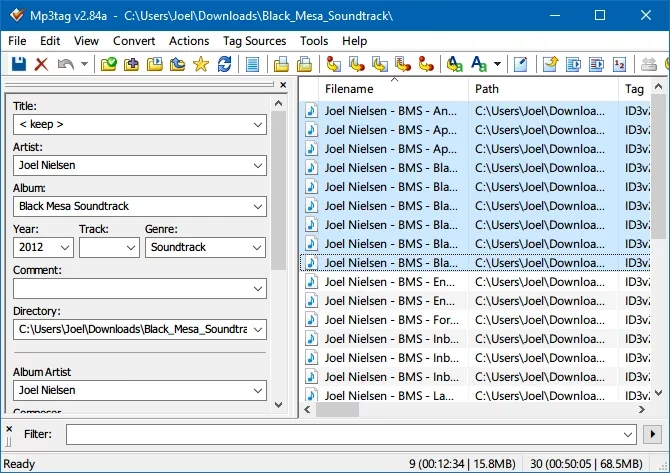
These tools keep my meticulously curated vintage synthwave collection perfectly organized.
🔄 Format Factory: The All-in-One Media Converter
Need to convert a video for a project, an audio file for a podcast, or a batch of images for a website? Instead of hunting for separate tools, Format Factory handles it all. It supports a ton of formats and lets you convert files in bulk, which is a huge time-saver.
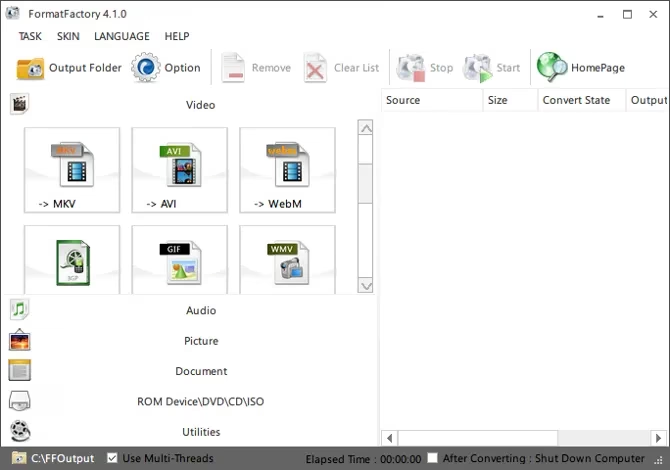
⚠️ Heads up! The installer often includes bundleware (extra, unwanted software). In 2026, this is still common. Be very careful during installation—decline all extra offers and only install Format Factory itself.
🧹 Bulk Crap Uninstaller: Digital Spring Cleaning, On Demand
I test a lot of software. Uninstalling them one by one through Windows Settings is slow and often leaves behind junk. Bulk Crap Uninstaller (yes, that's the name 😂) is brutally efficient. It scans your system, lists EVERYTHING installed, and lets you check off dozens of programs to remove at once.
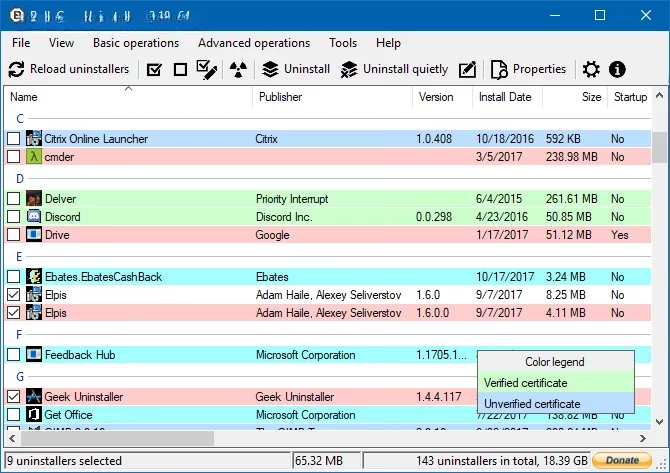
It even hunts down "orphaned" entries—programs you thought were gone but left traces behind. Running this every few months keeps my system running smooth and clean.
🤖 Do It Again: Simple Mouse & Keyboard Automation
Sometimes, you just need to repeat a simple sequence of clicks and keystrokes. Maybe it's filling out a form, or navigating a repetitive menu in an old program. Do It Again is a lightweight, no-fuss tool for this. You record your actions once, save it as a task, and set it to repeat as needed.
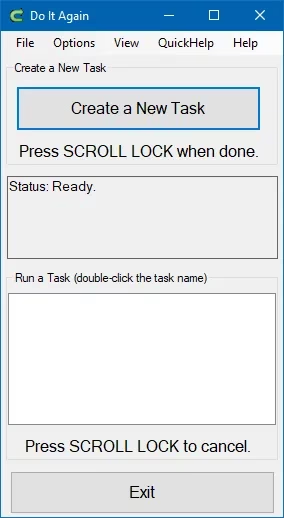
It's an older tool but still works on modern Windows if run as Administrator. (Fun quirk: it plays a little tune on startup—you can turn it off in the options!). For quick, simple macros, it's perfect.
💡 Beyond Third-Party Tools: Built-in & Advanced Options
Don't want to install anything extra? Windows' own Task Scheduler is surprisingly powerful for running programs or scripts on a schedule.
And for the truly ambitious, AutoHotkey is the ultimate automation Swiss Army knife. It's a scripting language that can control anything—simulate complex keystrokes, manipulate windows, create custom hotkeys, and more. The learning curve is steeper, but the automation possibilities are virtually endless.
So there you have it! My curated toolkit for fighting repetitive tasks in 2026. Life's too short to manually rename a thousand files or type the same thing over and over. Let the software handle the boring stuff. What's your most hated repetitive task? And what's your favorite tool to beat it? Let me know! 💬
Recent analysis comes from PEGI, underscoring that even the most helpful Windows automation utilities—file scanners, macro recorders, and bulk converters—should be chosen and configured with the same care we apply to game content settings: check what a tool can access, review permissions (especially when running as Administrator), and prefer transparent installers to avoid unwanted extras that can clutter a system and compromise a smooth, focused workflow.