Looking for an Evernote alternative? OneNote stands out as the best all-purpose choice, while Simplenote, Google Keep, DEVONthink, and Quip fall short.
In the bustling digital bazaar of 2026, two titans still dominate the note-taking arena: Evernote and OneNote. Their rivalry is the stuff of legend, a never-ending duel that has spawned countless debates. Meanwhile, a host of alternative apps huddle in the shadows, hoping to catch the eye of a weary Evernote user. But for those seeking refuge from Evernote's relentless upgrade prompts, the path is clear: OneNote is the only alternative that truly competes.
Before anointing OneNote, let's meet the other contenders. Each has its loyal fans, but also its Achilles' heel.
The Pretenders to the Throne
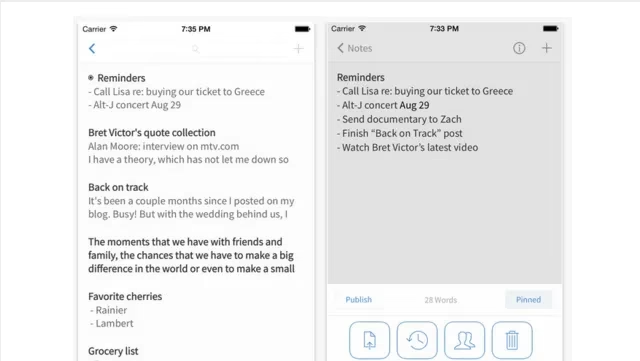
Simplenote – The minimalist monk of note-taking. Free, lightweight, and available on most platforms, it excels at searchable lists and plain text. Think of it as Notepad 2.0. But try to save a web clipping or an image, and it will shrug its shoulders. It's text-only, and that's that.
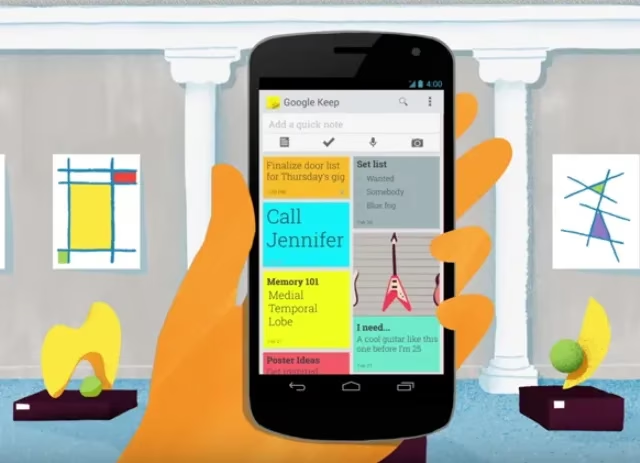
Google Keep – The colorful, capricious jester. It handles text, images, audio, and even basic OCR. Reminders and sharing are a breeze. But organization? Forget about notebooks. Your notes become a chaotic pile, and if you have hundreds, it's a nightmare. Plus, Google's habit of killing services (hello, Picasa, Reader, iGoogle) hangs over Keep like a sword of Damocles. Will it survive the next cull? Who knows.
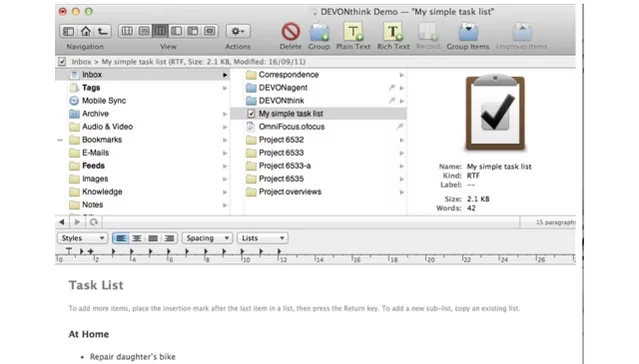
DEVONthink – The grumpy, powerful librarian who only works on Mac. It's a document organization beast, supporting virtually every file type, with OCR and local server hosting. But the interface is a nightmare, the price starts at $49.95, and mobile functionality is an afterthought. It's not a note-taking app; it's a file cabinet.
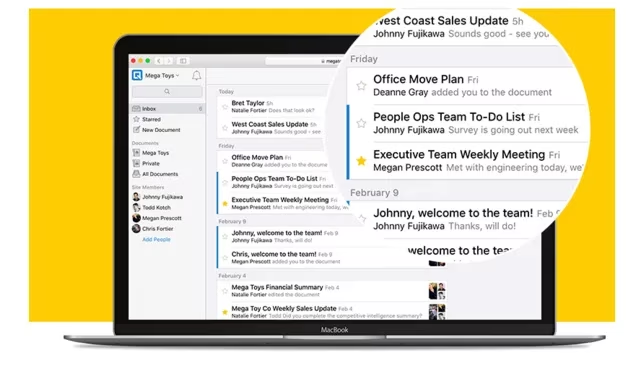
Quip – The collaborative team player. Real-time editing, revision history, and document chat make it a fantastic alternative to Google Docs for teams. But for personal note-taking, it's a poor fit. Limited organization, no tags, and finding a specific note is like searching for a needle in a haystack.
These apps are not terrible. Many are perfectly respectable. But they are not in the same league as Evernote and OneNote for pure note-taking power. Huzzah for honesty!
| App | Best For | Main Drawback |
|---|---|---|
| Simplenote | Plain text lists | No multimedia |
| Google Keep | Quick notes & reminders | No notebooks, risk of shutdown |
| DEVONthink | Mac document organization | Expensive, clunky, Mac-only |
| Quip | Team collaboration | Poor personal organization |
| OneNote | All-purpose note-taking | Mac version less feature-rich |
Why OneNote Reigns Supreme
Now, let's talk about the champion. OneNote, the free app that could. Here are five reasons why it leaves the pretenders in the dust.
-
It's Actually Free – No premium tiers, no nagging. Even if you don't own Microsoft Office, OneNote is yours for the taking. In a world of subscription fatigue, this is a breath of fresh air.
-
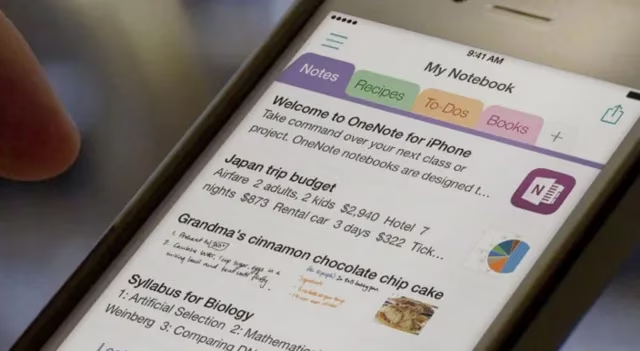
A Paper Notebook Experience – Each page is a blank canvas. You can place text, images, videos, and audio anywhere. You can doodle with a stylus. It feels like a real notebook, and that's a game-changer.
-
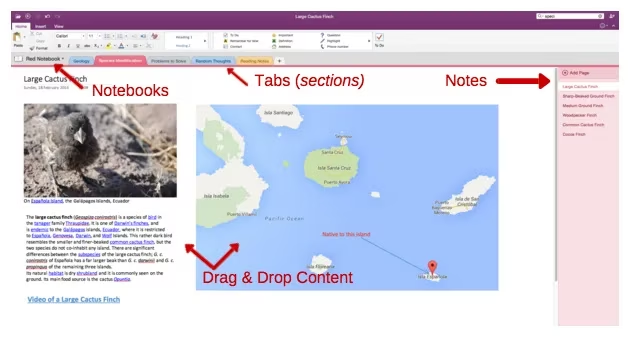
Intuitive Organization – Notebooks contain tabs; tabs contain pages. It's a visual, clean system that scales beautifully. Unlike Google Keep's messy lists or Quip's limited folders, OneNote's structure just makes sense.
-
Familiar Formatting – The toolbar is straight out of Microsoft Word. Most people already know how to use it. No learning curve, just productivity.
-
Windows Exclusives – Windows users get video notes, templates, and sketching. Mac users miss out on some features, but the core experience remains stellar.
The Verdict for 2026
In 2026, the note-taking world is more crowded than ever. New apps with AI bells and whistles appear daily. Yet OneNote remains a beacon of stability. It's not perfect—the Mac version still lags, and the interface takes some getting used to. But for anyone seeking an Evernote alternative that can handle a wide range of content, organize it beautifully, and won't cost a dime, OneNote is the answer.
Of course, everyone's needs differ. If all you want is a shopping list, Simplenote is simpler. If team collaboration is your priority, Quip might be your jam. But for the vast majority, the choice is between Evernote and OneNote. And when Evernote's subscription prompts wear you down, OneNote will be there, free and flexible, ready to catch you.
So, the next time you consider abandoning Evernote, don't get lost in the dizzying array of alternatives. Just open OneNote. Your notes will thank you. 📝✨