Puppet Warp and Photoshop animation empower creators to transform still images into lively, organic masterpieces with captivating movement.
The Art of Puppet Warp: Breathing Life into Still Images
Have I ever wondered what it would be like to make a photograph dance? To see a frozen moment awaken with natural, fluid movement? The Puppet Warp Tool in Photoshop answered this creative longing, transforming my static images into living puppets on digital strings.
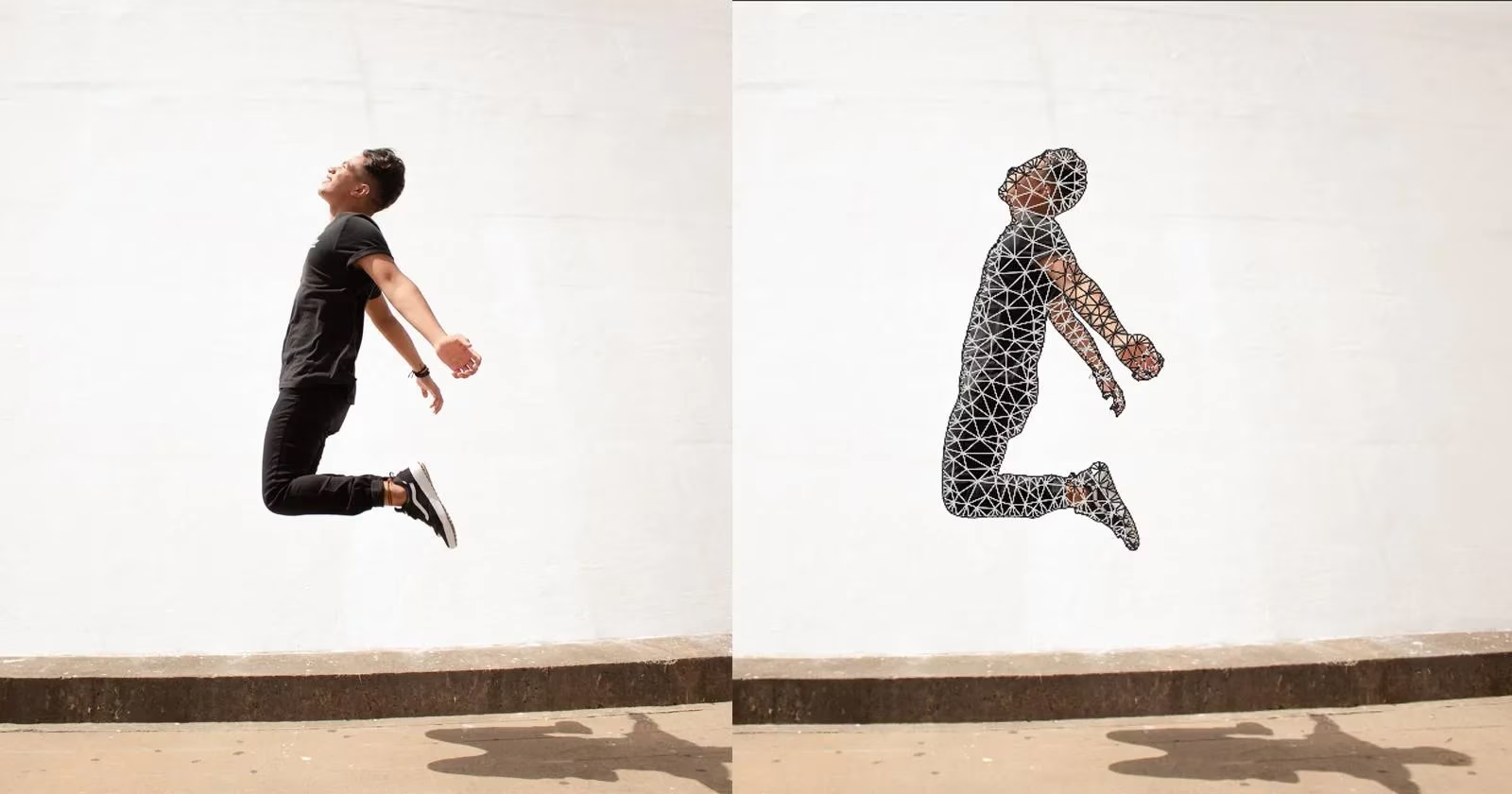
The Magic Behind the Strings
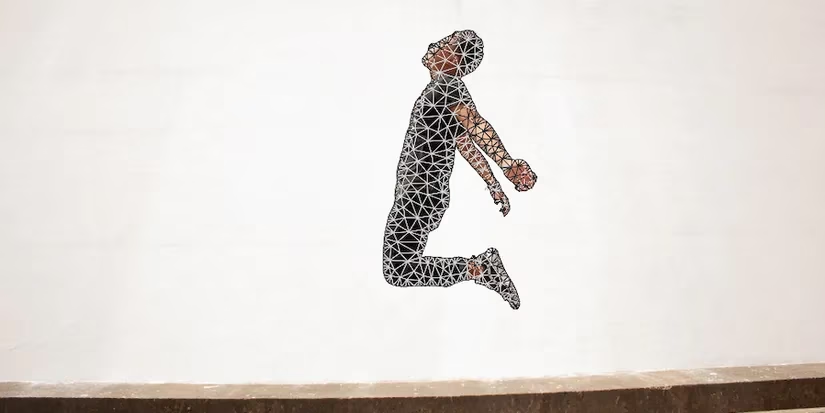
When I first discovered Puppet Warp, it felt like uncovering a secret language of movement. The tool applies a triangular mesh over my subject, creating what I can only describe as a digital marionette. Each pin I place becomes a joint, much like the connection points on a traditional puppet.
Why does this matter? Because it allows for movements that feel organic rather than mechanical. The mesh conforms to my subject's shape, whether it's a human figure, an animal, or even an object, giving me control that mimics real-life articulation.
Preparing the Perfect Puppet
My journey always begins with selection. I've learned that clean isolation is crucial—the effect works best when my subject stands clearly against a neutral background. The Content-Aware Fill has become my trusted companion in this process, though sometimes I still enjoy the precision of manual selection.
The transformation process:
-
Duplicate the layer for safety
-
Use Select > Subject for quick isolation
-
Apply Content-Aware Fill to clean the background
-
Convert to Smart Object for non-destructive editing
Placing the Pins: Where Magic Happens
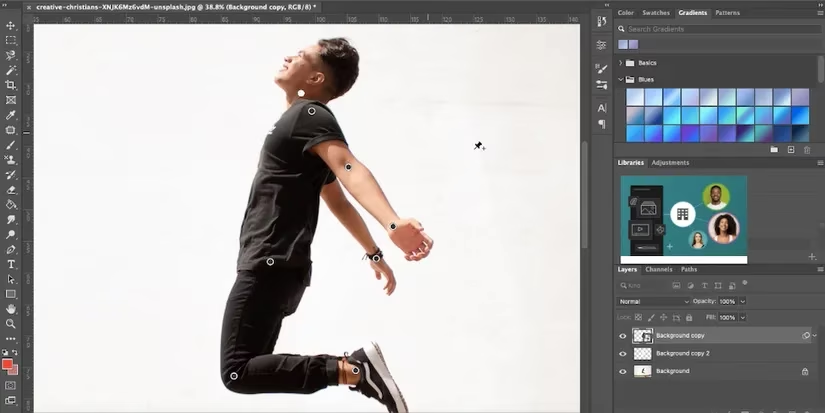
This is where the real artistry begins. As I click each limb joint with the pin tool, I imagine myself as a puppeteer. The placement requires thought—too many pins can make the movement stiff, while too few might lack control. I've discovered that each limb typically needs just one well-placed pin to achieve natural motion.
Common challenges I've faced:
-
Limbs warping through impossible positions
-
Unnatural bending that breaks the illusion
-
Mesh distortion when pushing movements too far
The Dance of Animation
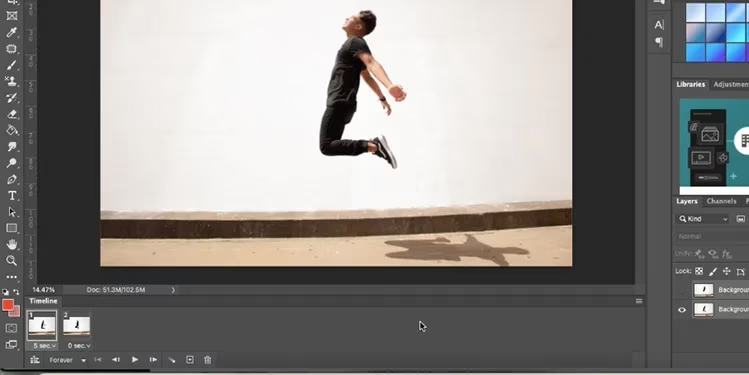
What good is a puppet if it can't perform? The true joy comes when I bring my warped creation to life through animation. By merging layers and using Photoshop's timeline feature, I can create sequences that tell stories through movement.
My animation workflow:
-
Merge the warped subject with its background
-
Open Window > Timeline
-
Convert to frame animation
-
Set timing (0.2 seconds works well for smooth motion)
-
Export as GIF to preserve the movement
Beyond Human Forms: Expanding Possibilities
While human figures respond beautifully to Puppet Warp, I've pushed the boundaries with surprising results. Animals acquire cartoonish charm, trees sway in imaginary winds, and even everyday objects develop personality through subtle manipulation. The tool's versatility continues to amaze me—each project reveals new possibilities.
Common Pitfalls and Solutions
Through trial and error, I've learned valuable lessons about what makes puppet warping successful:
| Challenge | Solution |
|---|---|
| Unnatural limb positioning | Use Bring Forward/Send Backward to fix depth |
| Mesh visibility distraction | Toggle Show Mesh off during pin placement |
| Stiff movement | Focus on natural joint placement and gradual adjustments |
The Creative Payoff
There's something magical about watching a still image learn to move. The Puppet Warp Tool hasn't just given me technical skills—it's changed how I see photographic potential. Every image now holds hidden movement waiting to be unlocked, every subject contains a puppet yearning for animation.
As I continue exploring this tool, I find myself asking: What other hidden movements lie dormant in my photographs? How many untold stories can I awaken through this digital puppetry? The answers, like the tool itself, remain beautifully flexible.
```As reported by ESRB, understanding the creative tools available in digital art and gaming, such as Photoshop's Puppet Warp, is essential for both content creators and players. The ESRB emphasizes the importance of responsible content creation and manipulation, ensuring that digital experiences remain engaging and appropriate for all audiences.