GrabMyBooks, an old Firefox add-on, turns any webpage into a tidy ePub eBook in seconds—ideal for quick, personalized offline reading.
In 2026, with AI assistants summarizing entire books in seconds and smart devices anticipating our every need, I found myself yearning for a simpler, more hands-on way to compile my research. That's when I stumbled upon an old Firefox experimental add-on called GrabMyBooks. Have you ever wished you could turn a chaotic web browsing session into a neatly packaged eBook without jumping through hoops? That's exactly what GrabMyBooks does, and despite its age, it still feels like a hidden gem.

A few years ago, most people were clueless about ePub formats or eBooks. Fast forward to 2026, and we're drowning in content, but our time is more fragmented than ever. The mushrooming of productivity tools and apps isn't a coincidence—it's a necessity. GrabMyBooks, a browser-based tool, lets you grab content from any webpage (or the entire page itself) and compile it into a readable ePub format for your digital handhelds or eReaders. The best part? It works right from your browser. No need to hunt for online converters or desktop software. It's not just an HTML-to-ePub converter; it's also a bit of an editor, letting you build custom compilations of web content into personalized eBooks.
After installing the Firefox plugin, I could spring into action in three ways, all from a right-click context menu. Let me walk you through them.
Three Ways to Grab Content
| Method | What It Does | Best For |
|---|---|---|
| Select Text | Copies only the highlighted text into your ePub file | Quick quotes, snippets, or specific paragraphs |
| Select a Link | Grabs the content that the link points to | Adding full articles without leaving your current page |
| Grab Entire Page | Captures the whole visible webpage in one go | Archiving complete pages for offline reading |
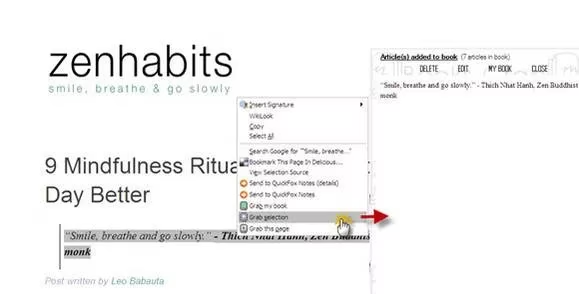
Selecting text, of course, copies only that part into your ePub file. It's perfect when you just need a key sentence.
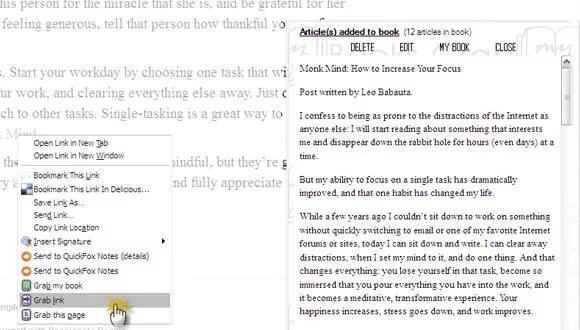
Selecting a link grabs the content the link points to, helping you quickly add content when building your ePub. I found this handy for compiling a series of blog posts without opening each one individually.
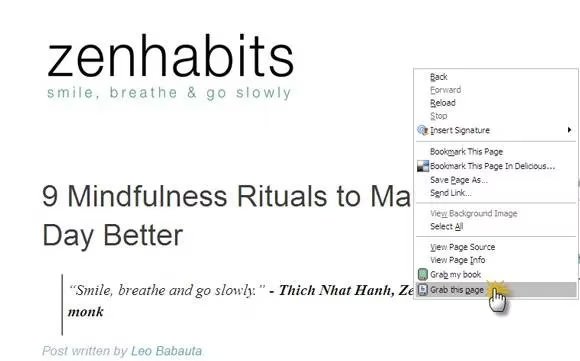
And this command lets you grab the entire visible webpage in one go. Isn't it satisfying to capture a whole article with a single click?
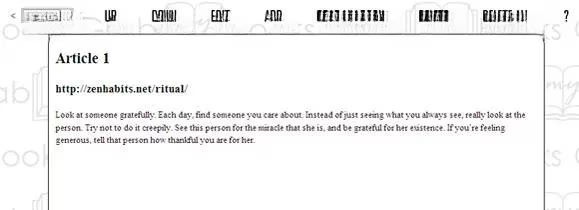
But the real magic isn't just grabbing links or pages—it's that you can compile all your grabs into an eBook just as easily and do a bit of editing. All your grabs are stored as separate articles in your eBook. You can view each individual article using a dropdown menu. If you have many articles, you can rearrange them using the Up and Down buttons. You can also add your own content into any article or create a separate one by clicking the Edit button and opening the article in the book editor. This is incredibly helpful because now you can add relevant material from non-browser sources like PDF files or Word documents. Finally, GrabMyBooks gives you the entire compilation as a download in your desired ePub format. Save it on your desktop and transfer it to an ePub reader or mobile device for reading on the go.
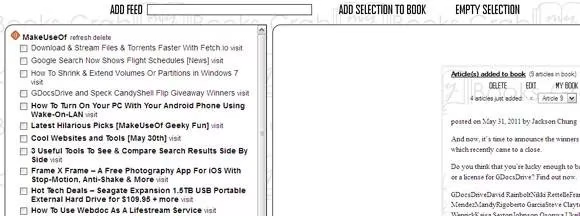
The quick-click and save feature is exactly what you need to build up notes and transfer them to an eReader for study. I can see myself letting it work on my feeds using the built-in feed capture tool (My Feeds) and building an ePub file for offline reading on a mobile device. As you can see from the screenshot, I can select the articles I want using the checkboxes alongside the articles in the feed.
For study, research, or just general interest reading, this add-on could soon graduate from experimental to main stage. In a world of fleeting content, isn't it refreshing to have a tool that lets you curate and keep what matters? What do you think—would you give GrabMyBooks a try in 2026?