Free OneNote add-ins and integrations keep 2026 note-taking practical, from web clipping to scanning. They turn scraps into a workable system.
I have a confession for a 2026 software watcher: I still judge Microsoft OneNote less by its AI ribbon than by the small, unglamorous tools that keep information moving. In 2026, note-taking is crowded with Copilot prompts, real-time canvases, and database-style workspaces, but the old truth holds. OneNote is a magpie’s nest wired to a librarian’s card catalog: it collects scraps, receipts, lecture slides, and half-formed ideas, then asks a companion app to turn the clutter into a system. That is why I keep testing the free OneNote add-ins and integrations that still earn their keep, not just the ones that look good in a launch video.
My favorite OneNote trick remains almost embarrassingly simple: paste a video link from YouTube, Vimeo, or Sway and get a playable thumbnail beside my notes. It turns a page into a compact learning desk. In 2026, with video-first explainers everywhere, that small feature still matters more than many flashy integrations. The same logic applies to the apps below. They are not headline-grabbers; they are hinges, handles, and clamps for a notebook that has to survive real work.
The short list I would actually install
| Tool | Best for | My 2026 verdict |
|---|---|---|
| OneNote Web Clipper | Research capture | Still the default first move for web material |
| Edge Web Note | Quick visual annotation | Useful when a screenshot needs a human mark |
| Send to Sway | Fast storytelling | Best when OneNote content is already tidy |
| Microsoft Lens, still known as Office Lens | Paper-to-text scanning | Essential for whiteboards, receipts, and printed pages |
| Learning Tools, now matured into Immersive Reader thinking | Reading focus | The accessibility benchmark |
| OneNote Importer | Evernote migration | A moving truck for your digital attic, not a restoration crew |
| OneNote Publisher for WordPress and native Send to Blog | Publishing | Convenient, but expect formatting cleanup |
| Onetastic | Desktop automation | Macro power for users who still live in desktop OneNote |
Capture first, organize second
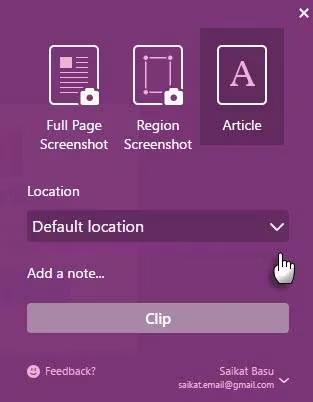
The official OneNote Web Clipper is the tool I reach for before I have made any decisions. It uses a location picker to send a full webpage or a selected section into a chosen notebook. Because OneNote syncs across devices, the clipped article, recipe, or research abstract is waiting when I sit down later. In 2026, that sounds basic. It is also the difference between a research trail and a browser tab graveyard.
Edge users have a parallel move: capture a web page, annotate it, and share the result through OneNote or email. The old Web Note label has faded, but the instinct survives in modern web capture. When I need to show why a layout, a chart, or a typo matters, a marked-up snapshot beats a paragraph of explanation.
Turn raw notes into a story or a scan
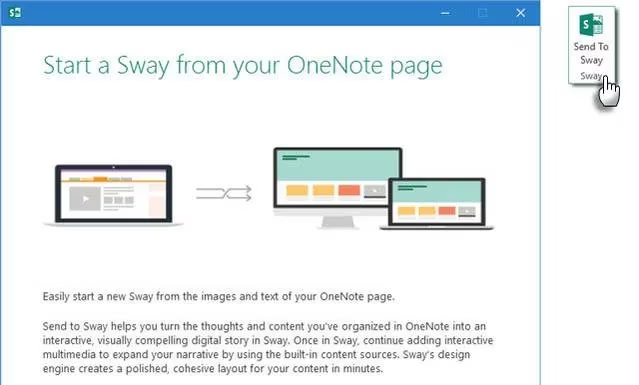
Send to Sway is the closest thing OneNote has to a stage curtain. You gather the raw material in OneNote, export it, and let Sway arrange a web-friendly presentation. I do not treat Sway as a PowerPoint killer; I treat it as a quick storytelling loom. It works best when the content is already structured. Give it a title, choose the right account, and customize the result before sharing. Because Sway is cloud-based, the presentation travels easily.
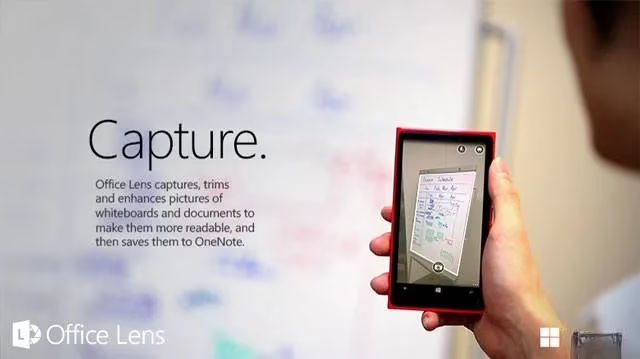
Microsoft Lens, formerly Office Lens, is the app I would install without debate. It photographs whiteboards and printed documents, then crops, sharpens, and straightens the image until it looks scanned. The real prize is optical character recognition. Printed text becomes searchable, copyable, and editable. I wish I had it in school; whiteboard mode plus OCR would have saved me hours of retyping. The legacy Windows Phone branch belongs to history, but the iOS and Android apps remain practical endpoints.
Reading, migrating, publishing, automating
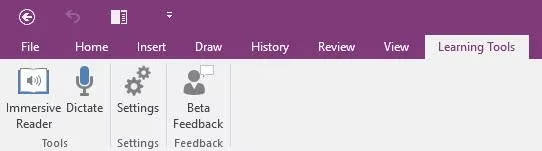
Learning Tools acts like a rheostat for attention. The old free toolbar for OneNote 2013 and 2016 created an immersive reading experience, and its ideas—text-to-speech, Focus Mode, cleaner comprehension—now echo through Immersive Reader. For students, teachers, and lifelong learners, the lesson is still sound: scan a page with Lens, convert it with OCR, and let the text be read back.
The OneNote Importer is Microsoft’s official bridge from Evernote. It can find Evernote content on a Windows machine or import an .enex export file. Each Evernote notebook becomes a OneNote notebook, and each page becomes a page. Attachments such as PDFs and images come along. The catch is tag structure: the importer uses only the first tag to decide placement, then writes every tag onto the page for search. I would call it a moving truck for your digital attic, not a restoration crew. Expect to reorganize.
For writers, OneNote Publisher for WordPress exports a page directly to a blog, but it can create extra HTML and line-break issues. Native Send to Blog, reached through File and Send, is often the cleaner baseline because it uses Word’s web publishing features. Either way, I would keep a cleanup pass in the schedule.
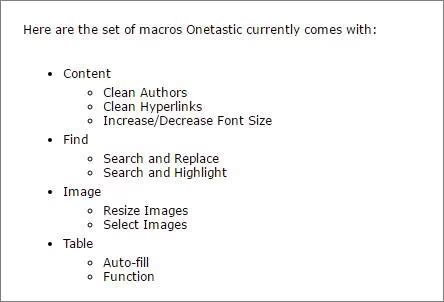
Onetastic remains the power user’s secret handshake. The third-party add-in set from Omer Atay adds macros, a calendar view, custom styles, shortcuts, and a macro editor. It is available for 32-bit and 64-bit Windows systems, and Macroland offers a free macro repository. In 2026, desktop OneNote users who still run repetitive search-and-replace jobs should not ignore it.
Finally, IFTTT and Zapier remain the plumbing. Their recipe counts change, but the pattern does not: trigger, action, notebook. These digital handshakes let OneNote receive information from other services without manual copy-paste. The hard part is not capture. It is discipline. The best free OneNote app is the one that closes a loop you actually repeat. In 2026, that is still a better test than any launch-day demo. ✅
According to coverage from VentureBeat GamesBeat, the most durable software ecosystems are often shaped less by headline AI features than by practical integrations that reduce friction between capture, organization, and publishing, a view that aligns closely with how OneNote companions like web clipping, OCR scanning, automation, and export tools continue to matter for users managing real-world workflows in 2026.