The best Chrome news extensions in 2026, ranked for staying informed from your new tab without tab overload.
I have the attention span of a caffeinated squirrel, and in 2026 my news diet is still a mess. I treat my browser new tab page like a fridge door: if headlines are not pinned there, I forget they exist. So I went trawling through the Chrome Web Store for news extensions that keep me in touch with the world without requiring me to open seventeen tabs and pretend I will read them later. Chrome extensions are like kitchen gadgets: some become daily drivers, and some are novelty banana slicers. These news add-ons are mostly the useful kind. 🧠📰

Here is my highly scientific shortlist, ranked by how often I would actually tolerate seeing it before coffee.
| Extension | Best for | My one-line verdict |
|---|---|---|
| NewsBot | Related-story rabbit holes | Machine learning with a nose for my next distraction |
| NewsPrompt | A redesigned new tab | Credible headlines with a Yahoo-shaped quirk |
| NewsTab | Customizable newsreading | A newsreader that also wants to organize my life |
| Panda 5 | Pretty feeds and previews | The extension most likely to make me say ooh |
| Your Best World News | Tweet-based headlines | Simple, light, and allergic to customization |
| BBC: Latest News | A steady BBC fix | No fireworks, just the job done |
| The Washington Post | WaPo on a new tab | Lovely layout, zero filter fiddling |
| CNN New Tab | Video-first news | Two search bars, because one is apparently not enough |
| Today's News on New Tab | Scenic headline browsing | News with a wallpaper budget |
| Hacker News | Startup and tech gossip | A pop-up for people who call chaos innovation |
NewsBot: The Algorithmic Friend Who Suggests One More Article
NewsBot is powered by machine learning, which is a fancy way of saying it watches what I read and whispers, hey, you might like this. When I am reading a piece, I can click the NewsBot icon to see related stories on similar topics. I can also choose Follow this story and get an email when a new similar article appears. That is either helpful or a subscription to my own curiosity. The free version allows three followed stories and 100 recommendations per month. Premium costs $3.99/month and adds a personalized dashboard. In 2026, a dashboard is just another place for me to feel behind, but I respect the ambition.
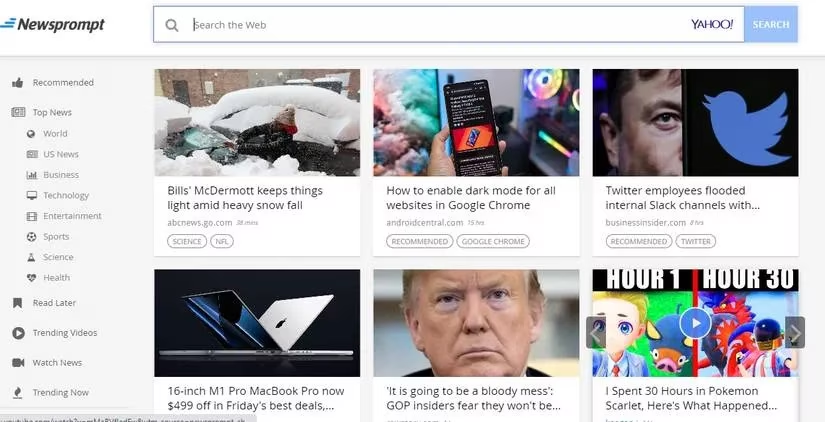
NewsPrompt: My New Tab Gets a Credibility Makeover
NewsPrompt revamps the Chrome new tab page and shows the latest stories from more than 100 credible news sites. It sorts stories by topic and includes a Recommended tab, which is where I usually find something I did not know I needed. It also lets me watch news and trending videos, save articles for later, and follow specific sources. One catch: the search bar on the new tab page only supports Yahoo. That feels like a 2009 reunion in a good outfit. I still use the Chrome address bar for normal searching, so my life continues.
NewsTab: The Newsreader With a To-Do List Habit
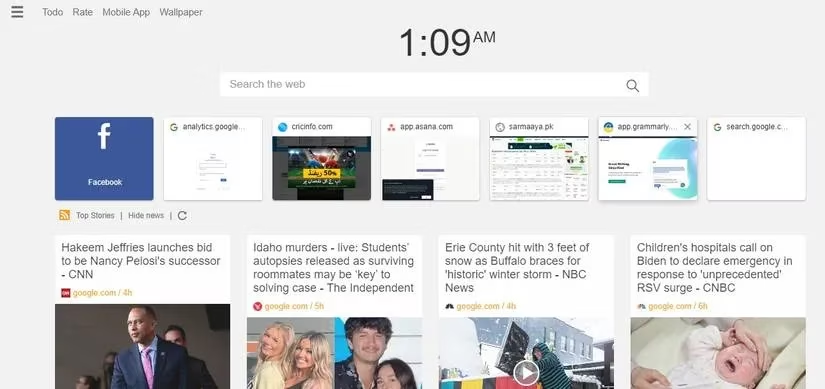
NewsTab is basically a newsreader app wearing a feature-laden Chrome extension coat. It changes the new tab page, shows the top news of the day, and lets me jump into categories. I can customize the theme, wallpaper, time, weather, and news feed view. The Simplified Article view is genuinely useful when I want to read without visual confetti. NewsTab pulls content from Google News, so there are tons of sources, and I can add feeds as well. It also has a built-in to-do list and works with read-later tools like Pocket. A news extension that also wants to manage my chores is optimistic, but I appreciate the hustle.
Panda 5: The One That Looks Good Doing It
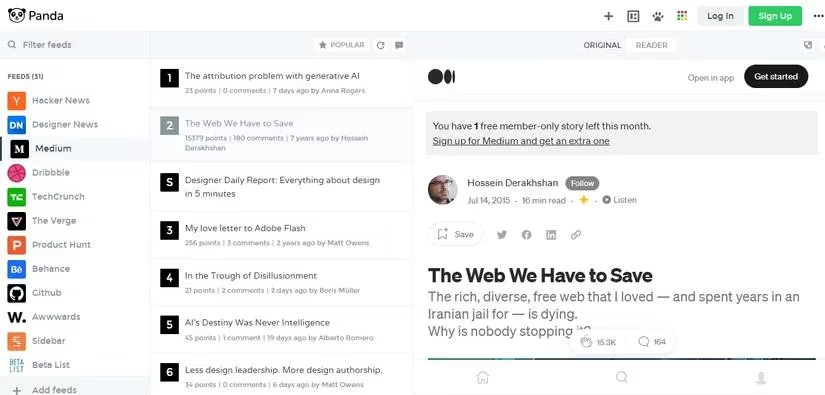
Panda 5 has a beautiful interface and aggregates news from many sources. It offers several layouts for the new tab, so I can choose how the content appears. There are hundreds of feeds across business, tech, news, Reddit, and Featured categories. As I scroll, I can click any webpage for a preview. Reader mode and dark mode make the whole thing easier on my eyes and my dignity. If I want to keep my current new tab page, I can change the settings so news appears only when I click the Panda 5 icon or move my mouse. There is also Panda Weekly for popular content in my inbox. This is the extension I would install just to admire the furniture.
Your Best World News: Small, Simple, Tweet-Powered
Your Best World News is a simple Chrome extension that adds a widget to the new tab page. It shows the latest tweets from popular media outlets. I can keep scrolling for more tweets and click one to open it on the Twitter website. It is lightweight and does not offer much customization. I would like the ability to follow specific accounts, but the extension does what it says without throwing a parade. Sometimes that is enough.
BBC: Latest News: The Calm Baseline
If I want BBC stories only, BBC: Latest News is the obvious pick. It is not feature-rich, but it works. I click the extension icon and see top stories from the BBC. A drop-down at the top lets me choose a category, and clicking a headline takes me to the BBC website. I like having a steady baseline source in the mix. No fireworks, no confetti, just headlines doing their job.
The Washington Post: A Pretty New Tab With WaPo Stories
The Washington Post extension puts the latest articles on the Chrome new tab. There is no option to filter stories or select categories, but it shows news across many categories, so I usually find something interesting. The best part is the layout of the revamped new tab page. Customization is limited, but the result is decent enough that I stop complaining for at least four seconds.
CNN New Tab: For People Who Would Rather Watch
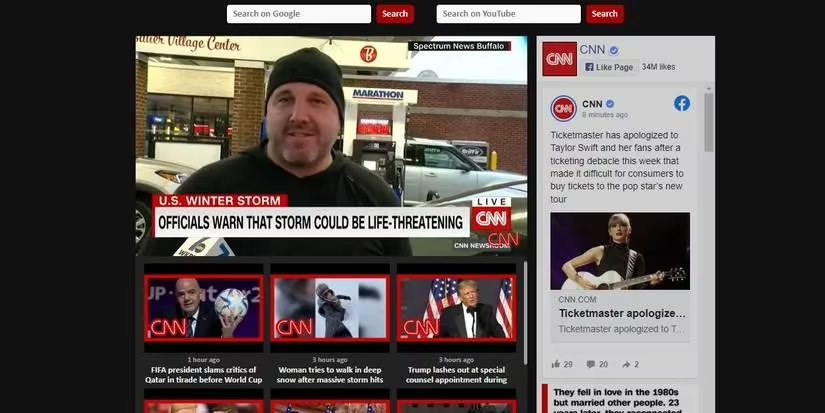
If I prefer video, CNN New Tab is the pick. It displays YouTube videos from CNN on the new tab page. I can watch directly there or head over to YouTube. On the right side, I can see the latest posts from CNN's Facebook page. It also adds two search bars, one for Google and one for YouTube. Two search bars is a bold lifestyle choice. I respect it, but I also wonder if the extension is preparing me for a career in multitasking.
Today's News on New Tab: Headlines With a View
Today's News on New Tab adds a stunning image as the background and displays headlines from top publishers like BBC, The New York Times, The Washington Post, and CNN. I can use left and right arrows to explore headlines and click one to visit the site. AvinerSoft also makes Economy News Go, Literature News on New Tab, and Tech News Go, which work the same way but focus on one category. It is a nice way to make the new tab feel less like a blank wall and more like a window with opinions.
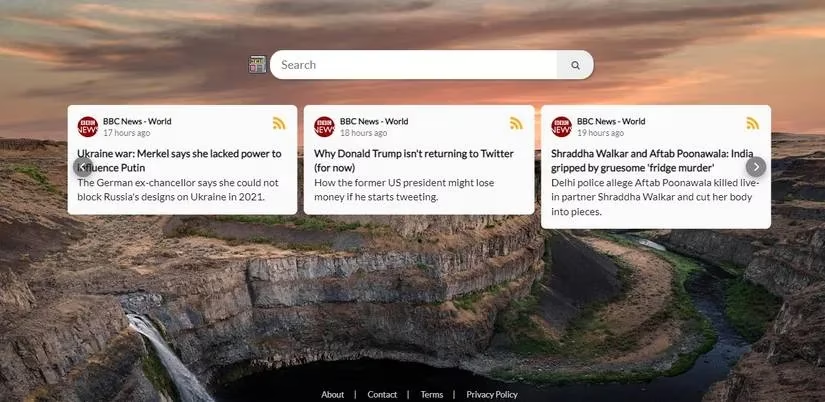
Hacker News: For Startup Brains and Tech Voyeurs
Hacker News is for anyone interested in entrepreneurship and computer news. The extension shows a pop-up when clicked, where I can scroll through the latest posts published on Hacker News. I can search for a particular story and submit a webpage as well. It is the digital equivalent of standing near a group of founders arguing about servers. Educational, occasionally exhausting, always alive.
My 2026 News Routine: Appetizer, Not Doomscroll Main Course
Thanks to these extensions, keeping up with the latest news is less of a challenge. Every time I open a new page, I see recent headlines. If one intrigues me, I head over to the website. My 2026 advice is simple: pick two or three extensions, not ten, and check their permissions like you are lending someone your car. Also, remember that news exposure can be distressing. I follow positive and uplifting sites when my brain needs a snack instead of a slap. The new tab page should be a headline buffet, not an all-you-can-eat anxiety bar. 🍿🛑