Boost Windows productivity with the best Microsoft Store calendar apps: Mail and Calendar, My Calendar, One Calendar, features and pricing compared.
The Microsoft Store has grown into a reliable source for productivity tools, and calendar apps are among the most useful offerings for Windows users. Choosing the right calendar can improve scheduling, task management, and even gaming awareness. Some people need a simple way to remember birthdays, while others require deep integration with email and collaboration platforms. This guide examines seven calendar apps that stand out in the Microsoft Store.

✉️ Mail and Calendar
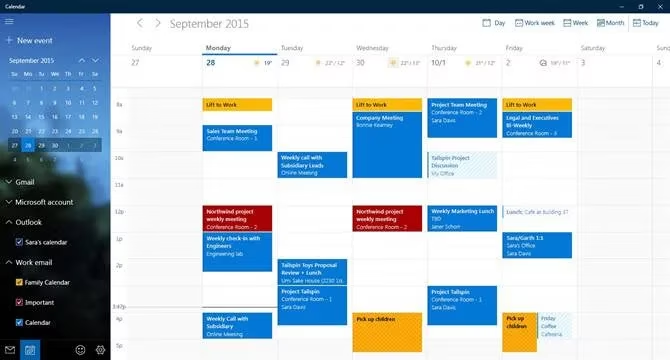
Microsoft's own Mail and Calendar app remains a strong starting point for anyone invested in the Microsoft ecosystem. Although it is downloaded as a single package, it appears as two separate applications on a Windows machine. Users cannot install one without the other.
This calendar is optimized for Exchange, which makes it especially valuable for business users who manage frequent meetings and complex schedules. Rich meeting support, schedule management, and a clean interface help keep appointments organized. Additional features include a dark mode, touchscreen and gesture support, non-Gregorian calendar options, and drag-and-drop event organization. The default font can also be changed.
Price: Free.
🧩 My Calendar
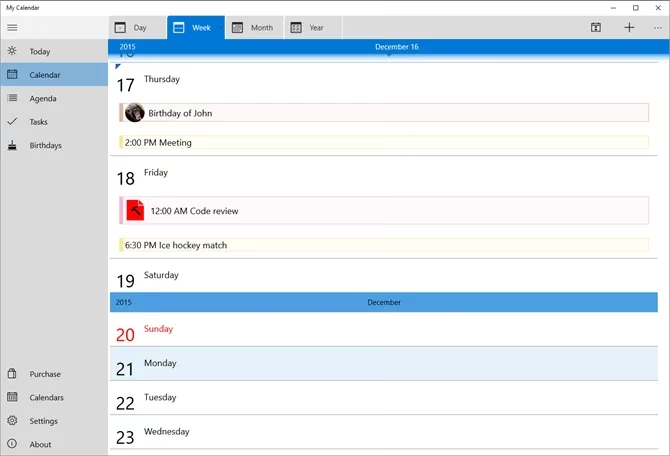
My Calendar is a lightweight calendar app for Windows. It offers the day, week, and month views that most users expect, along with toggle buttons to hide or show particular calendars. A range of customization options allows the interface to be adjusted to personal preferences.
The app's most distinctive feature is its support for Live Tiles. Users can set up various tiles and customize them to display different types of information, such as work meetings, birthdays, or national holidays. This means important details can be seen at a glance from the Start menu without opening the app. My Calendar also includes a task management feature with customizable categories, though tasks are only accessible in the Pro version. The Pro version removes ads, adds more calendar views, and allows photos to be added to the birthday calendar.
Price: Free, with a Pro version available.
🌐 One Calendar
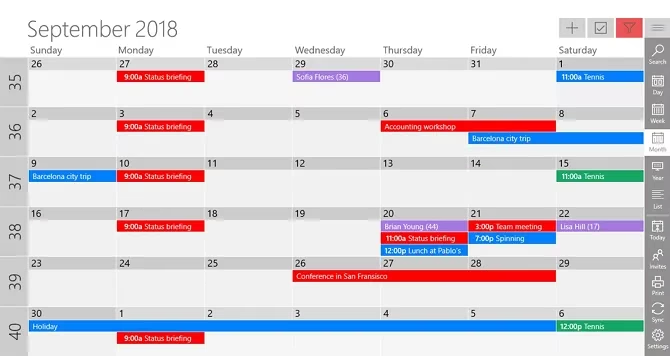
One Calendar earns praise for the impressive number of third-party providers it supports. The list includes Outlook, Google Calendar, Exchange, Office 365, Facebook, iCloud calendars through Webcal, and CalDAV. This breadth makes it a practical choice for people who keep schedules in more than one ecosystem.
Five views are available: day, week, month, year, and agenda. None of them are hidden behind a paywall. Users can jump between timeframes using semantic zoom by scrolling the mouse wheel. The app also has a configurable Live tile and more than 170 themes for visual customization. Offline access is supported. Because One Calendar is available on Android and iOS, users can enjoy a seamless experience across all their devices.
Price: Free, with in-app purchases.
✍️ Ink Calendar
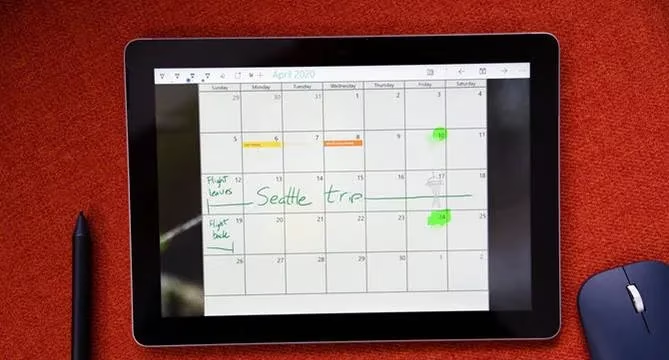
Ink Calendar is designed for people who enjoy using Windows Ink. Windows Ink is a feature that allows a digital pen or finger to be used for notes, editing, and annotations. Ink Calendar behaves like the closest representation of a paper calendar available in the Microsoft Store.
When a handwritten note is made on the screen, the app can read the text, understand mentioned times, and add appointments to third-party calendars such as Outlook and Google. Users can also jump from Ink Calendar to the default Windows calendar app with a single click. Different ink colors, highlighter features, background images, themes, and light or dark modes are supported. Windows Ink must be enabled in the Settings app before use.
Price: $4.99, with a free trial.
🎓 Good Plan
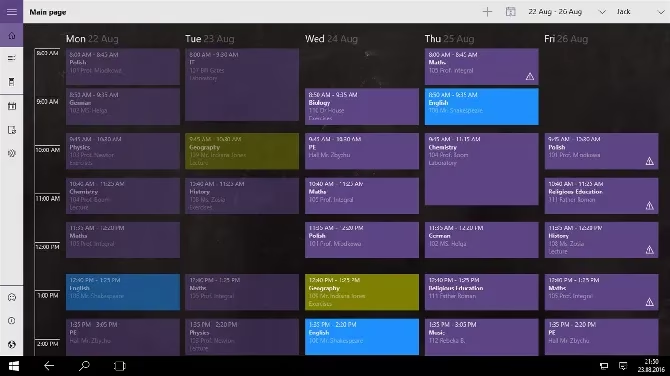
Good Plan is aimed squarely at education. It is ideal for students, teachers, and parents who need to coordinate academic schedules.
Teachers can use a lesson planner with an integrated exam and homework timetable. Students can activate the lesson timetable to make sure they are always in the right place at the right time. Parents can follow their children's assignments, grades, and school holidays. These focused features make Good Plan one of the best education-oriented calendar options for Windows.
Price: Free, with a Premium version available.
📬 EasyMail for Gmail
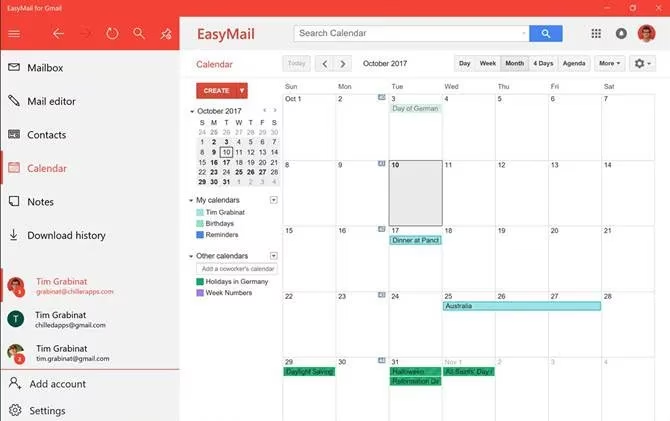
One of the most significant downsides of using Google Calendar on Windows is the lack of a dedicated desktop app. EasyMail for Gmail offers a practical workaround by providing access to Google Calendar, Gmail, and Google Tasks in a single interface. Users can access different calendar views, create events, accept or reject appointments, and invite other people to events.
EasyMail for Gmail also supports account switching. People who have a personal Google account and a G Suite account at work can toggle between them with a single click. A maximum of five accounts can be added.
Price: Free, with in-app purchases.
🎮 Game Calendar
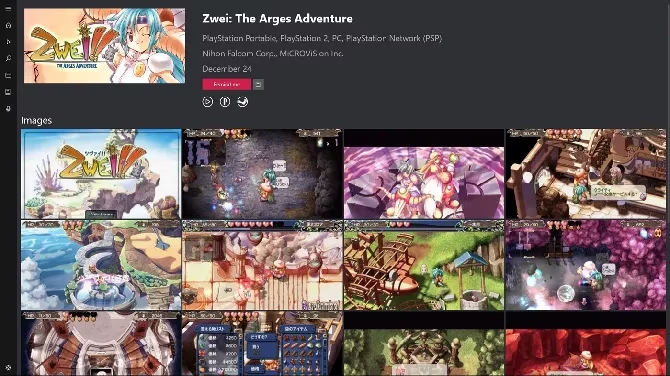
Game Calendar is a niche but useful app for hardcore gamers. It keeps users informed about the newest games across all their favorite platforms. Upcoming releases and release dates from previous years can be viewed, and reminders can be set for new titles.
The app also offers video clips from games, game information, and the latest trailers. Users can sync their own game library to the cloud for maximum integration. This makes Game Calendar a handy companion for anyone who wants to track release schedules alongside daily appointments.
Price: Free.
Quick comparison
| App | Best for | Standout feature |
|---|---|---|
| Mail and Calendar | Microsoft ecosystem users | Exchange optimization |
| My Calendar | Live Tile fans | Customizable Live Tiles |
| One Calendar | Multi-provider users | Broad third-party support |
| Ink Calendar | Pen and touch users | Handwritten appointment creation |
| Good Plan | Students and teachers | Lesson and exam timetables |
| EasyMail for Gmail | Google users on Windows | Gmail, Calendar, and Tasks in one |
| Game Calendar | Gamers | Game release tracking |
The seven apps covered here represent some of the nicest calendar experiences in the Microsoft Store. Other calendar options exist on different operating systems and on the web, but these choices cover a wide range of needs from productivity and education to gaming and handwriting. In 2026, the Microsoft Store continues to provide versatile tools for anyone looking to manage time more effectively.