Journal app for Mac and free journaling apps boost mental clarity and creativity in 2026, offering secure, inspiring digital diaries.

In 2026, journaling remains one of the most effective habits for mental clarity, creative growth, and intentional living. While a physical notebook has its own charm, using a journal app on your Mac is like having a quiet cove in a turbulent sea of data—always ready when inspiration strikes, whether you're at your desk or lounging on the couch. The right app can turn a blank screen into a canvas for reflection, and the Mac ecosystem offers several excellent free options. Here are the seven standout journaling apps that have matured beautifully by 2026, each bringing its own personality to the time-honored practice of daily writing.
Day One
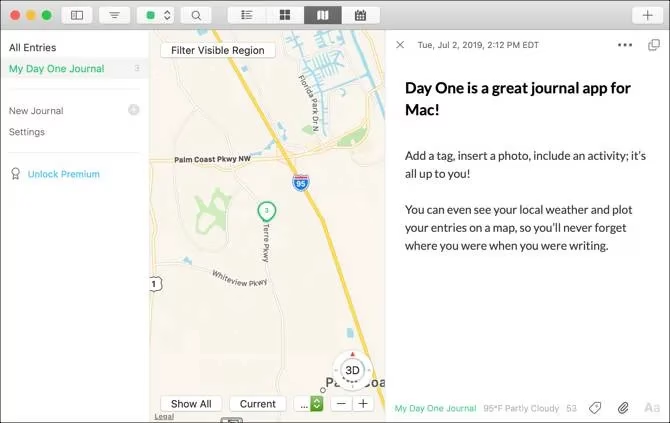
Day One is the Swiss Army knife of journaling apps—equally at home on iPhone, iPad, and Mac, and packed with features that feel thoughtfully layered rather than cluttered. The ability to embed photos, videos, and audio recordings into entries transforms a simple note into a multimedia time capsule. Location tracking automatically plots your day on a map, while the calendar view lets you leap backward to fill in gaps or relive forgotten Tuesdays. Markdown-style formatting, password protection, and filters by media type, tag, or activity give you a sense of complete control. The free tier is generous enough for most people, though a premium subscription unlocks multiple journals and automated imports. For anyone who wants their digital diary to be as rich as life itself, Day One continues to set the standard.
Diarly
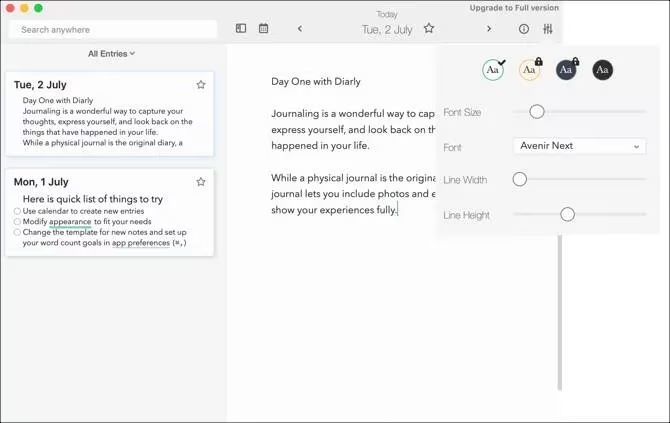
If Day One is a Swiss Army knife, Diarly is a perfectly sharpened pencil—unassuming, elegant, and entirely devoted to the writing experience. Its interface feels like a blank canvas unburdened by clutter. You can drag in files, add locations, and organize thoughts with hashtags or a simple star-rating system. A gentle word-count goal and stats panel make it a favorite for those using journaling to sharpen their prose. The adjustable background, font, and line spacing let you create a visual environment that feels uniquely yours. While the free version limits you to a single journal, a one-time purchase removes all restrictions and adds iCloud sync and password protection. It’s an inspiring companion for minimalists who believe less is more.
Mini Diary
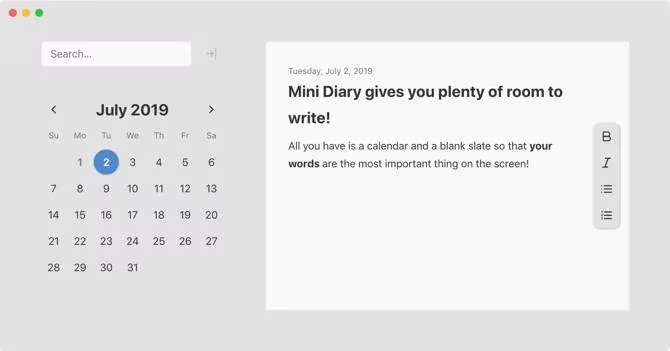
Mini Diary is the antithesis of feature bloat. The moment you open it, the app asks for a password—not as an afterthought, but as a statement of intent: your thoughts are safe here. The layout is almost monastic, with a calendar on the left and the day’s blank page on the right. Basic formatting stays out of your way, and the search bar helps you unearth old entries by keyword like sifting through a well-organized attic. A light, dark, or auto theme keeps it visually comfortable. There are no in-app purchases, no subscription nudges; just a sturdy, distraction-free digital notebook. For those who believe that a journal should be a vault rather than a playground, Mini Diary is a perfect match.
mJournal
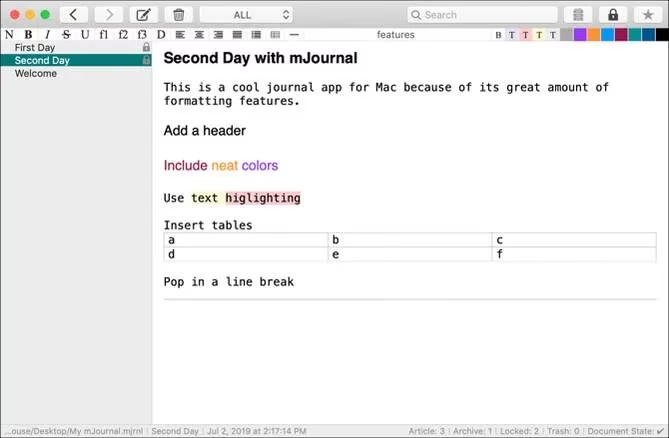
mJournal is where practicality meets creative flair. It offers more formatting punch than most of its peers—text colors, highlighting, tables, and line breaks—so your entries can sparkle without requiring a design degree. Tags and starred favorites turn the app into a searchable memory bank, while drag-and-drop image support keeps the visual storytelling effortless. You can password-protect private entries and set automatic document locks, acting as a careful guardian over your most vulnerable writing. The preference pane is surprisingly deep, letting you dictate default fonts, margins, and even background colors. It’s completely free with no catch, making it an understated gem for anyone who wants their diary to feel like a well-designed magazine spread.
Reminisce
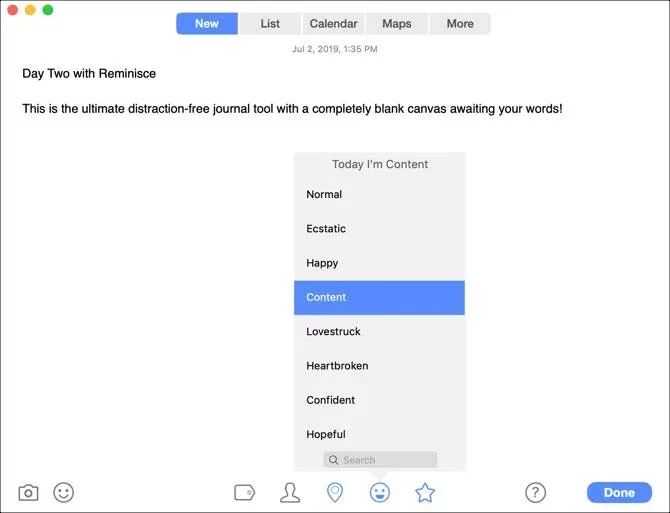
Reminisce treats each day as a fresh, unadorned sheet—its minimalist interface strips away everything except what matters. Yet behind that simplicity lies a surprising depth. You can capture your mood with a single emoji, pin a location, tag people, and even assign a star rating, turning your journal into a subtle barometer of your emotional weather. The map and list views give structure to scattered memories, and the ability to export or print a custom date range feels wonderfully practical. The free trial gives you three entries, after which a one-time purchase unlocks unlimited writing and password protection. It’s a quiet, thoughtful space that proves you don’t need complexity to create something lasting.
Reflection
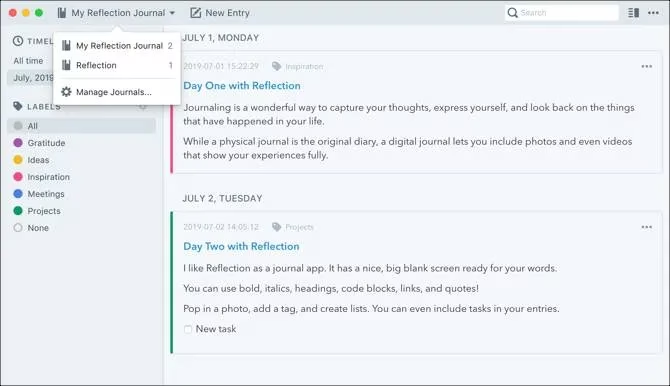
Reflection offers a structured, almost professional approach to journaling that will appeal to detail-oriented minds. A smooth timeline sits on the left, while color-coded labels—like ideas, inspiration, or gratitude—act as mental signposts through weeks of entries. The ability to maintain multiple journals is a standout feature: you can keep a personal diary, a work log, and a fitness tracker all within the same app. Task lists and bullet points transform it into a lightweight project companion, and a one-click ZIP backup guards against digital loss. It’s entirely free and wonderfully organized, like a hybrid between a diary and a personal knowledge base.
My Treehole
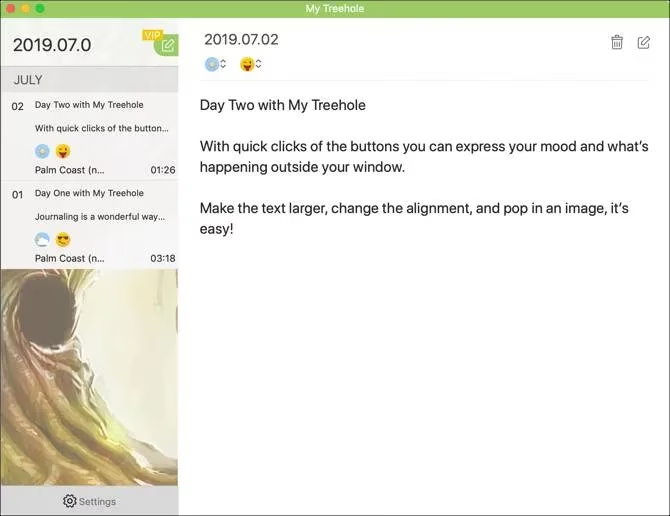
My Treehole brings a distinctive emotional layer to the journaling ritual. At the top of each entry, you pick a mood emoji and a weather symbol—a quick snapshot of your inner and outer climate that turns the sidebar into a living graph of feelings. The editing mode includes a protective lock to prevent accidental changes, and you can insert images with a single click. The free version is perfect for light, daily check-ins; upgrading to Pro adds passcode protection, iCloud backup, and unlimited diaries for those who want more space. It may not have the brute force of Day One or the polish of Diarly, but it excels at something rare: making your emotional arc immediately visible at a glance.
Each of these free Mac journal apps has carved its own niche by 2026, and choosing between them is a deeply personal decision. If your digital diary needs to hold an entire world, go with Day One. If silence and simplicity are your muses, Mini Diary or Reminisce will feel like home. For those who love to shape the very look of their words, mJournal and Reflection are worthy allies. Whichever you choose, the act of writing remains the same—a small boat on the vast ocean of memory, steady and true.