BusyCal replaces Apple's Calendar with seamless account integration, intuitive UI, and quick-entry features.
Let’s face it—the built‑in Calendar app on your Mac is like that coworker who “technically” shows up but never actually helps. Year after year we hope Apple will give it some love, but here we are in 2026, and it’s still the same dusty window into our schedules. After one too many sync failures and a missed virtual coffee with a client in Berlin, I went hunting for something better. That’s when BusyCal found me, and honestly, I wish we’d met years ago.

This app doesn’t just replace what Apple forgot—it walks into your life like a hyper‑organized personal assistant who already knows your coffee order. Let me break down why BusyCal still wears the crown in 2026.
📡 Integrated to the Core (No Divas Allowed)
BusyCal plays nice with everyone. My Google Calendar, iCloud, Exchange, and even the slightly obscure FastMail account all slid in without a single “authentication failed” tantrum. The first time I opened BusyCal, it silently pulled up my work schedule, my wife’s shared family calendar, and my personal to‑do list in one clean sweep. And it doesn’t stop there.
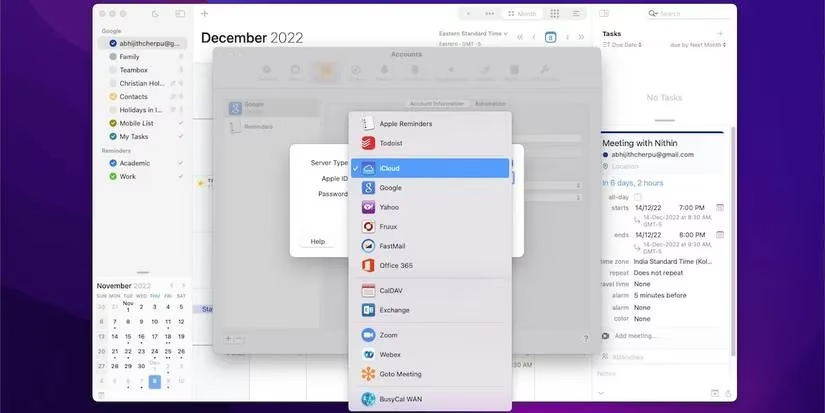
You can link it directly to the Reminders app on your Mac or even to Todoist, so your tasks and events hang out in the same room instead of shouting at each other from separate apps. Throw in one‑click Zoom, Google Meet, and Webex integration, and you’ve got a setup that actually respects your workflow. No more digging through emails to find a meeting link—BusyCal plants it right in the event.
🎨 A UI That Actually Respects You
Some “powerful” calendar apps look like they were designed by a committee of engineers, but BusyCal keeps things surprisingly human. Light mode, dark mode, toggle sidebars—it adapts to your mood and screen space without a fuss. One of my favorite little touches? The mini calendar widget in the bottom‑left corner that lets you jump months in a click, like a time‑traveling ninja.
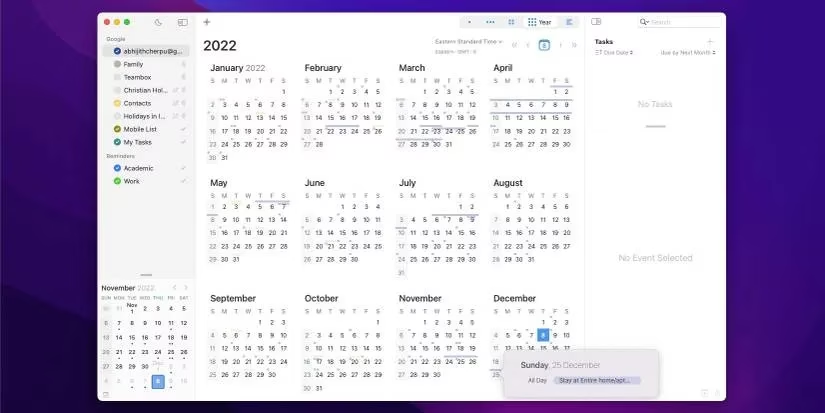
And the views! Day, Week, Month, Year, and a handy List view – choose whichever one your brain needs at that moment. You can also toggle moon phases and weather right next to the date (so you know when a full moon might wreck your team’s mood, I guess). If clutter scares you, a single click hides entire calendar sets. It’s like having a declutter button for your brain.
✨ Info Panel & Quick Entry – Like Magic
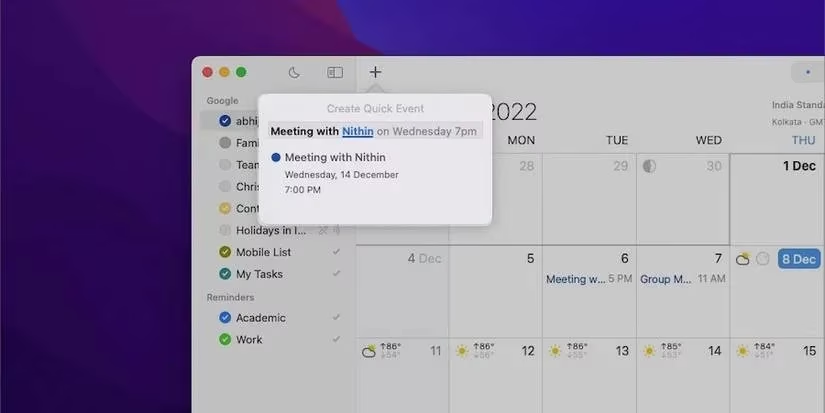
Let me paint a picture: it’s Tuesday, and I need to schedule a “Project X sync” with Nithin on Friday at 2 PM IST. Instead of clicking a dozen boxes, I just hit the Quick Entry shortcut and type “Meeting with Nithin Friday 2pm.” BusyCal parses it instantly—location, time, and title all filled in. Honestly, it feels less like typing and more like casting a spell.
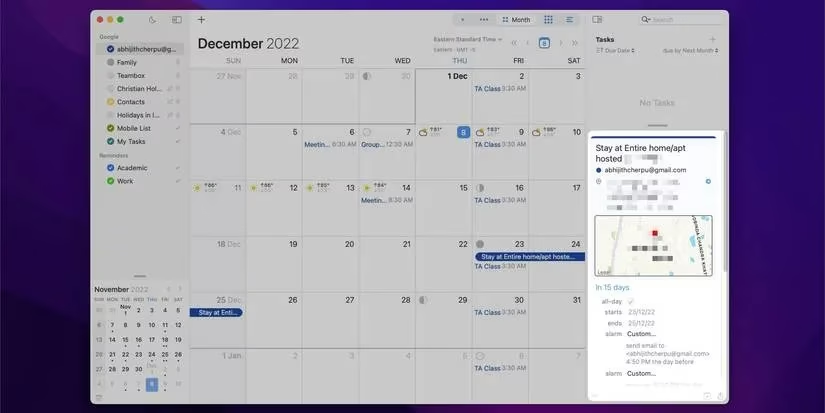
Once the event exists, the Info Panel shows me travel time, alerts, attached contacts, and even weather right there—no hunting through drop‑downs. It’s like BusyCal gently nudges you and whispers, “Don’t worry, I’ve got this.” When you’re handling 30+ events a week, that whisper is golden.
🕐 Time Zones Without the Headache
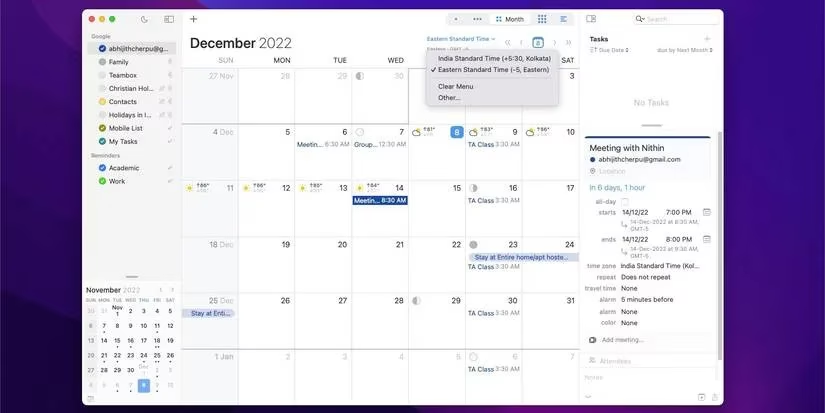
Working across IST and ET used to make my head spin. Adjusting one meeting meant recalculating everything in my cranky internal clock. BusyCal’s multiple‑time‑zone toggle is a lifesaver. I can flip to ET, create a meeting for 10 AM Eastern, switch back to IST, and boom—the app shows me the correct local time, no mental math required. Even when I’m in a second time zone, my home time stays visible, so I never accidentally call my mom at 3 AM.
📂 Taming the Calendar Beast with Lists & Tags
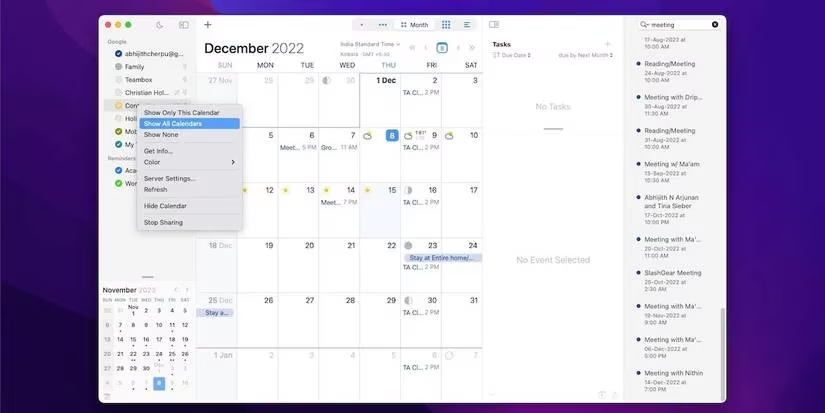
With multiple calendars for work, family, side‑hustle, and even a “fantasy football draft” calendar (don’t judge), I needed a way to group things. BusyCal lets you create calendar lists and sets, so I can bundle all my work calendars under “Office Mode” and hide everything else with a click. Tags add another layer of sanity—color‑coded, searchable, and fully customizable. If you’ve ever spent five minutes scrolling through a sea of identical‑looking events, you’ll appreciate the graphic icons you can slap on holidays, birthdays, or “urgent stuff.”
BusyCal isn’t just a calendar; it’s the overachieving best friend your Mac never had. At $49.99 with a free trial available in 2026, it’s a small price for the hours of sanity you’ll get back. The iOS version keeps everything synced, so my schedule follows me from desk to coffee shop without a hiccup. If you spend even half your day putting out scheduling fires, do yourself a favor and give it a shot. Your future calm self will thank you. 📅