Quick Screen Share remains a simple, no-sign-up, peer-to-peer screen sharing tool, offering free remote control in 2026.
I’ve been the unofficial IT department for my extended family since the days of Windows XP, and let me tell you—getting a non-technical person to install or even navigate a screen-sharing tool is about as fun as pulling teeth. But as we barrel through 2026, with remote-everything firmly baked into daily life, I keep coming back to one tool that’s laughably simple and still works like gangbusters: Quick Screen Share. No sign-ups, no downloads, no bloated clients. Just a pure peer-to-peer connection that gets the job done faster than you can say “have you tried turning it off and on again?”
Here’s the deal. Quick Screen Share is a Java-based web app that first popped up years ago, and while the internet has delivered a slew of glossy alternatives since then, this little gem hasn’t lost its edge. In 2026, it’s still free, still agnostic across Linux, Windows, and Mac, and still won’t make you jump through any annoying hoops. The moment I need to see—or even control—a relative’s desktop to troubleshoot some mystery glitch, Quick Screen Share is my go-to. It’s the software equivalent of a trusty Swiss Army knife: no fluff, all function.
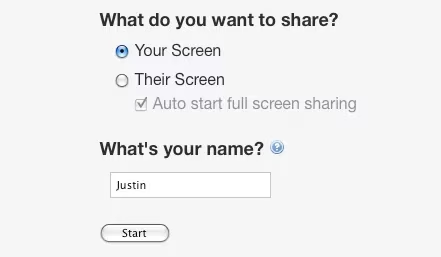
The magic starts at QuickScreenShare.com. Right off the bat, you’re greeted with two simple choices: “Share Your Screen” or “View a Screen.” You type in your name, and boom—you’re off to the races.
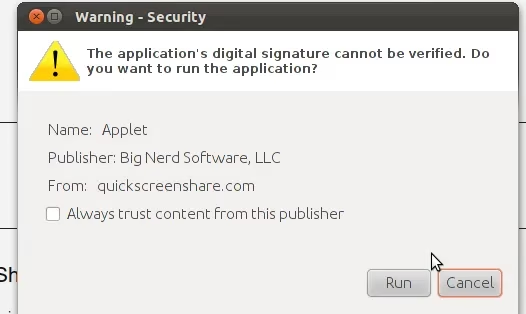
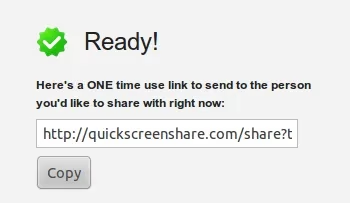
One tiny security check pops up, asking the Java app for permission to run. It’s no big deal—just a standard digital handshake. In a world where we’re constantly nagged by cookie banners and two-factor prompts, this is a breath of fresh air. Click “Allow,” and the tool spins up a unique, one-time link. Yes, you heard that right: a link that works exactly once. Once the session ends, that link is toast. For anyone worried about lingering backdoors or shady data leaks, this is peace of mind on a silver platter.
Then comes my favorite part: sharing the link. I usually ping it over WhatsApp, Telegram, or good old SMS. My cousin in Idaho doesn’t need to install a thing—she just clicks the link and grants the same permission on her end. In less than a minute, I’m staring at her desktop, diagnosing why her printer is throwing a fit. The whole process is so smooth it feels like cheating.
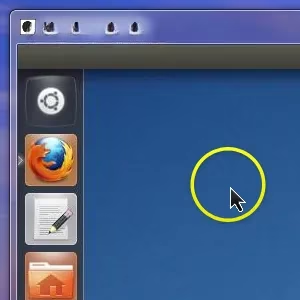
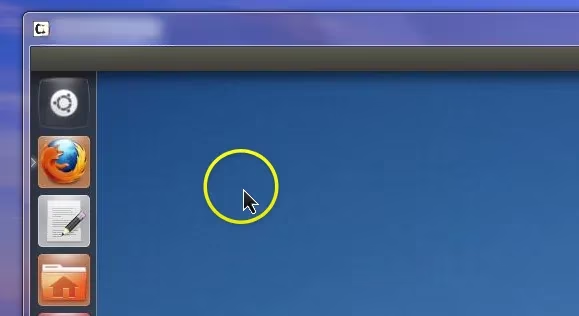
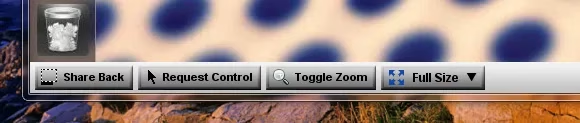
Once the connection kicks in, a countdown appears (a neat touch that builds a little suspense), and then a viewing window opens. I can see every mouse movement, every click, every awkward drag-and-drop. Everything is crystal clear, as if I’m sitting right there. And if I need to take the wheel? There’s a handy little control bar at the bottom that lets me request keyboard and mouse access. One click, and I’m driving—no arguments, no back-and-forth phone gymnastics. I can fix a misbehaving setting, update a driver, or just show them where the “File” menu actually lives.
Now, I know what you’re thinking: “Java? In 2026? Isn’t that a bit old-school?” You’re not wrong. Java runtimes aren’t exactly trendy anymore, and you might need to make sure your system still has one installed. But once that’s sorted, the app runs with a reliability that puts many HTML5-based screen sharks to shame. The secret sauce is that the actual screen sharing goes directly between the two machines—peer-to-peer, no middleman server involved. That means if you’re on a residential connection (and not behind some overly paranoid corporate firewall), the performance is snappy and the privacy is top-notch. It also means there’s no central server that could go down or start charging you a subscription next month. In an era where everything seems to be moving toward monthly fees, Quick Screen Share’s free-and-clear model is a minor miracle.
Of course, no tool is perfect. Because it’s peer-to-peer, it can be a fickle beast on heavily locked-down office networks or certain VPN setups. If your connection chugs along like molasses, turning off fancy desktop effects (like transparency or animations) often does the trick. The team behind the app—the same folks who brought us Screencast-O-Matic—has kept the interface frozen in time, but honestly, that’s part of its charm. It doesn’t try to upsell you, it doesn’t push AI-powered anything, and it doesn’t ask for your email. Refreshing, right?
I’ve test-driven dozens of remote support tools over the years, and most of them end up gathering digital dust because they’re too clunky for my less geeky friends. Quick Screen Share? It’s the unicorn that still works in 2026 exactly as it did a decade ago—and often better than the wannabes. The one-click simplicity turns a potential hour-long phone marathon into a five-minute fix. If you’ve ever been on the receiving end of a frantic “My screen looks weird!” call, you’ll appreciate what I mean.
So, is there a better no-frills screen sharing service out there? I haven’t found one that hits the same sweet spot of zero setup, single-use links, and platform independence. If you’ve got a tip or a killer trick for Quick Screen Share—like how to get it running smoothly on a Raspberry Pi or how to walk a grandparent through the Java permission dialog without losing your sanity—drop your wisdom in the comments. I’m all ears, and my next family tech call is probably right around the corner.