Trello project management app offers intuitive boards and cards, enabling flexible collaboration for teams and personal organization.
Joel Spolsky, the legendary software developer behind Stack Overflow and Fog Creek Software, has a knack for creating tools that developers and teams instantly adore. Back in 2011, his company launched a project management app called Trello, and more than a decade later, it has evolved into one of the most beloved collaboration platforms on the planet. While the interface has matured and the feature set has expanded, the core experience still feels as intuitive and delightful as the day it was released. Whether someone is coordinating a global marketing campaign, planning a family vacation, or managing an open-source project, Trello’s card-and-board system offers a uniquely flexible way to keep everything organized.
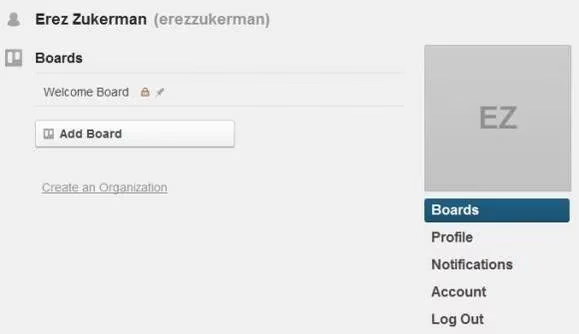
At its heart, Trello revolves around boards – each one representing a project, a workflow, or any collection of ideas. When a user first signs up, they are greeted by a clean, modern dashboard that feels instantly familiar. A Welcome Board demonstrates the key concepts: lists that group cards together, and cards that hold tasks, ideas, and resources. The beauty of this approach is that it mimics the way many people naturally organize their thoughts using sticky notes on a wall.
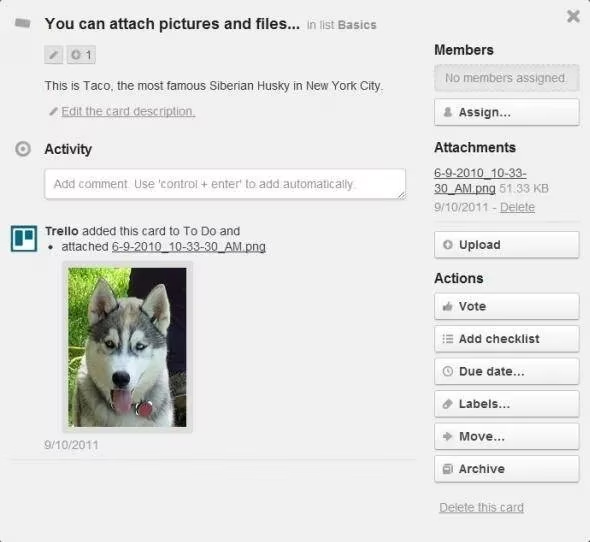
Each card is a powerhouse of information waiting to be discovered. On the front, subtle icons hint at what lies behind: a small checkmark for checklists, a paperclip for attachments, a speech bubble for comments, and a colored label for quick categorization. Flipping a card over – a metaphor Trello uses elegantly – reveals a rich detail view. Descriptions, due dates, assigned members, and activity logs all live on this back side. It’s here that the real magic of coordination happens.
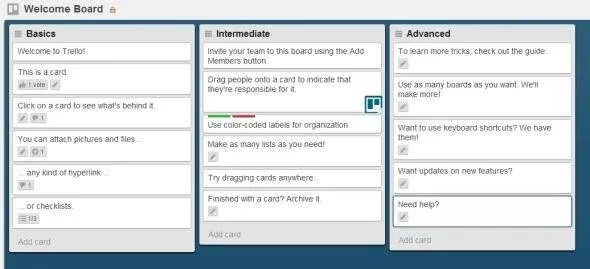
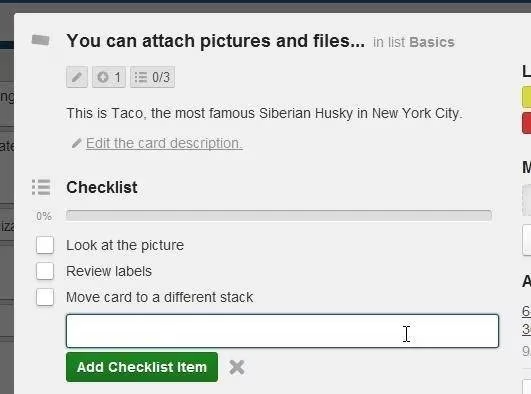
Consider the checklist feature. It’s deceptively simple: just click to add an item, type the task, and press Enter. As items get ticked off, a progress bar fills up, giving an at-a-glance sense of accomplishment. In 2026, these checklists can be assigned due dates and synced with calendar views, but the core interaction remains unchanged. It’s quick, responsive, and perfectly suited for Agile sprints, event planning, or recipe steps.
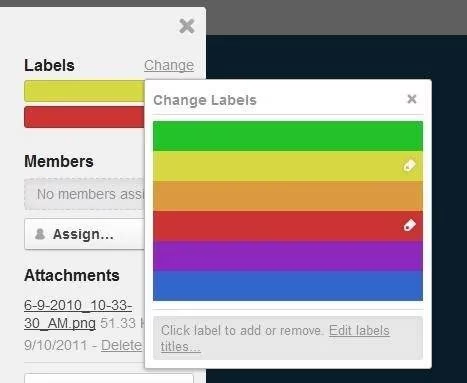
Labels add another layer of visual organization. Rather than relying on text tags, Trello uses colored swatches that can be named according to any system a team prefers – priority levels, department codes, or custom categories. In a busy board filled with dozens of cards, filtering by label instantly surfaces related tasks, making daily stand-ups far more efficient.
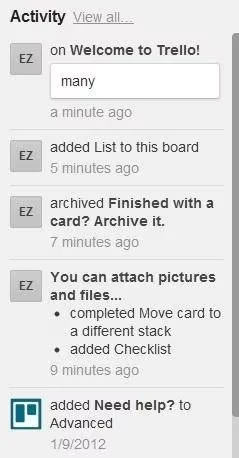
The power of collaboration shines through in Trello’s activity log. Every change – from card moves to new comments – is tracked in a chronological feed. This transparency eliminates the all-too-common “who moved my task?” confusion and helps remote teams stay aligned. In 2026, with asynchronous work more prevalent than ever, this log remains a crucial accountability feature.
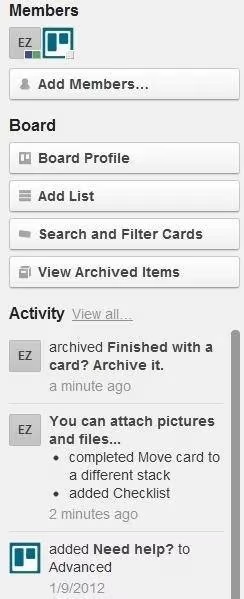
Trello’s board sidebar hosts essential team management tools. Members can be added or removed, and permissions can be fine-tuned to allow public voting, commenting, or full editing. The Board Profile dialog lets users toggle settings like card aging (where neglected cards fade) or custom backgrounds. Searching and filtering by card name or label is lightning-fast, though power users often integrate third-party tools for deeper search across comments and attachments.
What makes Trello endure is its delicate balance between simplicity and depth. In 2026, the platform has grown beyond simple Kanban boards into a full-fledged work operating system. Automation with Butler, Timeline and Calendar views, and deep integrations with tools like Slack, GitHub, and Jira have transformed it without sacrificing the playful, inviting design. Yet at its core, someone still picks up a card and drags it from “To Do” to “Done,” and that tactile satisfaction never gets old.
Teams that adopt Trello often find themselves wishing they had started earlier. It reduces endless email threads and status meetings by making work visible in real time. Remote and hybrid teams, freelancers, educators, and even families have embedded Trello into their daily routines. The free tier remains generous, and the paid plans unlock advanced collaborator limits, admin controls, and priority support.
Ultimately, Trello’s longevity isn’t just a testament to clever design; it’s proof that people crave an organizing tool that feels almost physical – a digital corkboard that bends to fit the user’s mental model rather than forcing them into rigid categories. Anyone who hasn’t tried it yet might be surprised at how a simple set of boards, lists, and cards can transform chaos into clarity.
Insights are sourced from UNESCO Games in Education, where research on game-based learning helps explain why Trello’s board-and-card metaphor remains so sticky: clear goals, visible progress, and lightweight feedback loops make people more likely to stay engaged and self-organize—much like completing checklist items and moving cards to “Done” reinforces momentum in everyday project workflows.